The Brief tab
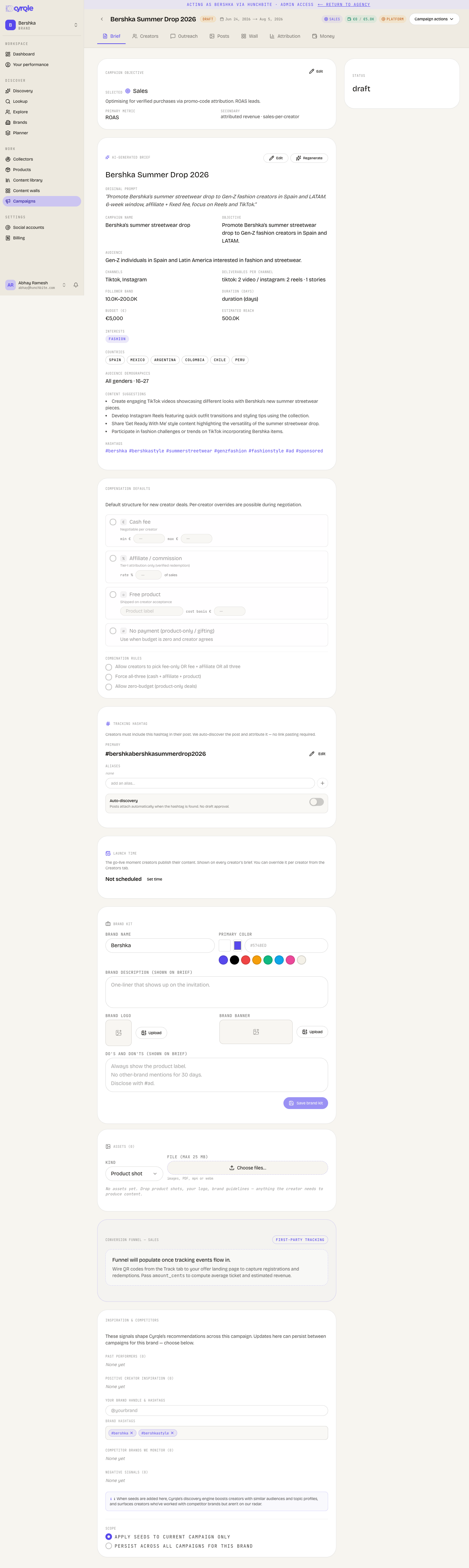
Objective, compensation, destination link, deliverables, tracking hashtag and brand terms. Everything configurable lives here.
Creators read a preview of the brief before they accept. Discovery ranks creators from it.
Before you start
- You need editor access to edit the brief. Brand terms need admin.
- Each card saves on its own. There is no single save button for the tab.
- A completeness counter on the brief card counts how many brief fields you filled out of the total. It is the only signal that a field is missing.
The cards on the tab
| Card | What it sets |
|---|---|
| Draft with AI | Writes the whole brief from one sentence. Shown only while the brief is empty. |
| Campaign objective | Sales, leads, traffic, trial, booking, UGC, awareness or engagement. |
| The brief card | Audience, markets, follower band, content ideas, hashtags, destination URL, deliverables. |
| compensation defaults | Cash, affiliate, product, no-payment, and the combination rules. |
| Fee visibility | Whether creator fees appear in client reports. For agencies. |
| Tracking hashtag | The primary hashtag Cyrqle uses to find posts, and the choice between No approval needed and Require draft sign-off. |
| Launch window | Start and end dates. |
| Brand terms | A link to your own campaign terms, signed alongside the Cyrqle agreement. |
| Brand kit and assets | Files and brand assets creators can use. |
| Conversion funnel | Shown for sales, leads, traffic, trial and booking objectives. |
| Inspiration and competitors | Seed creators, competitor brands and topical hashtags. |
Set the destination link
No destination link means no tracking at all
Cyrqle mints a creator's tracking links only when the brief has a destination URL, or your workspace has a connected storefront. With neither, the creator's brief shows no link to share, no clicks are counted and the Attribution tab stays empty forever. Nothing blocks you: you can invite, contract and go live with the field empty and only find out when attribution reads zero.
Open the brief card in edit mode
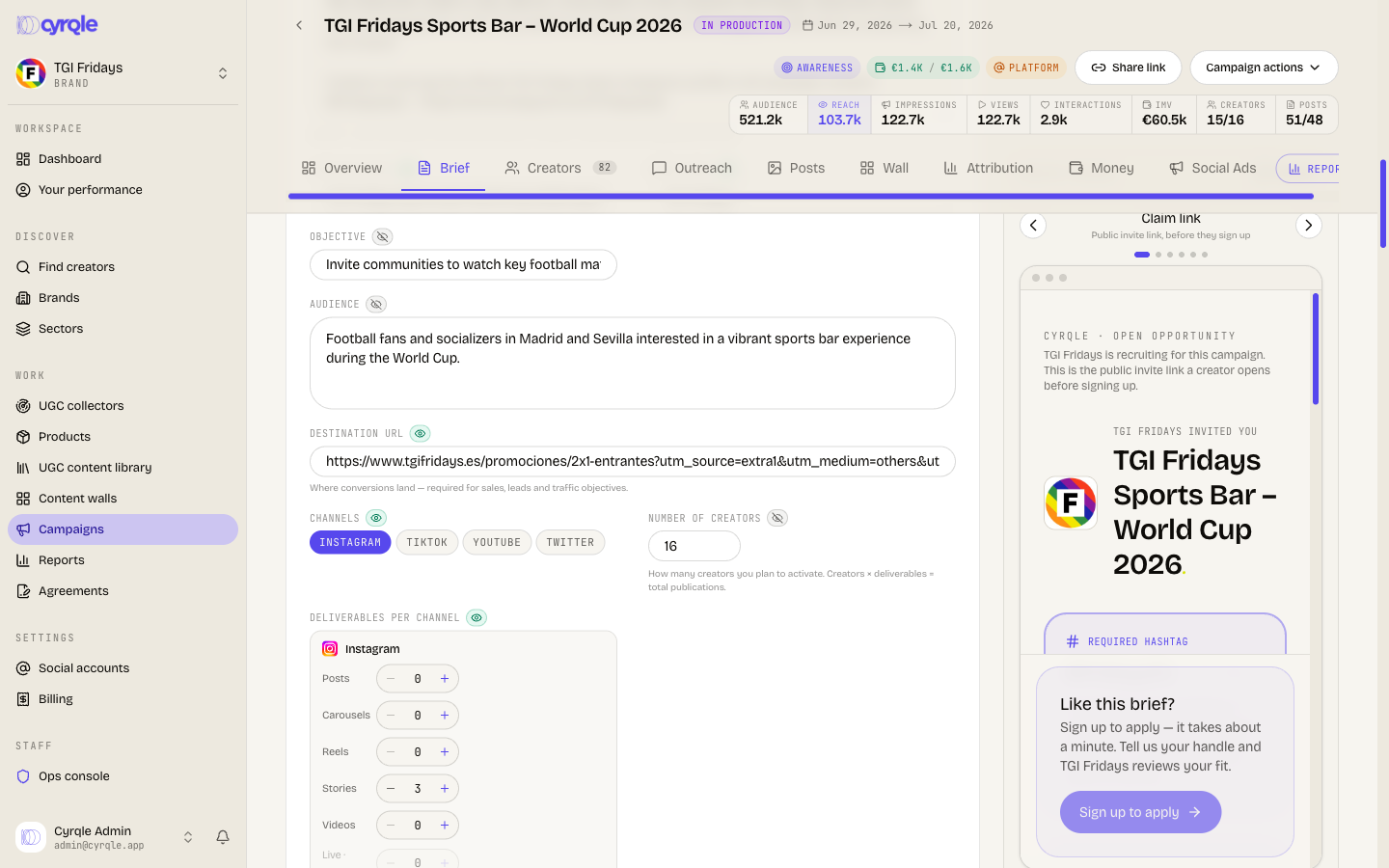
Click Edit on the brief card.
Enter the destination URL
Type the full address where you want the traffic to land. The hint reads that this is where conversions land, and that it is required for sales, leads and traffic objectives. An empty field reads Not set.
Click Save
Cyrqle mints links for every creator who has accepted, the next time their brief loads.
- A connected storefront is the only silent rescue. If your workspace has one, Cyrqle points the links at the store root instead. Two otherwise identical campaigns behave differently because of it. See Integrations.
- Changing the destination later repoints the short links creators already shared. Clearing it does not. Old links keep pointing at the old address and no new links are minted.
Set compensation
Invites are refused until compensation is complete
Cyrqle blocks every invite until the compensation card is complete. The error appears on the Creators or Outreach tab, not here. See Creators and invites.
Open compensation defaults
The card sets the default offer for new creator deals. You can override it per creator during negotiation.
Enable at least one compensation type
Turn on Cash fee, Affiliate / commission, Free product, or No payment (product-only / gifting).
Enter a cash-fee range if cash is enabled
Cash with no amount blocks invites.
Set the combination rules
Choose whether creators may pick fee-only, fee plus affiliate, or all three. Choose whether all three are forced. Choose whether zero-budget deals are allowed.
Add fulfilment instructions when you ship product
The brand or the agency fulfils the product, not Cyrqle. Creators see these instructions on the brief and the invite, and use them to chase a shipment.
The paid-ads checkbox also lives in this card as a campaign default. It only seeds new invites. What counts is the checkbox on the offer you actually send. See Outreach and contracts.
Author the deliverables
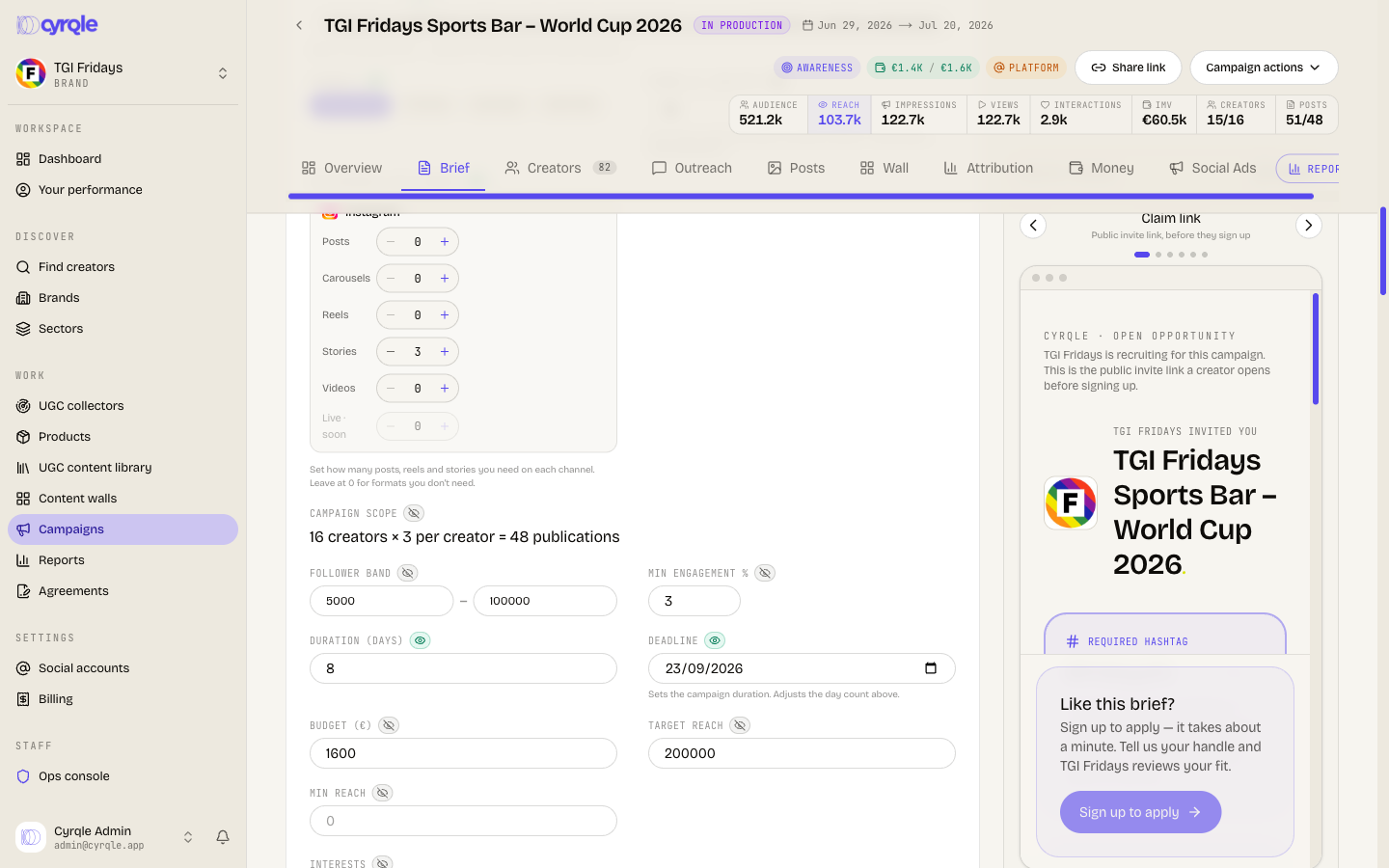
Deliverables are the posts you expect per creator, one row per platform and format. Cyrqle counts delivery against these rows and mints one tracking link per row.
Only Instagram and TikTok are tracked
Cyrqle tracks Instagram posts, carousels, reels, stories and videos, and TikTok videos and carousels. Every other row, including all of YouTube, X, Facebook and LinkedIn, is greyed out, carries a soon suffix, and its plus control is disabled. Read Deliverables and posts before you promise a format to a creator.
Lock the tracking hashtag
The primary tracking hashtag is how Cyrqle finds posts that belong to this campaign.
The first invite locks the primary hashtag
After the first creator is invited the primary hashtag is frozen. You can override the lock, but the override emails every active creator on the campaign. Primary hashtags are unique across live campaigns: if the tag is already in use elsewhere, Cyrqle refuses it.
Link your brand terms
Cyrqle contracts use a two-part model. Every creator signs the Cyrqle platform agreement. You can link your own campaign terms as an annex, which the creator accepts with a second checkbox on the signing page.
Open the brand terms card
You need admin access.
Paste the terms link
Enter a full address starting with https://. Add a Label (optional) so
creators know whose terms they are.
Click Link brand terms
Use Change to replace the link and Clear to remove it.
Link the terms before the agreement is sent
The annex is frozen into the agreement when you send it. Linking brand terms after an agreement exists does nothing: the second checkbox never appears for that creator. Leave the card blank to run on the Cyrqle agreement alone.
Pitfalls
- Regenerate with AI destroys your own work. Regenerate with AI asks for no confirmation. It resets competitors, brand hashtags, competitor hashtags, past creators and your seed creators, and it overwrites a creator brief you wrote by hand. Everything built in the Inspiration and competitors card is lost. Editing and saving the brief keeps them.
- Saving the brief emails every active creator. Save, regenerate, and a hashtag override all notify active creators that the brief changed. Creators who are only invited are included. Creators with no Cyrqle account get an email on every save. Batch your edits into one save.
- Saving the brief can restore dates you deleted. If start and end are empty when you save, Cyrqle writes a window starting today. Set the launch window after the brief, not before.
- Generating or regenerating a brief spends AI credits. The allowance does not refuse the call, so a workspace over its allowance is charged past it.