Collectors
Saved searches that monitor Instagram and TikTok, surface matching posts into a review pipeline, and feed your content library and walls.
A collector is a saved search over Instagram and TikTok. You point it at hashtags, mentions, or keywords; Cyrqle runs it — on demand or on a schedule — and surfaces the matching posts into a review pipeline. From there you review each post, clear usage rights on the ones you want, and push them into your content library and content walls. Collectors are how brands turn the firehose of public creator content into an owned, rights-cleared library.
Before you start
- You need a brand or agency workspace (agencies pick a client first, then work inside that brand).
- Running a collector spends credits. Each source shows its cost per run, and standing monitors pause when your balance is low — a manual Run once still works. Top up from the collectors page.
- Collectors only read public posts. Clearing rights (a separate step) is what makes content usable in your walls and campaigns.
Open Collectors
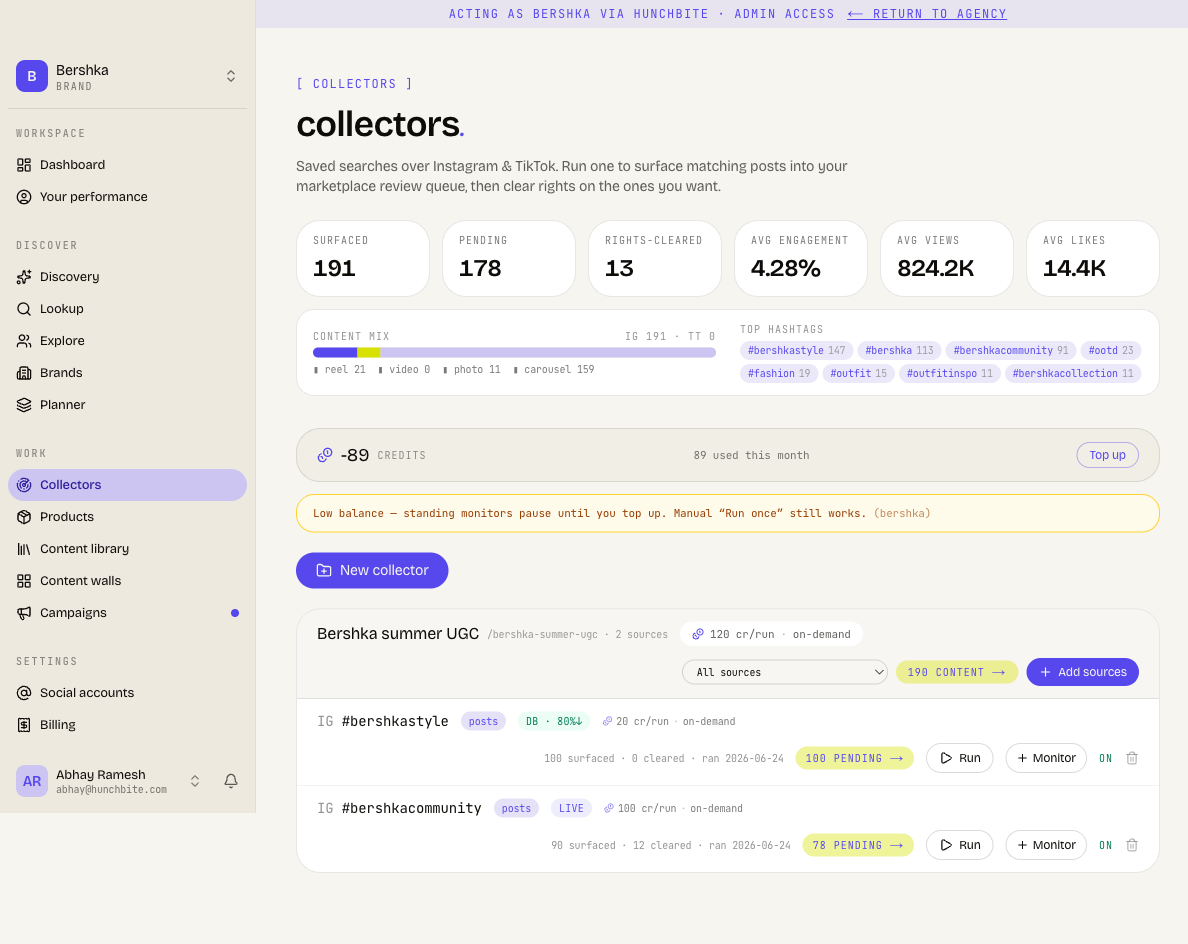
From your workspace navigation, go to Collectors. The list shows every collector you've created, each as a card with its sources, the credits it costs per run, and how many posts it has surfaced versus rights-cleared. A balance strip at the top shows your remaining credits and a Top up button.
Create a collector
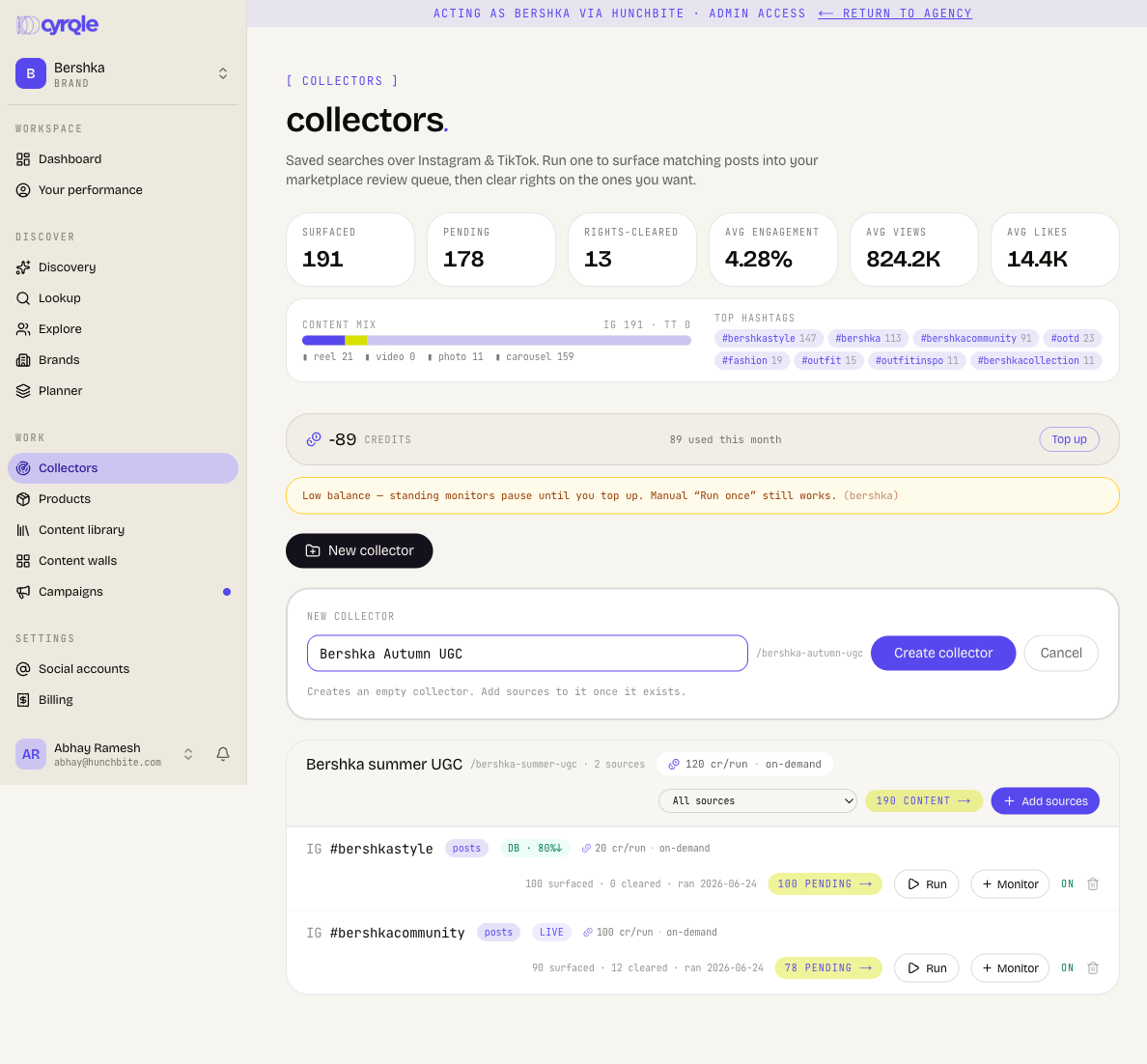
- Click New collector.
- Give it a name (for example a campaign or theme).
- Click Create collector.
This creates an empty collector — you add sources to it next.
Add sources
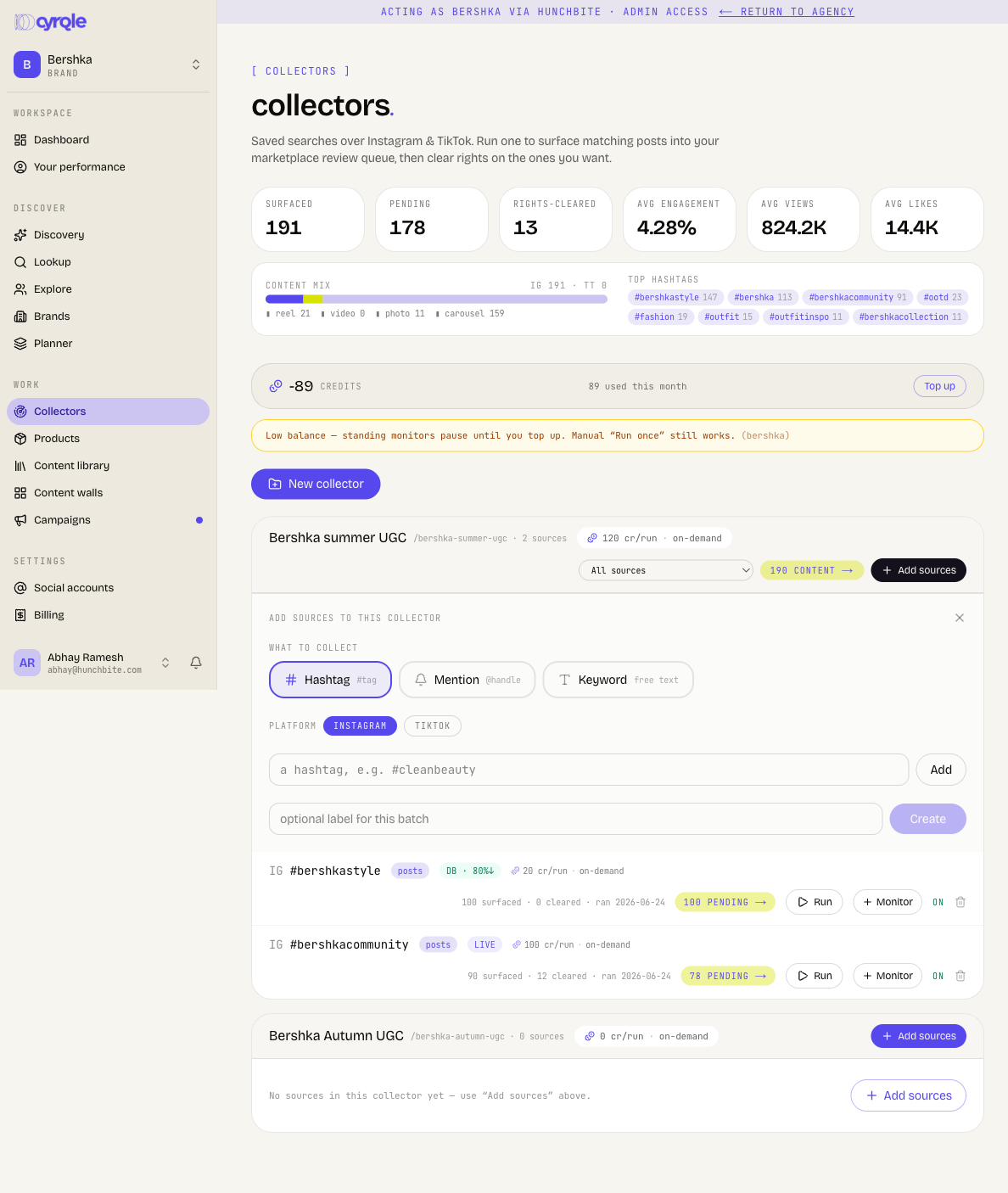
A source is one search inside a collector. Open a collector (or use Add sources on its card) and add as many as you need:
- Hashtag — posts tagged with a
#tag. - Mention — posts that tag a specific
@handle. - Keyword — free-text matches.
For each source, pick the platform (Instagram or TikTok), enter the term, optionally add a label for the batch, then Create.
db vs live sources
Each source runs in one of two modes, shown as a badge on the source:
- db — served from Cyrqle's shared content lake. Cheaper, and a percentage badge (for example 80%↓) shows how much of the result set was answered from the lake without a fresh pull.
- live — a fresh pull from the platform. Costs more credits per run but returns the newest posts.
Mix both: run db for breadth at low cost, and live when you need freshness.
Run and monitor
Each source has its own controls:
- Run — run the source once, now. The surfaced count and "ran" date update when it finishes.
- Monitor — toggle a standing schedule so the source re-runs automatically and keeps surfacing new posts. Monitors pause on low balance; manual runs still work.
- Auto-request rights — when on, Cyrqle automatically sends a rights request to the creator of each newly surfaced post (see Library).
You can also add a post by link to pull a single known post straight into the collector, and delete a source you no longer need.
Review the pipeline
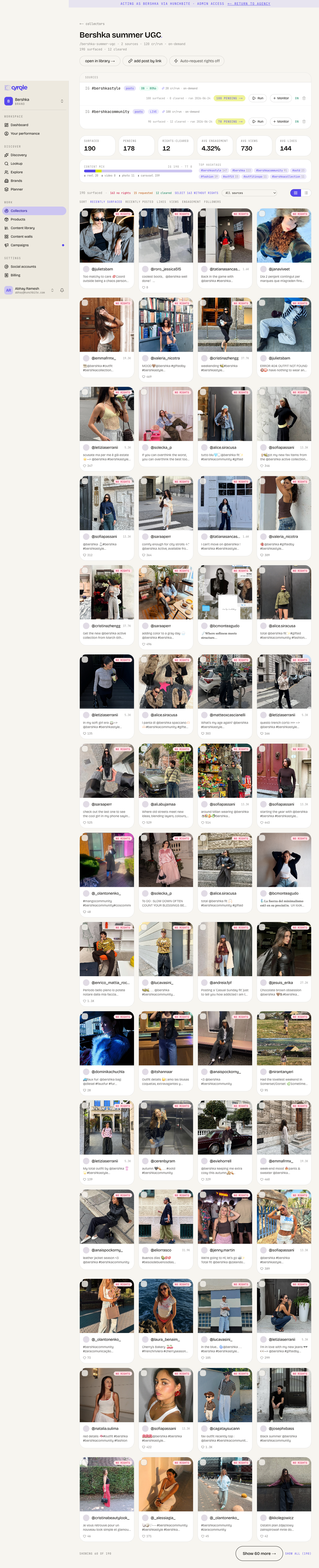
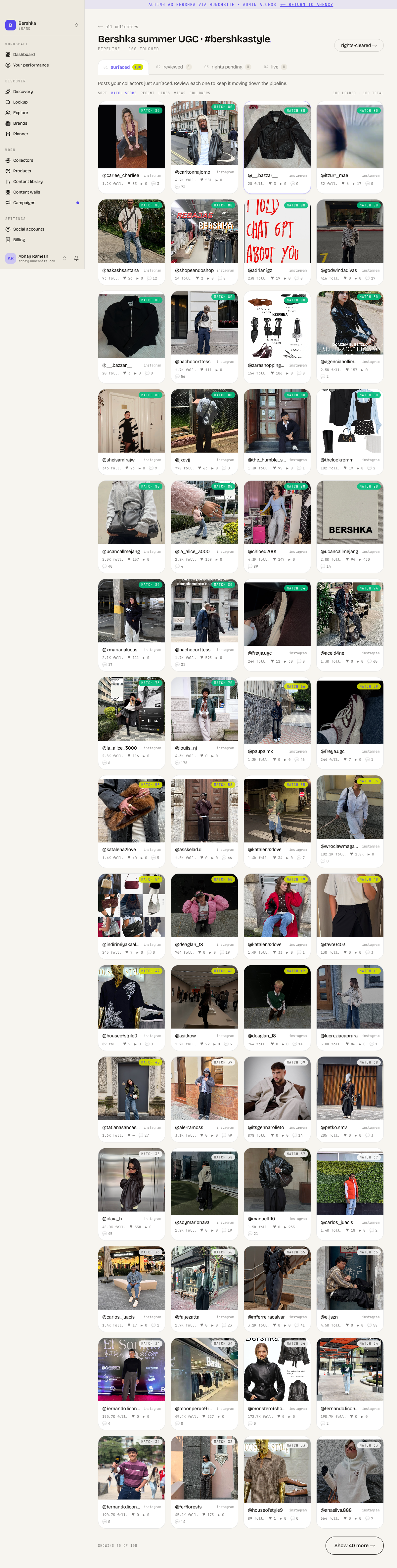
Click a source (or its surfaced count) to open the pipeline — the review queue for everything that source brought in. Posts move through stages: surfaced → reviewed → ... toward rights-cleared. Each post card shows the creator, a match score, and follower/engagement stats so you can judge fit at a glance. Review each one to keep it moving down the pipeline; clear rights on the keepers.
What happens next
Collectors feed the rest of your workspace:
- Clear rights on posts you want — they move into the Cleared tab of your content library.
- Build content walls from cleared content to showcase it and attribute sales — see Content walls.
- Find creators worth reaching out to, and move them into Campaigns or Outreach.
Frequently asked questions
Outreach & rights
Reach creators who aren't on Cyrqle yet, run the conversation and deal, and clear the rights to reuse their content.
Content walls & collectors
Build a Cyrqle-hosted wall of creator content that links back to your store, fill it from saved Instagram and TikTok searches, and track what it drives.