Integrations
Connect Shopify, Magento, or WooCommerce so Cyrqle can credit creator links to real sales, and connect your social accounts.
Before you start
- Open Integrations from the workspace settings index.
- You need someone who can edit your storefront theme and add webhooks.
- Integrations are for brand and agency workspaces only.
- Each store is independent. Run all three at once if you have three stores.
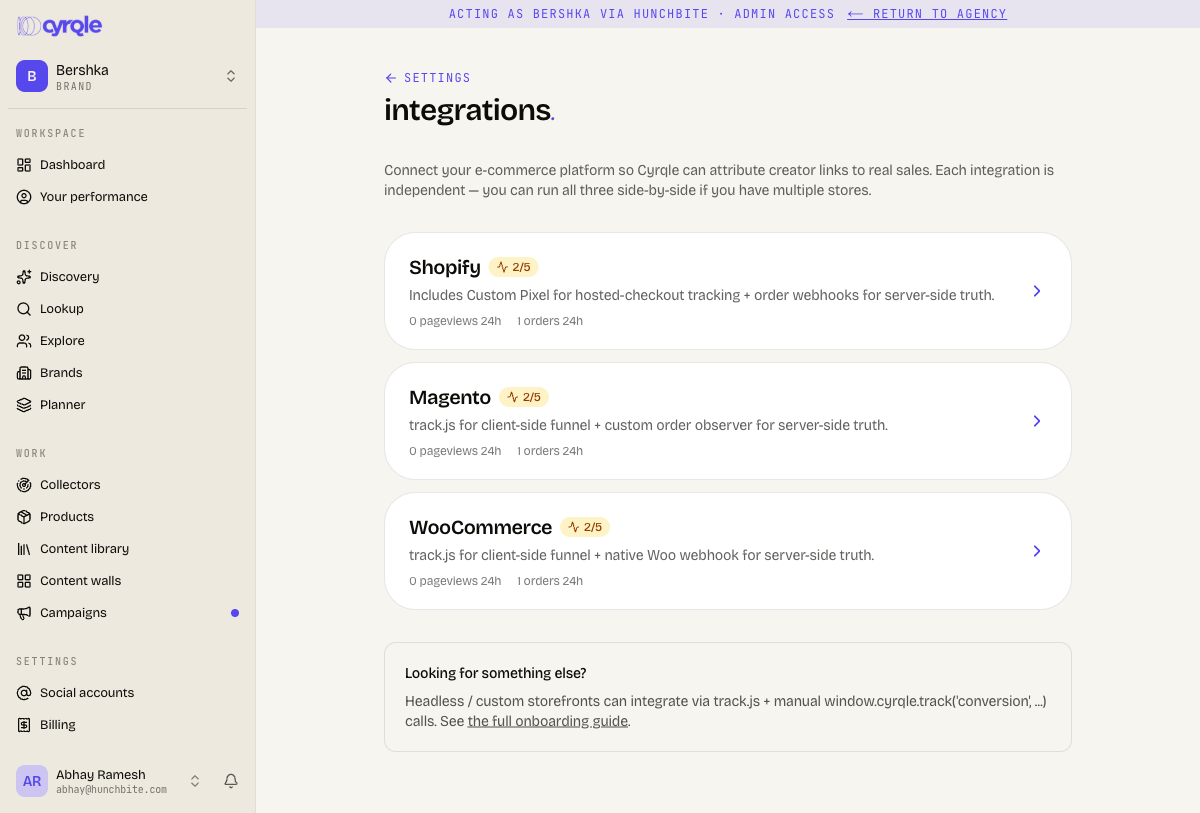
The five steps
Every platform follows the same ladder. Each step turns green from real evidence, and the first unfinished step is the active card.
| Step | Title | Turns green when |
|---|---|---|
| 1 | Create integration | You create the integration record. |
| 2 | Install track.js in your storefront '<head>' | The first page view arrives. |
| 3 | Configure order webhooks | The first webhook arrives. |
| 4 | Install the shoppable wall snippet | A wall session is recorded. |
| 5 | Verify end-to-end with a test order | The first order event arrives. |
On Shopify, step 2 reads Install track.js + Shopify Custom Pixel.
A step stays green once its evidence has arrived once. A green step does not prove the snippet is still installed today. Watch the Page views (24h), Orders (24h), Wall sessions (24h), and Last webhook counters instead.
Connect your store
Contact Cyrqle support after step 1 and give them your myshopify domain. Cyrqle cannot set that domain from the app. Without it, creator discount codes are never created and creator tracking links do not reach your store.
Create the integration
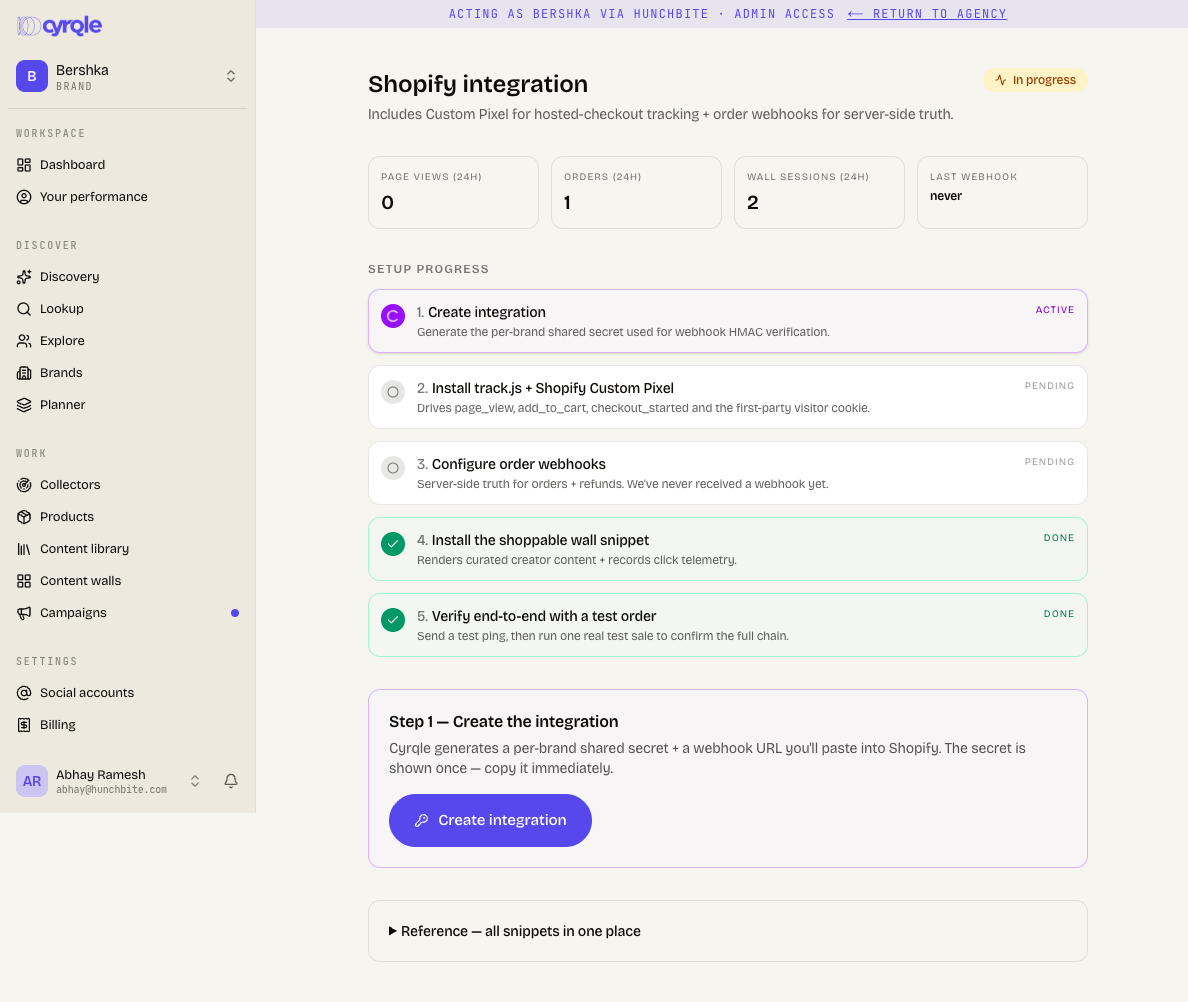
Open the Shopify card and click through step 1. Shopify signs its own webhooks, so there is no Cyrqle secret to copy here.
Install the tracking snippet
Copy the track.js snippet into your theme.
Add the Shopify Custom Pixel
Add the Custom Pixel that the same step shows, under Settings, then Customer Events in Shopify Admin.
Open the Shopify webhook page
In Shopify Admin, open Settings, then Notifications, then Webhooks.
Add the order webhooks
Create Order creation, Order payment, and Refund create. Point all three at the URL Cyrqle shows.
Paste Shopify's signing secret
Copy the signing secret Shopify shows and paste it into Save platform secret.
Install the wall snippet
Copy the content wall snippet into the page where your wall should appear.
Place a test order
Buy something through a creator link. The order counter increases.
Creator discounts
Add an Admin API access token and a Percent off between 1 and 90. Cyrqle then creates the discount behind each creator's promo code, which makes the auto-apply discount link on a creator's brief work.
The token needs the write_discounts scope. Create it in Shopify Admin under
Settings, then Apps and sales channels, then Develop apps.
- Cyrqle only creates discounts named after a code it minted. It never edits or deletes anything else. Clearing the token turns the feature off.
- Product import is by CSV file. Live catalogue sync is coming soon. See Products.
Maintenance
| Control | What it does |
|---|---|
| Rotate secret | Issues a new shared secret. Deliveries fail until you paste it into the store. |
| Send test ping | Signs a test payload and posts it to Cyrqle's own webhook. It proves the signature works. |
| Save platform secret | Stores the secret your platform signs with. Shopify only. |
| Storefront addresses | Lists the web addresses Cyrqle accepts tracking events from. Up to 50, one per line. Click Save addresses. |
- Send test ping proves nothing about your store. It never touches Shopify, Magento, or WooCommerce. Place a real test order to prove the connection.
- Fill in Storefront addresses correctly. Cyrqle accepts unlisted origins today and warns. If Cyrqle tightens that check, a mistyped or empty list stops crediting your sales.
Connect social accounts
Brands connect Instagram and TikTok at /[your-handle]/settings/social. The page is in the sidebar under Social accounts. It is not on the settings index. Creators use Profile, then Connect.
Each platform card offers two paths.
| Path | What you get |
|---|---|
| Log in with Instagram or Log in with TikTok | Live stats, per-post insights, your own media, and for Instagram, story metrics. |
| Use @handle instead | Public profile data only. |
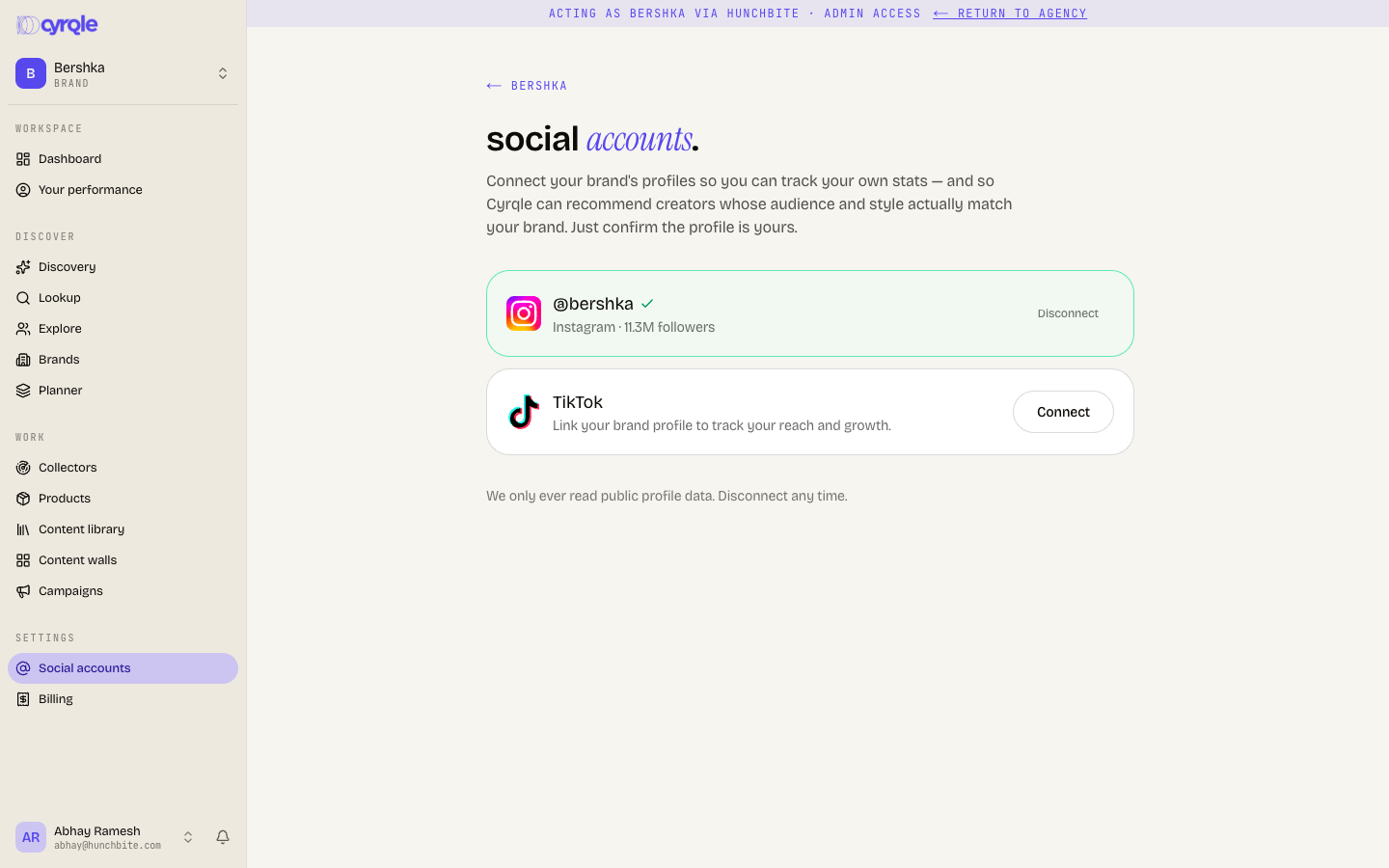
- Your Instagram account must be a Business or Creator account. A personal Instagram account cannot log in at all and is limited to the handle path. You do not need a Facebook Page.
- Instagram login is only for approved test accounts today. If the Instagram card shows Connect and no login button, the login is not open to you yet. Use the handle path.
- TikTok login is not open to everyone yet. Clicking it can end in a consent error or "Could not start the TikTok login." Use the handle path until TikTok approves the Cyrqle app.
- Reconnect Instagram before its login expires. An Instagram login lasts 60 days and Cyrqle starts renewing 7 days before it ends. If it lapses, the connection is dead permanently and you must connect again from scratch.
- You cannot disconnect a logged-in account from inside Cyrqle. The Disconnect button exists for handle-linked profiles only. To revoke a login, remove Cyrqle from your Instagram or TikTok account settings.
- Story metrics come only from an Instagram login. Without it, Cyrqle cannot verify a story deliverable.
Pitfalls
- Disconnecting a handle stops everything that used it. The confirm reads "Collectors and walls that use it will stop pulling from it." Creators lose the opportunities and invites tied to that handle.
- If you are at your connected-accounts cap, a login can appear to succeed and then change nothing. Check the card afterwards. Free a slot or upgrade first.
- A profile already connected to another workspace cannot be claimed. The message reads "That profile is already connected to another account." Contact support if it is yours.
- YouTube and LinkedIn are coming soon. Cyrqle cannot connect them today.
Reference
Billing and credits
Plans, seats, caps, credits, usage-based billing, invoices, and how agencies pay for managed brands.
Contracts and rights templates
Every creator contract on Cyrqle is two documents. Write your own brand terms annex, and the rights terms a creator sees when you ask to feature a post.