Create a campaign
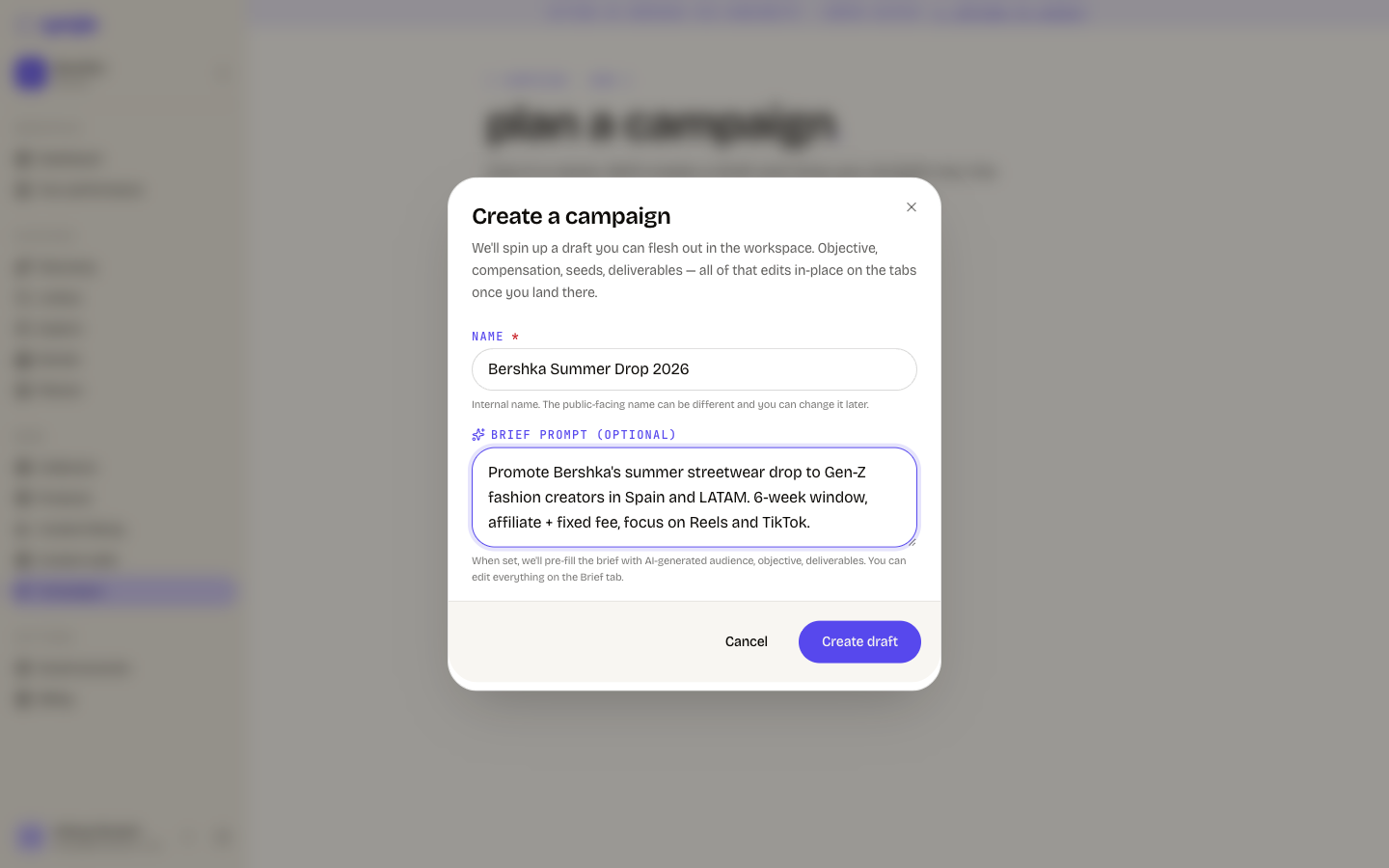
The create dialog asks for two things. Everything else is edited on the tabs afterwards.
Creating a campaign takes one screen. Cyrqle writes a draft, and you fill in the rest on the campaign tabs.
Before you start
- You need editor access. A viewer cannot create a campaign.
- Your workspace needs an active plan with an active-campaign allowance left. Cyrqle checks both when you submit, not when you open the dialog.
- An agency needs a client to own the campaign.
Steps
Click New campaign
Click New campaign on your dashboard, or Create your first campaign on an empty campaign list. The create dialog opens.
Enter a name
Type the name in Name. The name is internal and you can change it later. The public name can be different. The limit is 200 characters.
Describe the campaign in one sentence
Type a sentence in Brief prompt (optional), for example the product, the market, the window and the budget. Cyrqle pre-fills the brief from it: audience, objective and deliverables. The limit is 2,000 characters.
Click Create draft
Cyrqle creates the draft and opens the campaign on the Brief tab.
Create a campaign as an agency
The campaign is created in the client workspace
- An agency campaign belongs to the client, not to the agency. After you create it, switch to that client's workspace. Campaign pages opened on the agency slug return not-found.
- The Client field appears only after a first submit fails. Type the name and click Create draft. Cyrqle answers Pick which client this campaign is for and shows the client picker. Pick the client and submit again.
Pitfalls
- An empty Brief tab means the AI draft did not run. The brief is generated in the background. If the generation fails, you still get the success message and land on an empty Brief tab. Nothing tells you it failed. Use Draft with AI on the Brief tab to try again, or fill the fields by hand.
- A generic brief is a placeholder, not your brief. If the brief reads like a generic template, the generator did not use your prompt. Rewrite the brief on the Brief tab before you invite anyone. Discovery ranks creators from the brief.
- Picking an existing brief from your library overrides the typed prompt. The prompt is discarded without a message.
- Billing limits are checked at submit. You can write the whole prompt and then learn that your plan has no active-campaign allowance left, or that the workspace is past due. Creating the draft consumes one allowance immediately. Archiving does not give it back.