Creators and invites
Build the creator pool, invite creators, share the public campaign link, and understand why an invite is refused.
The Creators tab holds every creator attached to the campaign, from saved lead to paid collaborator. You fill it from discovery, from a list, or by handle, then invite from it.
Before you start
- On a UGC-only campaign the tab is labelled Talent and its empty state points you at UGC talent instead.
- Compensation must be complete on the Brief tab. Read the warning below first.
- You need editor access to add creators and to invite.
- A creator is reachable only if they are on Cyrqle or Cyrqle has an email for them. Instagram DM and WhatsApp are not sending channels.
Invites are blocked until compensation is complete
Fix compensation on the Brief tab before you invite
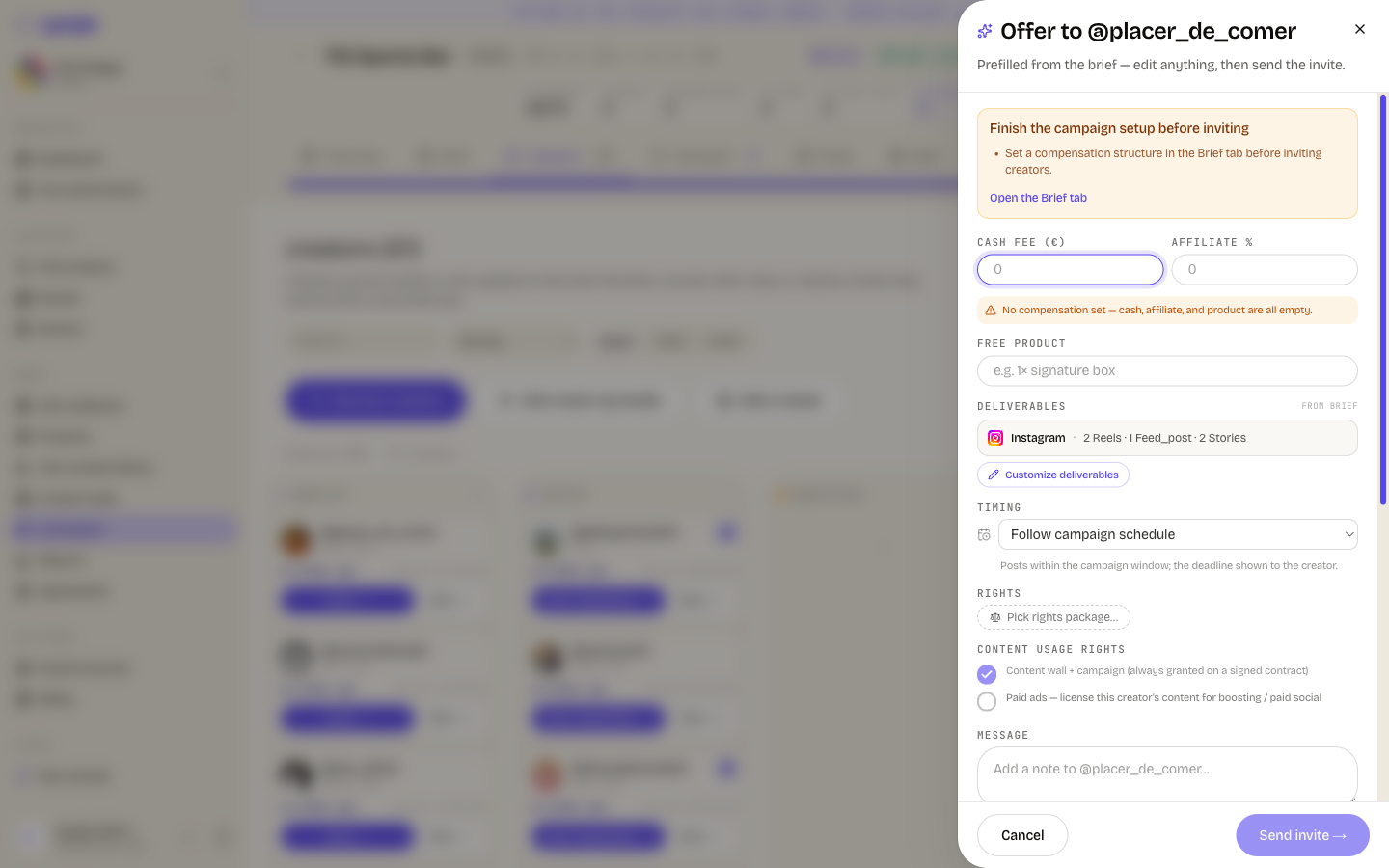
Cyrqle refuses every invite, single or bulk, until the campaign has a usable compensation structure. The block appears here, on the Creators or Outreach tab, but the fix is on the Brief tab. The three messages are exact:
- "Set a compensation structure in the Brief tab before inviting creators."
- "Enable at least one compensation type (cash, affiliate, product, or no-payment) in the Brief tab."
- "Set a cash-fee range in the Brief tab (cash compensation is enabled but has no amount)."
Cyrqle also warns, without blocking, when there are no fulfilment instructions, no budget, or no launch window.
Fill the creator pool
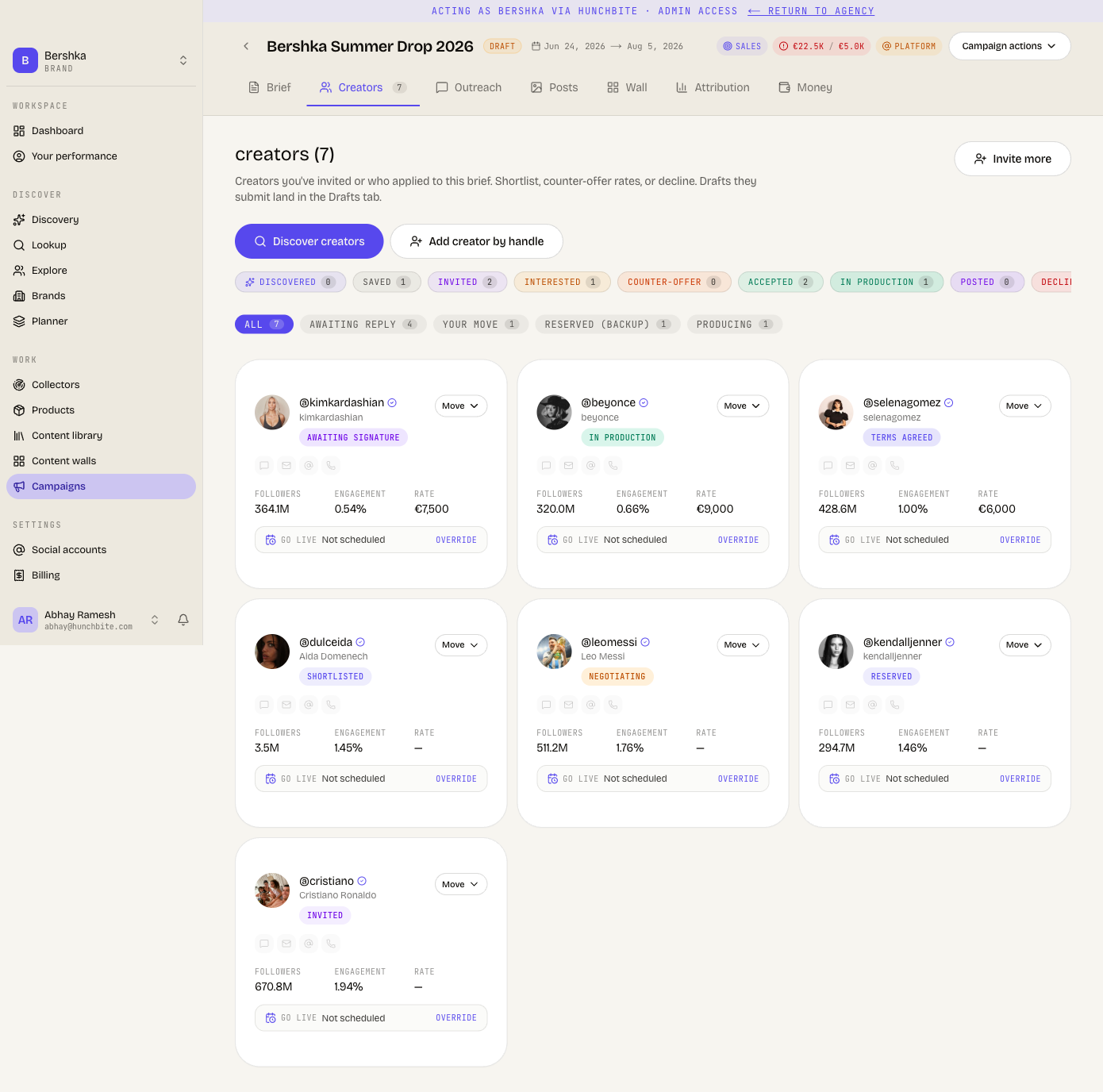
The action bar has three controls: Discover creators, Add creator by handle and Add a cluster.
Click Discover creators
The discovery drawer opens over the campaign. It ranks the creator index against your brief.
Select the creators you want
Tick the rows. You can add up to 100 at a time.
Add them to the pool
They land in the pool as saved leads. Adding the same creator twice does nothing.
Add a creator who is not in the index
Click Add creator by handle. Paste the handle or the profile address.
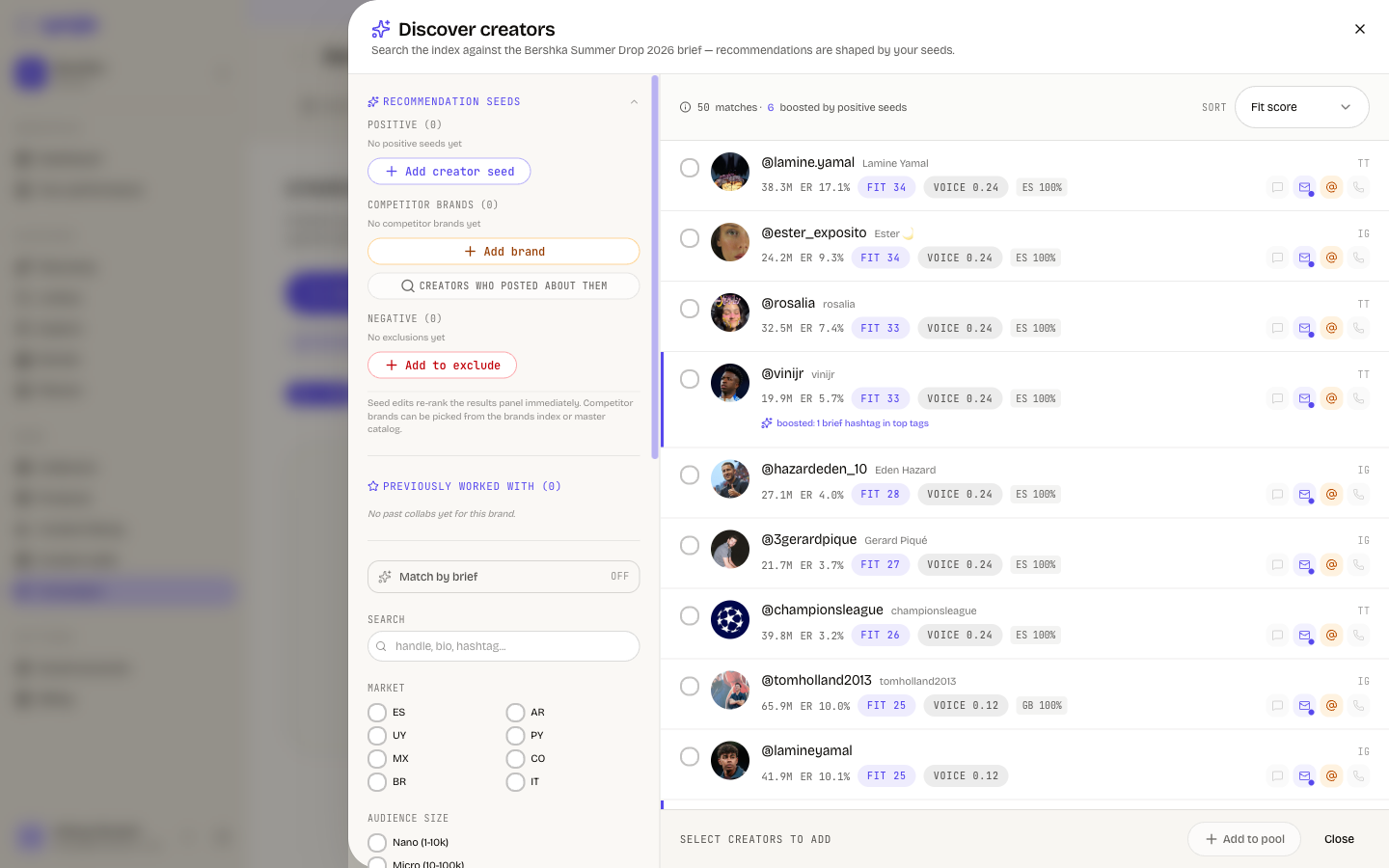
Read Find creators for how the ranking works and how to tune it.
Read the tab
- Views are board, table and cards. Board is the default.
- The search box appears in board and table view. The filter chips appear in cards view.
- Chips group the pool: All, Awaiting reply, Your move, Reserved (backup), Producing, Completed and Lost. A chip with no creators is hidden.
- Sorts cover reach, impressions, engagement, live posts, followers, engagement rate, deal value and recent updates.
Invite creators
There are four ways a creator becomes Invited, and they do not all send a message.
| How you invite | Sends the outreach email |
|---|---|
| Invite from a discovery row or a creator profile | Yes |
| Invite from the pool, one creator or in bulk | Yes |
| Share invite link | No. It only creates the link. |
| Invite again on a past collaborator | No. It sends a short in-app notice. |
Share invite link sends nothing
Share invite link marks the creator Invited and creates a claim link. Cyrqle sends no email and no message. You must share the link yourself. A roster full of Invited creators can mean a roster nobody ever contacted.
Invite from the pool in bulk
Open Bulk invite
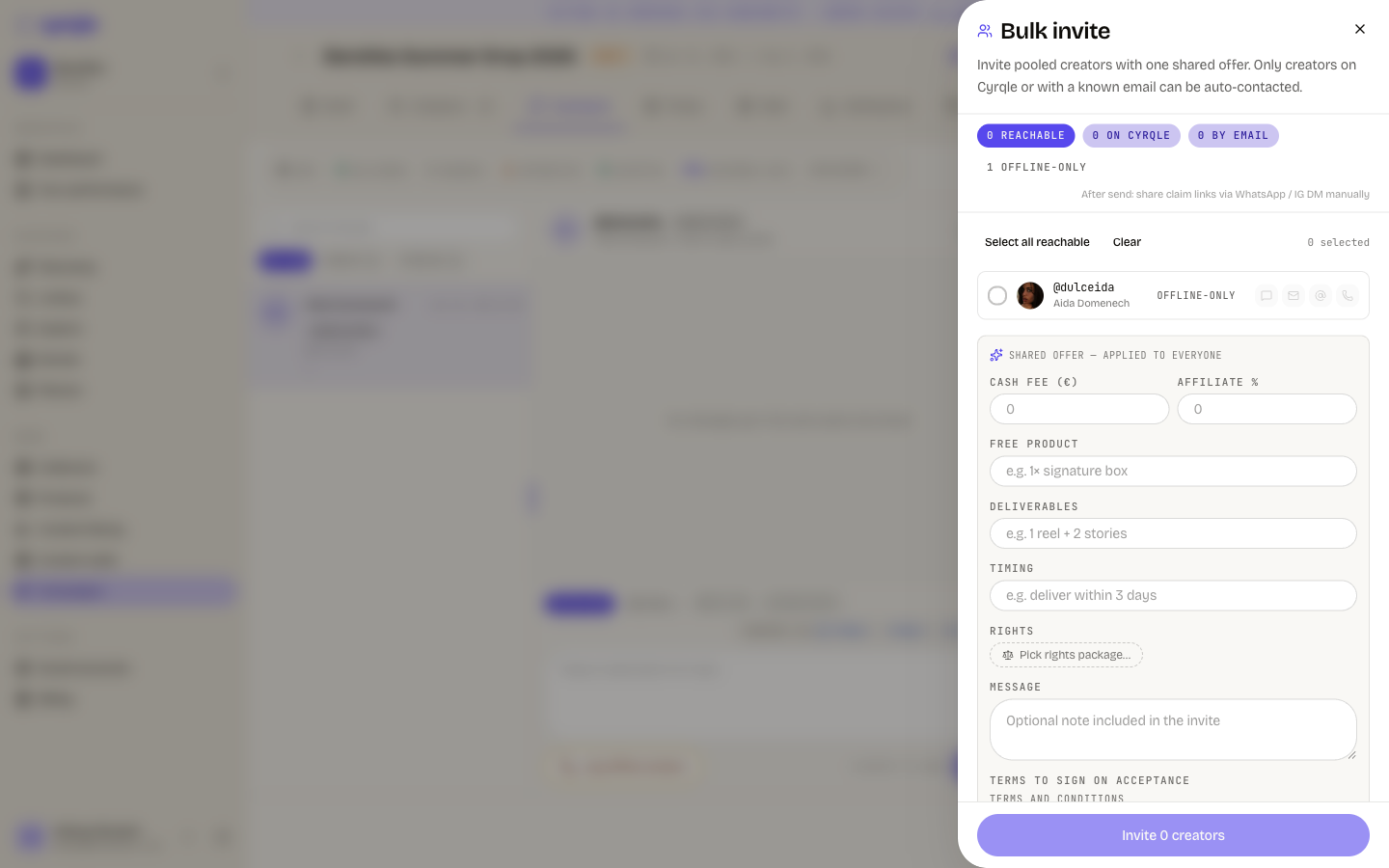
Click Bulk invite in the Outreach toolbar. Cyrqle pre-selects every reachable creator.
Read the reachability chips
The sheet counts how many creators are reachable, on Cyrqle, reachable by email, and offline-only.
Add a note for each offline-only creator
Cyrqle blocks the send until every offline-only creator has a note saying how you reached them.
Pick the language
Auto sends Spanish to Spain and Latin America and English everywhere else. You can force Spanish or English.
Send the invites
The result counts who gets an email, who needs a manual share, who was logged offline and who was skipped.
One misconfiguration stops the whole batch
Readiness is checked once for the batch, so a single campaign-level problem refuses up to 200 invites at once. Per-creator failures are counted as skipped with no reason and no list of who.
Invite a creator again
Invite again starts a fresh cycle with a creator you already worked with. It sets new deal terms and mints a fresh set of tracking links. Any agreement you send afterwards belongs to the new cycle. Invite again does not start the outreach email sequence. The creator gets an in-app notice only.
A renewal cycle bills a new agreement on your plan. The first agreement in a cycle is billed once, so re-sending or cancelling and re-issuing inside the same cycle is free.
Share the public campaign link
The public link works in four statuses only
Share link works while the campaign is in Matching creators, Reviewing applicants, Awaiting acceptance or In production. Outside those four the button is disabled and any link you already shared returns a not-found page and refuses applications. Live, Draft under review and Approved to publish are not shareable.
Move the campaign to Matching creators
Use the status menu in the campaign header.
Click Share link
Copy the link from the popover.
Share it
Creators already on Cyrqle open the brief directly. Everyone else signs up first, then lands on the brief.
Pitfalls
- Every invite spends a roster allowance. Each invite debits one creator from your plan's roster allowance. Removing the creator from the pool does not refund it.
- Discovery can return an empty list with no error. This happens when the brief has no usable topic: no brand name, no interests, no hashtags, no description. An empty result is not proof that no creator matches. Fill the brief first.
- Filters narrow the results after ranking, not during it. A narrow filter can return far fewer creators than the page size even when more exist.