Content approval
Approve creator drafts before publication. The Content tab appears only while the campaign requires draft sign-off.
Draft sign-off puts a review step between a creator making content and posting it. The creator uploads a draft. You approve it or ask for changes. Only then does the creator publish.
Before you start
The Content tab appears only with draft sign-off
A new campaign is set to No approval needed, and the Content tab is hidden. Set the tracking hashtag card on the Brief tab to Require draft sign-off to show the tab. Under No approval needed creators do not submit drafts. Cyrqle finds their posts by the campaign hashtag instead.
- You need editor access to approve a draft or request changes. Viewers see the queue and cannot act.
- Creators must be in production before they can submit.
Steps
Require draft sign-off
Open the Brief tab and select Require draft sign-off in the tracking hashtag card. The Content tab appears.
Open the Content tab
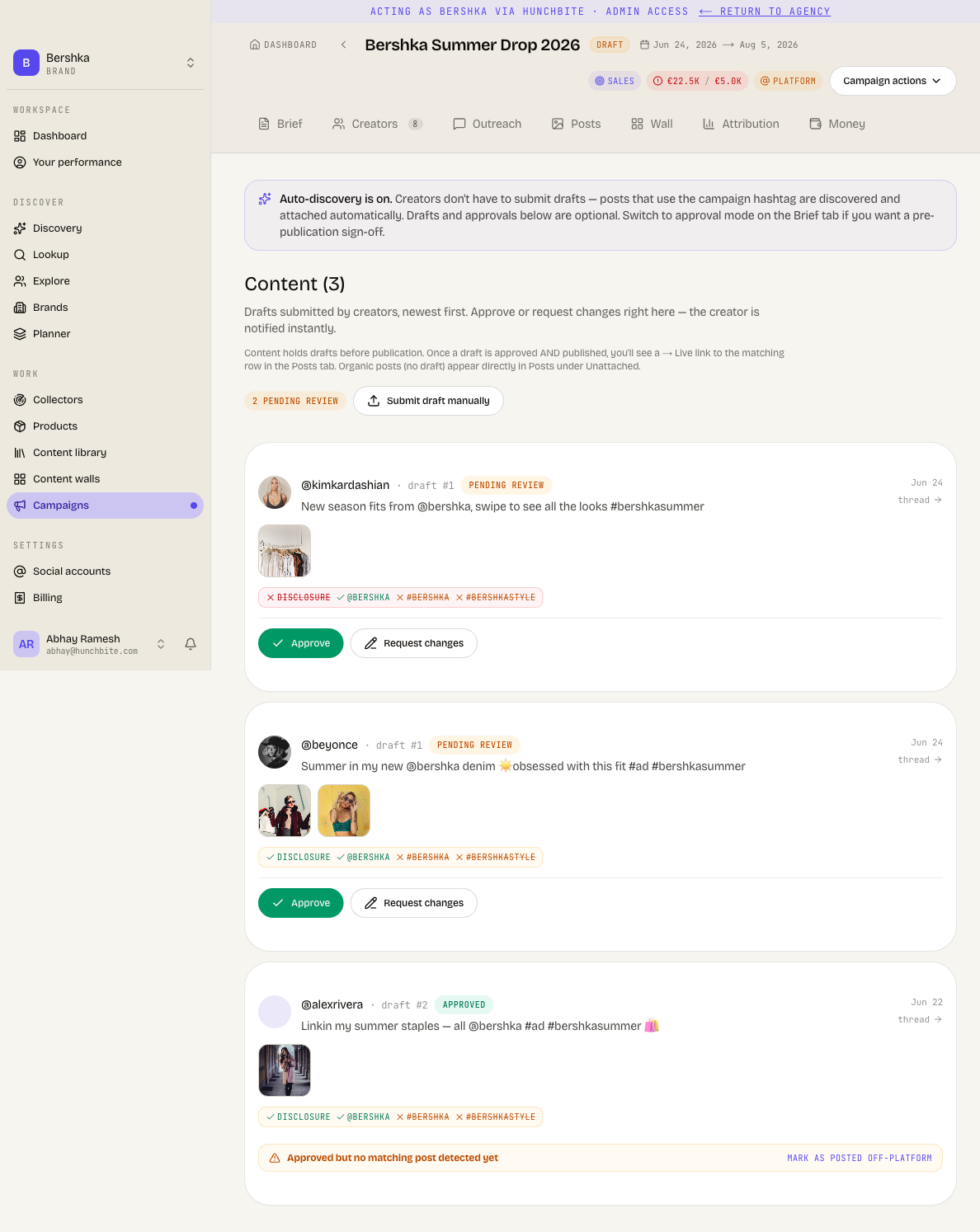
Drafts are listed newest first, with a count of how many are pending review.
Open a draft
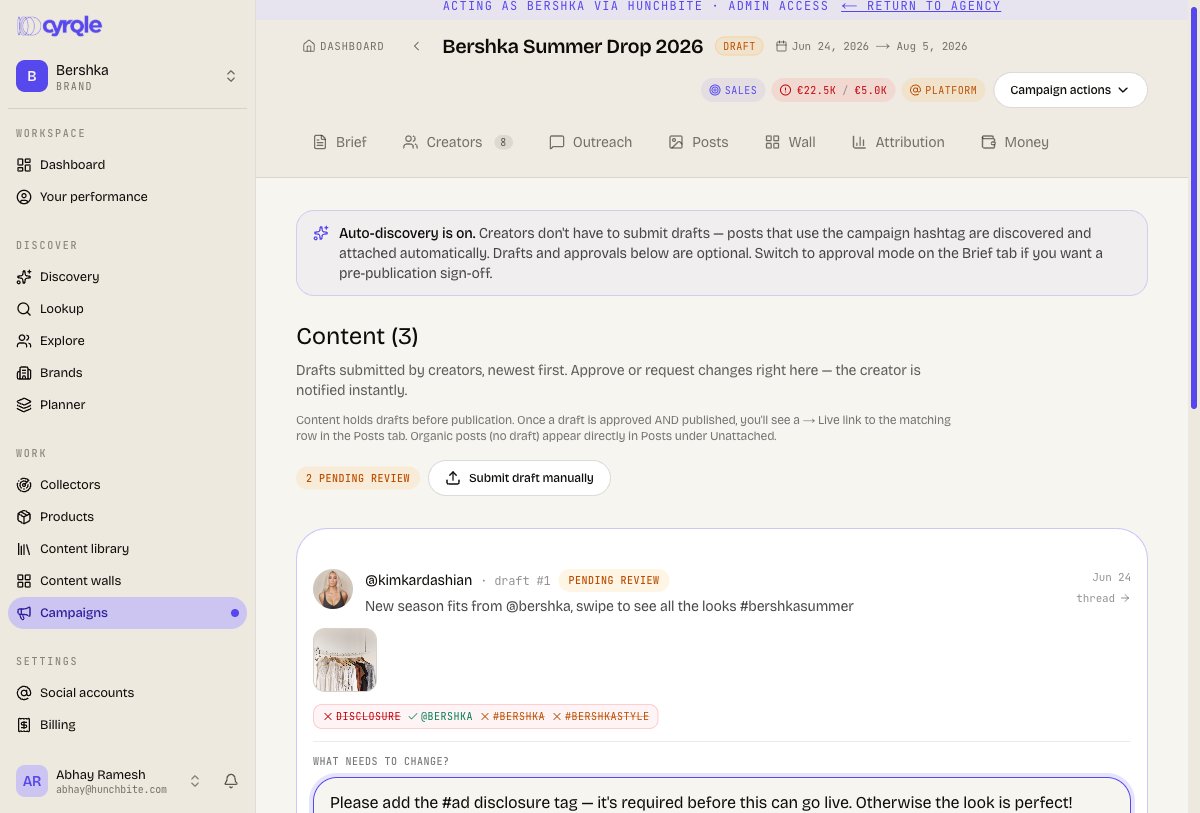
Each draft shows its assets, its caption, its number, and your last note.
Approve the draft
Click Approve. The creator is notified.
Or request changes
Click Request changes, write what needs to change, and send. The creator gets your note.
Submit a draft for a creator
Use Submit draft manually when a creator sends you content outside Cyrqle. Images, MP4, WebM, MOV video and PDF are accepted, up to 100 MB each.
A manually entered draft notifies nobody
Cyrqle sends no notification and starts no review timer for a draft you enter yourself. Tell the creator, and review it yourself. A draft you submit on a creator's behalf can also mail the workspace owner a note that reads as if changes were requested. Ignore that message.
Pitfalls
- Approving a draft does not move the creator forward. Approval records the decision. The creator stays in production until a live post address arrives. Approval alone never completes a deliverable.
- A pasted post link still needs an approved draft. Under No approval needed drafts read as optional. A creator who tries to paste their live post address is still told to submit a draft and get it approved first. Select Require draft sign-off if creators need that route.
- A draft a creator saved but never submitted is shown with the changes-requested label even though you asked for nothing. Read the note before you act on it.
- Caption length is checked against Instagram's 2,200-character limit on every campaign, including TikTok-only campaigns.