Reports
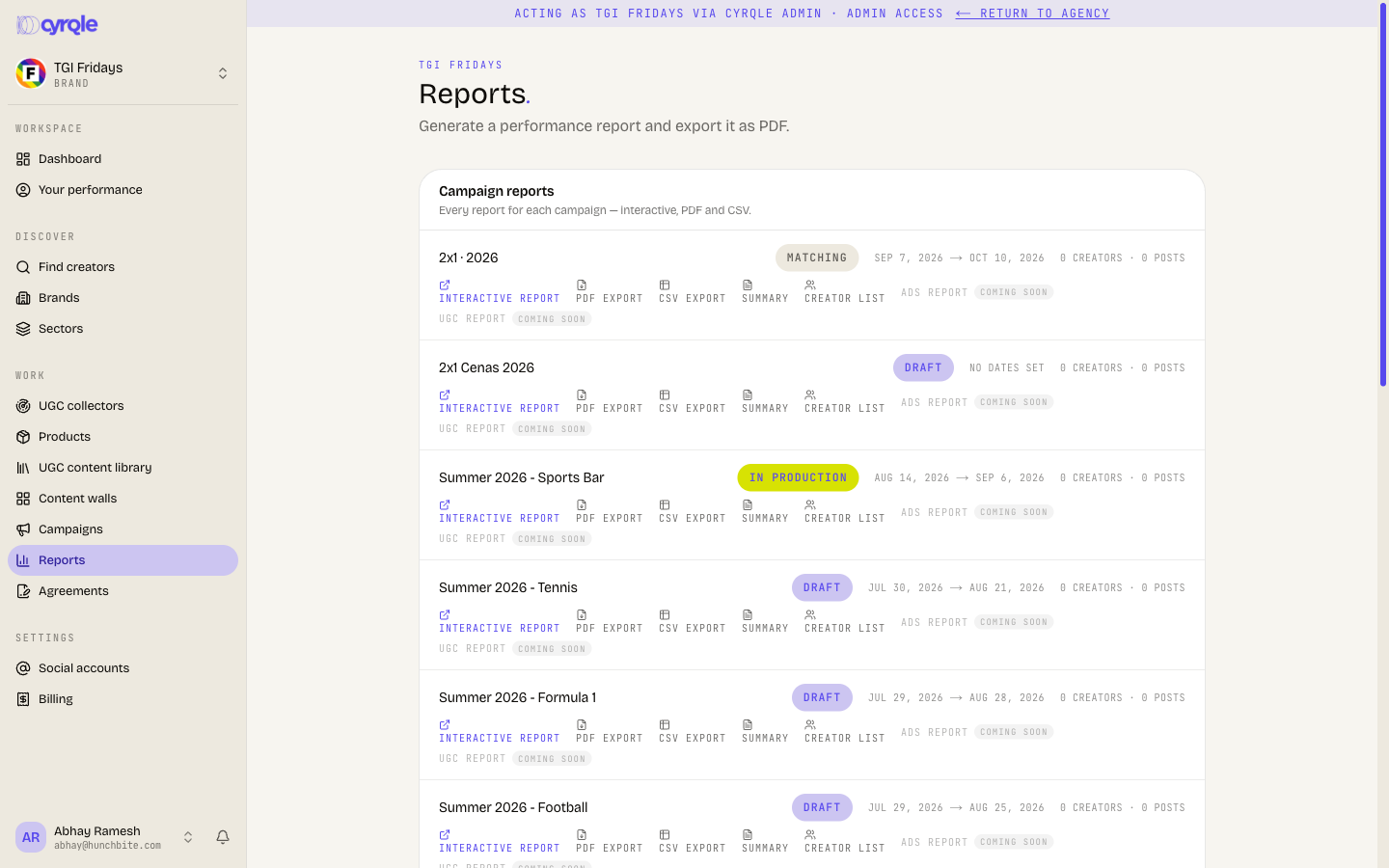
The Reports page: brand performance, per-campaign reports, cluster reports and creator media kits, with PDF and CSV exports.
Brands use Reports to review results and to brief a stakeholder who does not have a Cyrqle account. Every report reads live data. Cyrqle builds it when you open it, so a report is always current at the moment you export it.
Before you start
- Select Reports in the sidebar, under the campaigns group.
- You need a brand workspace. An agency builds a client's report from the client, not from the agency workspace. See Agency reports.
- A campaign needs creators and published posts before its numbers are useful.
Steps
Report on the whole brand
In Brand performance, select Generate report. Cyrqle builds a cross-campaign rollup covering spend, creators, content and the trend over the last 90 days.
Report on one campaign
Find the campaign in Campaign reports. Select Interactive report for the full page, or Summary for the condensed version.
Report on a roster
On the same campaign row, select Creator list. The report aggregates the roster's reach and engagement.
Report on a cluster
In Cluster report, select the cluster name. The report covers its reach, engagement and composition.
Export
On any rendered report, select Download PDF or Download CSV. On a campaign row you can export without opening the report first, with PDF export and CSV export.
What each report contains
| Report | On-screen description | Best for |
|---|---|---|
| Brand performance | Cross-campaign rollup: spend, creators, content, trend over the last 90 days. | A monthly or quarterly review |
| Campaign report | One campaign's performance: roster, spend, content output, timeline. | Closing a campaign |
| Creator list report | Aggregate reach and engagement for a campaign roster. | Showing who was on the campaign |
| Cluster report | A saved Creator Cluster: reach, engagement, composition. | Planning the next campaign |
| Creator media kit | Single-creator profile and stats. | Sharing one creator with a stakeholder |
The Creator media kit has no button on this page. Open it from a creator card, or append a creator id to the report address. The on-screen hint says the same.
Pitfalls
- Ads report and UGC report on each campaign row carry a "Coming soon" label and do nothing. The other four report types work.
- Sections that need first-party attribution stay empty until the tracking pixel is live on your storefront. Conversions, attributed revenue and ROAS are the ones affected. See Attribution.
- The cluster list shows the 20 most recent clusters your workspace owns, plus the shared ones. An older cluster does not appear, and you open it from Lists instead.
- A report carries no access control of its own once it leaves Cyrqle. The PDF holds creator handles, agreed rates and spend. Check before you forward it.