Brand catalogue
Browse the shared brand database, add a brand, attach its social accounts, and read what a brand posts and who posts about it.
The Brands page also feeds the other brands seed on Find creators.
Before you start
- The brand catalogue is shared by every workspace on Cyrqle. There is no private copy, no delete and no undo. Every edit you make is visible to every other customer.
- Brands is available to brand and agency workspaces.
- Anyone in the workspace can read the catalogue. You need the editor level to add a brand, attach a handle, edit a brand or remove a handle.
- Adding a brand spends one tracked-brand credit from your plan allowance.
- Attaching an unknown Instagram or TikTok handle pulls live data and spends credits.
Steps
Browse the catalogue
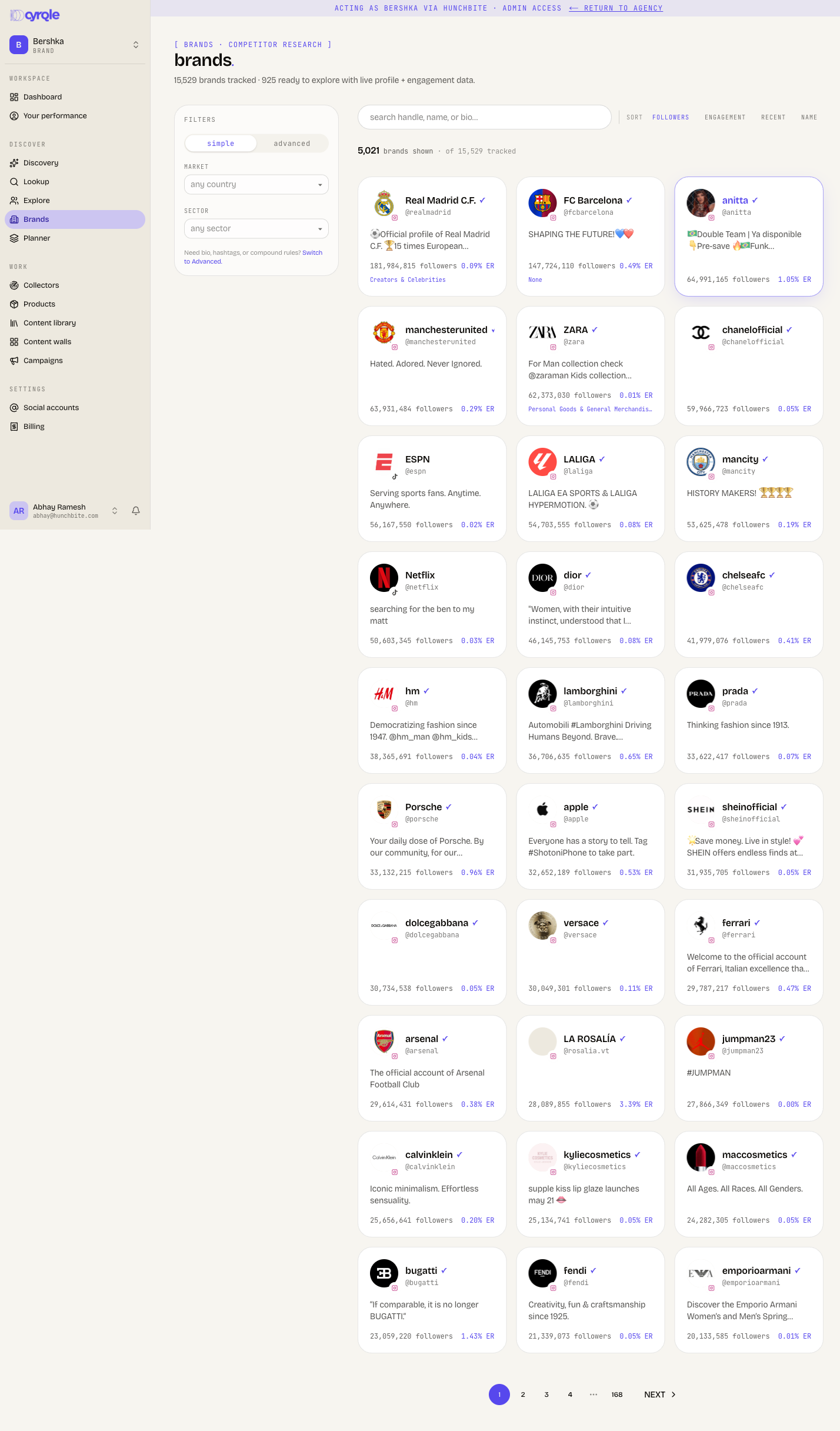
The header counts what the catalogue holds. It counts brands in the catalogue, how many have live profile and engagement data, and scraped brand profiles that are not catalogued yet.
- Search by handle, name or bio. Type 2 characters or more.
- Sort by followers, engagement, recent or name.
- Filter by Market and Sector in the rail. Audience size, engagement rate, last active and kind are deliberately not offered here.
- The page shows 30 brand cards at a time.
A card shows the catalogue name for the brand family and a sector chip. It also shows the combined followers and engagement across its accounts, and how many accounts roll up into it.
What the filters do to your results
- A Sector filter hides every brand that is not catalogued yet. The scraped brand profiles the header counts disappear the moment you pick a sector. Clear the sector to see them again.
- Any advanced rule also drops every brand with no linked account. The rule matches against profile data those brands do not have.
- Four advanced fields do nothing on this page: AI match, Similar to creator, Similar to list and Worked with brand. The chip appears and counts towards the filter badge, but the results do not change.
- Sector means two different things. The Simple filter matches the brand's own sector. An advanced Sector rule matches the sector of the creators, and it silently replaces the simple one.
- The counts next to a filter option rarely match the number of results. The two are counted over different sets of brands.
Add a brand
Adding a brand writes to the shared catalogue and spends one tracked-brand credit. Search first to be sure the brand is not already there. There is no way to delete a brand afterwards.
Open the dialog
Click add brand.
Name the brand
Enter the brand name.
Pick a sector
Choose a sector from the list.
Add the social accounts
Pick a platform, type the handle, and click add for each one. Cyrqle searches the index as you type and tells you when a handle is not in it yet.
Save
Click create brand.
Handles added in this dialog are never fetched. They sit as queued and stay that way. To actually link them, open the brand and attach each one from manage accounts.
Attach a handle to a brand
A brand can run several accounts: a global account and a regional one, or the same name on Instagram and TikTok. Each one is attached separately.
Attaching a handle Cyrqle does not hold pulls the profile live and spends credits. A typo costs you the pull and returns "not found". Check the handle before you click attach.
Open the brand
Click the brand card.
Open the account controls
Click manage accounts.
Enter the handle
Pick the platform and type the handle.
Attach it
Click attach. A fetch can take up to a minute. The button stays busy for the whole pull.
Each account carries a status:
| Status | Meaning |
|---|---|
| linked | Cyrqle holds the profile and its data feeds the brand. |
| queued to scrape | Cyrqle has not fetched it. |
| not found | The network returned no profile for that handle. |
| scrape failed | The pull failed. Attach it again. |
What attaching a handle does
- Attaching a handle changes that account for every workspace. Cyrqle relabels the account as a brand, so it stops appearing as a creator anywhere on the platform. Attach a person by mistake and everyone sees them as a brand.
- YouTube, X and LinkedIn handles can never resolve. Cyrqle has no way to fetch them. The status reads "queued to scrape", but nothing is queued.
- The same handle can be attached to several brands at once. Cyrqle does not stop you.
Edit a brand
Click edit in the brand hero to change the name, the sector and the hashtags. Click save.
The hashtag editor in the hero is separate. It saves the moment you add or remove a chip. A from their posts row promotes up to 10 hashtags from the brand's own posts in one click.
Edits are global and immediate
- The hashtag editor has no cancel and no undo.
- Renaming a brand frees the old name, so someone else can create a second brand with it and be billed for it.
- Saving an empty hashtag list records "we do not know", not "this brand uses none".
Remove a handle
Open manage accounts and click the bin icon next to a handle.
Removing a handle is immediate and has no confirmation step. Removing the last linked handle strips the brand back to "needs onboarding" for every workspace. The logo, the follower count, the engagement rate and the rollup all disappear.
Read a brand page
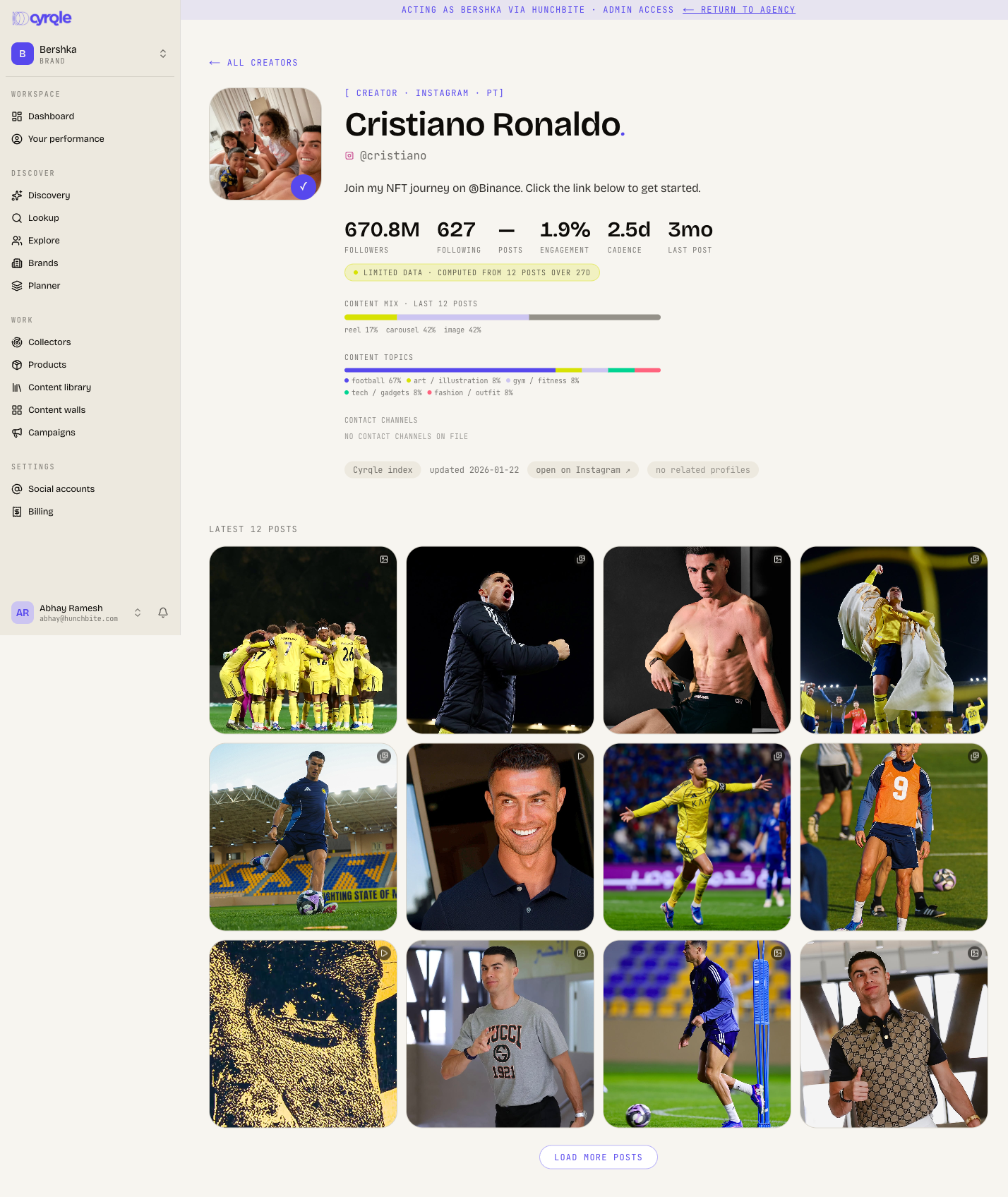
A brand page shows the logo and verified badge, the sector and country, the parent or sub-brand chips, and the primary account's bio. A stats row follows: combined followers, linked accounts, posts, engagement, cadence, last post and onboarding state.
Below that sit the content mix, the content topics, the hashtag editor, and a provenance bar with the update date and links out to each account. Below that again sit the social accounts grid, the creators who mention the brand grouped by their own sector, the accounts the brand tags and mentions, and the 24 latest posts.
Credits and allowances
Adding a brand debits one tracked-brand credit against your plan's monthly allowance. Attaching a handle does not debit a tracked-brand credit, but an unknown handle triggers a live pull that is metered as a creator scrape.
Nothing on screen shows the cost
- The add-brand dialog shows no allowance, no usage and no price. Cyrqle adds the brand past the allowance and charges the overage without asking.
- Attaching handles is not rate limited and runs one at a time. Ten unknown handles means ten sequential live pulls.
Pitfalls
- Content mix, cadence and engagement describe the primary account only, even though they sit in a row of combined figures.
- The update date is the primary account's pull date. A secondary account can be months older with nothing on screen saying so. Combined followers and engagement add up accounts pulled at different times.
- The creators-who-mention section renders nothing at all when the brand has no linked handle or no mentions. There is no empty state.
- Sub-brands roll up into their parent. There is no way to create or edit that relationship in Cyrqle.
- A card for a brand that is not catalogued yet opens the creator profile instead of a brand page. It has none of the brand panels.
Reference
| Limit | Value |
|---|---|
| Brand cards per page | 30 |
| Social accounts per brand | 10 |
| Hashtags per brand | 30 |
| Sector filter options | 50 |
| Country filter options | 30 |
| Posts on a brand page | 24 |
| Accounts the brand tags | 12 |
| Minimum search length | 2 characters |