Discovery & matching
Search Cyrqle's creator index, let matching surface look-alikes, and read a creator's full profile before you reach out.
Cyrqle keeps a large index of known creators across Instagram, TikTok, and YouTube. There are three ways to find the right people: Discovery lets you describe what you want in plain language and Cyrqle matches creators and posts to it; Explore lets you browse the whole index with filters; and Lookup lets you find a specific creator by handle, keyword, hashtag, or a pasted list. From any of these, you open a creator's record to judge fit, then move them into a campaign or reach out.
Before you start
You need a brand or agency workspace to use these pages. Discovery, Explore, and Lookup all read from Cyrqle's shared creator index, so you can search before you have a campaign running. Saving creators to a shortlist and messaging them happens inside Campaigns and Outreach — see the cards at the bottom of this page.
Search by describing what you want (Discovery)
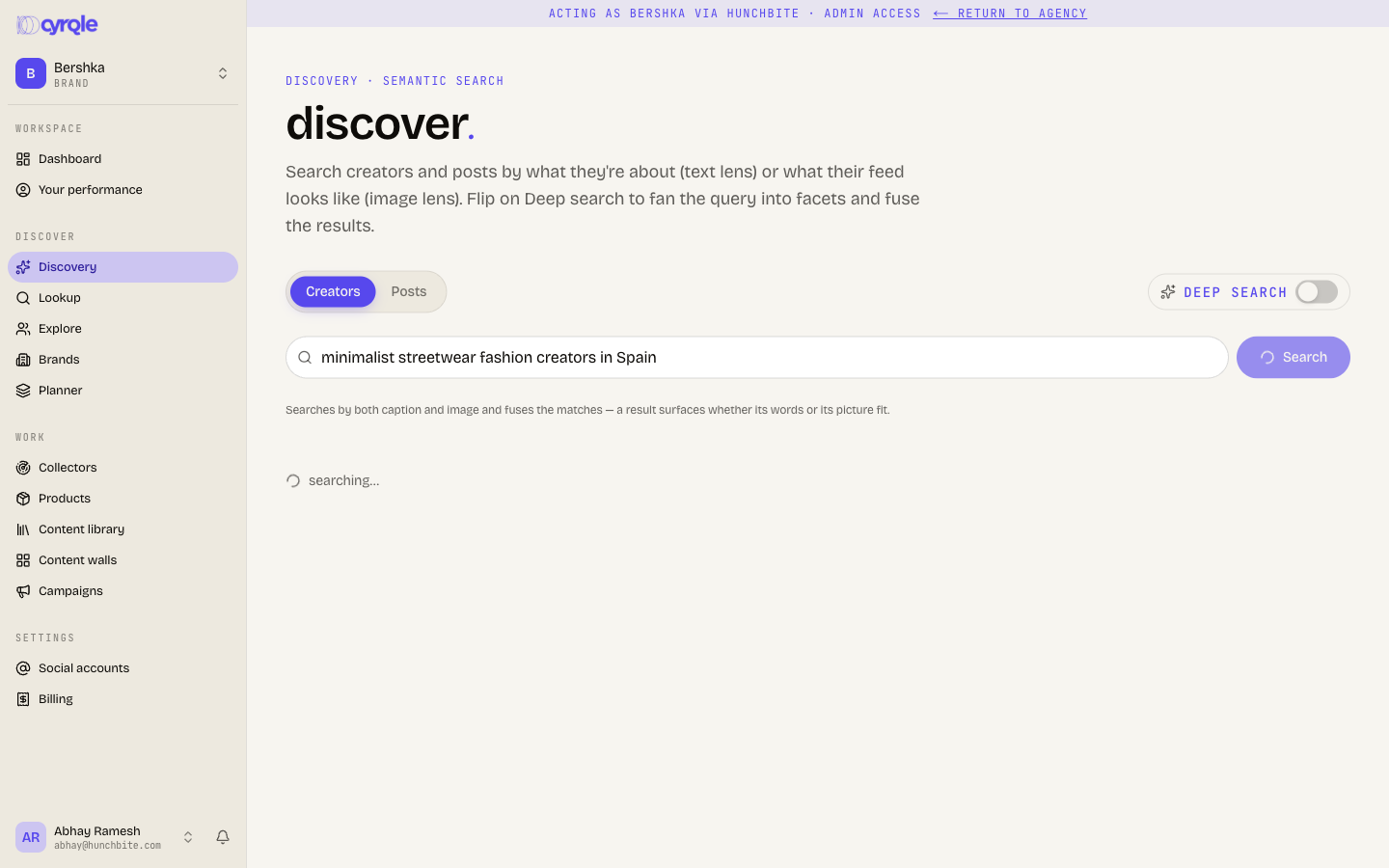
Discovery is the AI-native search. Type what you're looking for in plain language and Cyrqle ranks matches by meaning, not just keywords.
Open Discovery from the workspace navigation.
Choose what you want to find with the tab toggle: Creators or Posts.
Type your query — for example "minimalist home-decor creators" or "cozy autumn flat-lay posts" — and press Enter or click the search button.
Turn on Deep search (the sparkle toggle) when you want Cyrqle to expand your query into related facets and search wider. The chips under the bar show what it searched.
Each result carries a small badge showing how it matched — text, image, or text + image — so you can see whether a creator surfaced because of their captions, their visuals, or both. Click any creator card to open the quick-look drawer; click a post to inspect it and jump to its creator.
Browse the whole index with filters (Explore)
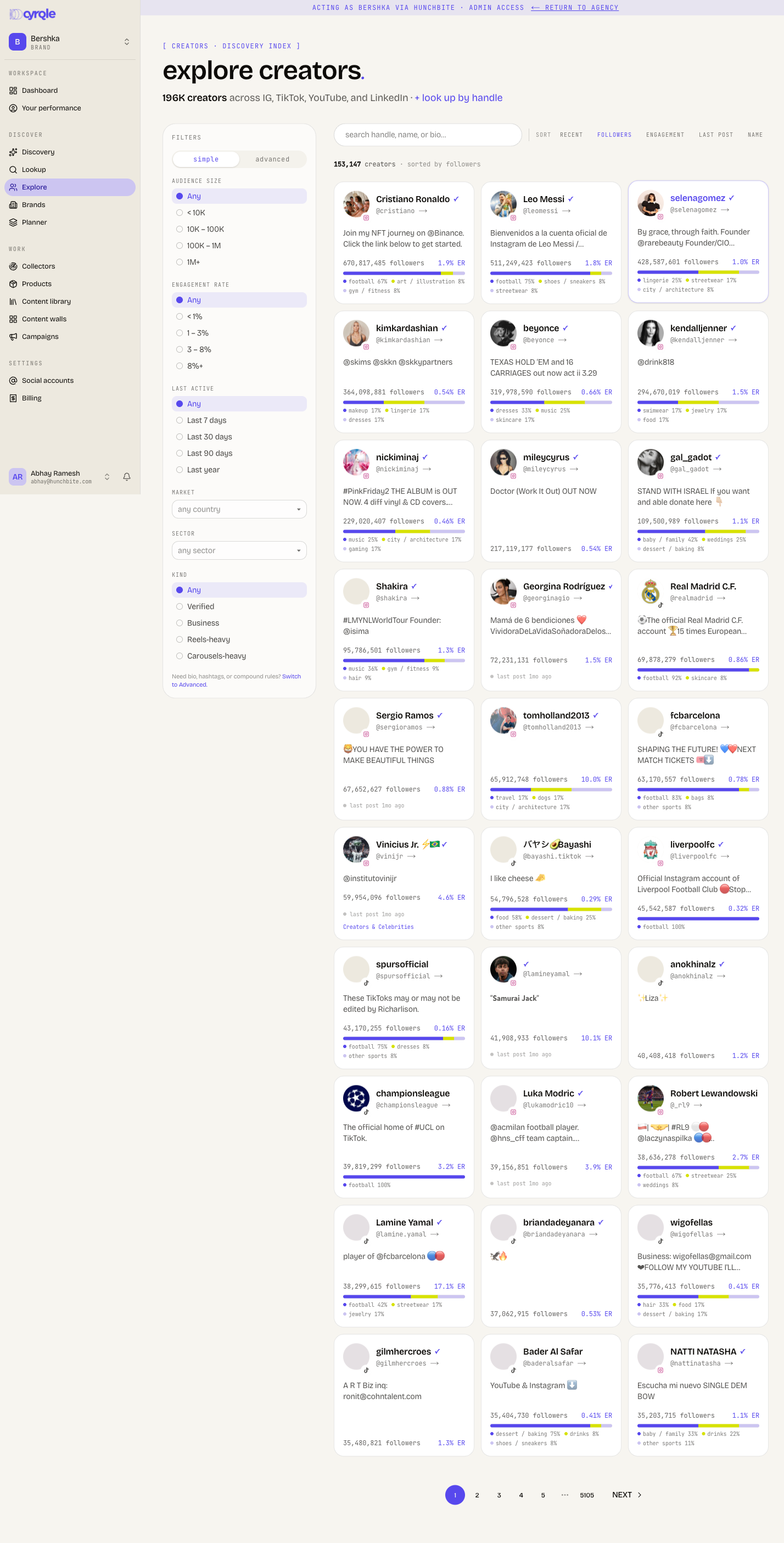
Explore shows the full creator index and lets you narrow it down with a filter rail on the left.
The rail has two tabs:
- Simple — quick chips for the common facets: Audience size (< 10K, 10K–100K, 100K–1M, 1M+), Engagement rate (< 1%, 1–3%, 3–8%, 8%+), Last active (last 7 / 30 / 90 days, last year), Market (country), and Sector.
- Advanced — a rule builder where you stack conditions across more fields, including Platform, Verified, Business account, exact Audience size / Engagement rate ranges, and a free-text Search that looks inside bios and names.
Use the search box at the top to keyword-match, and the sort row to order results by recent, followers, engagement, last post, or name. Results paginate in a grid; click any card to open the quick-look drawer.
Look up a specific creator (Lookup)
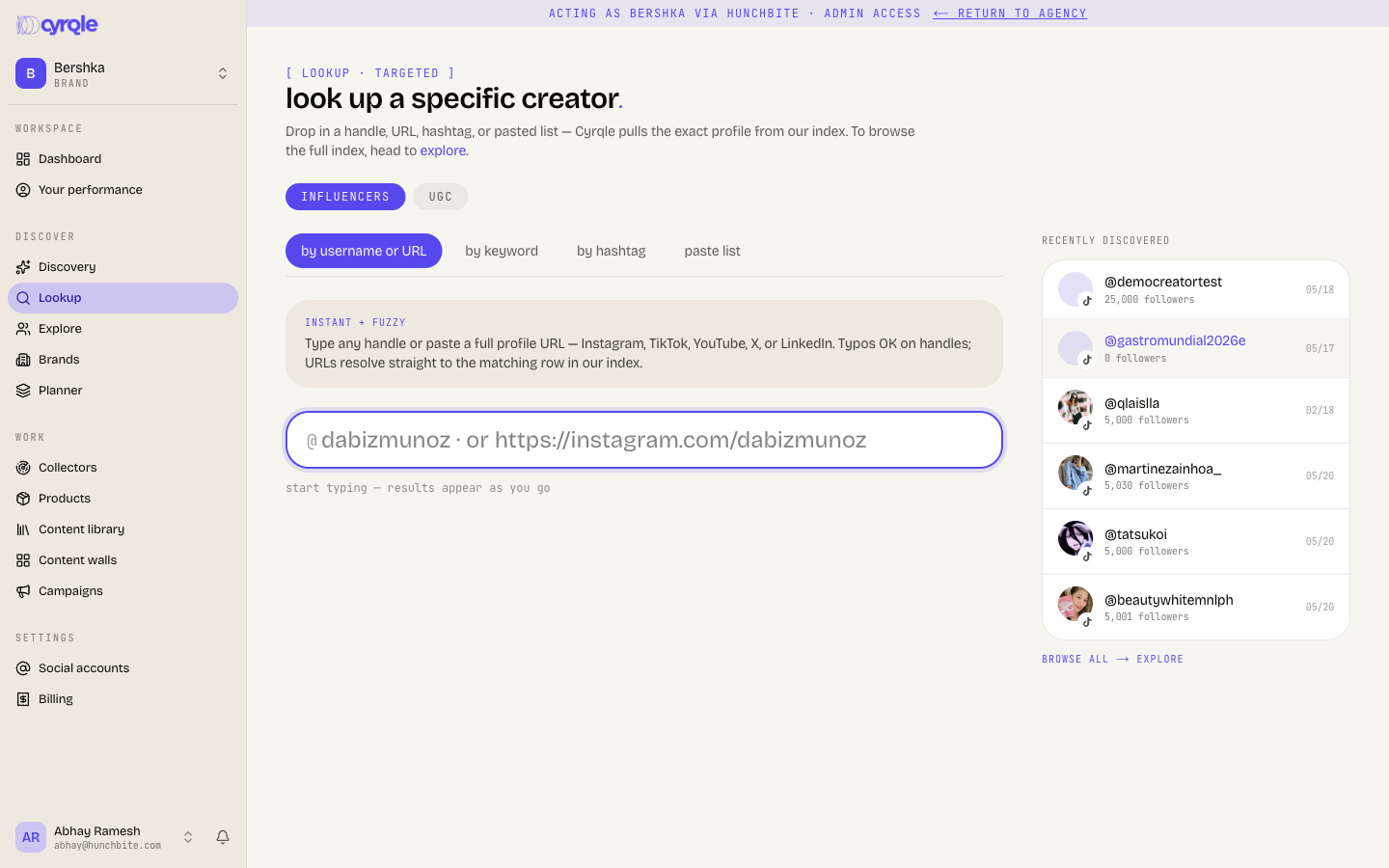
When you already have a name in mind, use Lookup. It has four methods, picked with the tabs at the top:
- Handle — start typing a username (or paste an Instagram/TikTok URL) and pick from the live autocomplete. Pasting a full profile URL takes you straight to that creator.
- Keyword — type something like "chef madrid" to find creators matching that phrase.
- Hashtag — enter a tag like
cocinaespanolato find creators who use it. - Bulk — paste many handles at once (comma, space, or line separated) to match them against the index in one go. For a CSV or a longer list, use the bulk upload link.
A second tab, UGC talent, switches Lookup to Cyrqle's UGC creators, where you can filter by language, skill (unboxing, tutorial, lifestyle, review, voiceover), and max turnaround days.
Understand the three creator buckets
As you search, creators fall into one of three groups, and that determines what you can do next:
- On Cyrqle — active platform creators. Their profile shows a "Verified on Cyrqle · managed by creator" badge, their data is self-reported, and you can invite them straight into a campaign.
- In the index, not onboarded — creators Cyrqle knows from public data but who haven't signed up. You can read everything on their profile and reach them through Outreach.
- Not in the index yet — when a handle isn't found, Cyrqle offers fetch from Instagram / TikTok. It pulls the profile in, then drops you on that creator's page so you can inspect them.
Open a creator's record
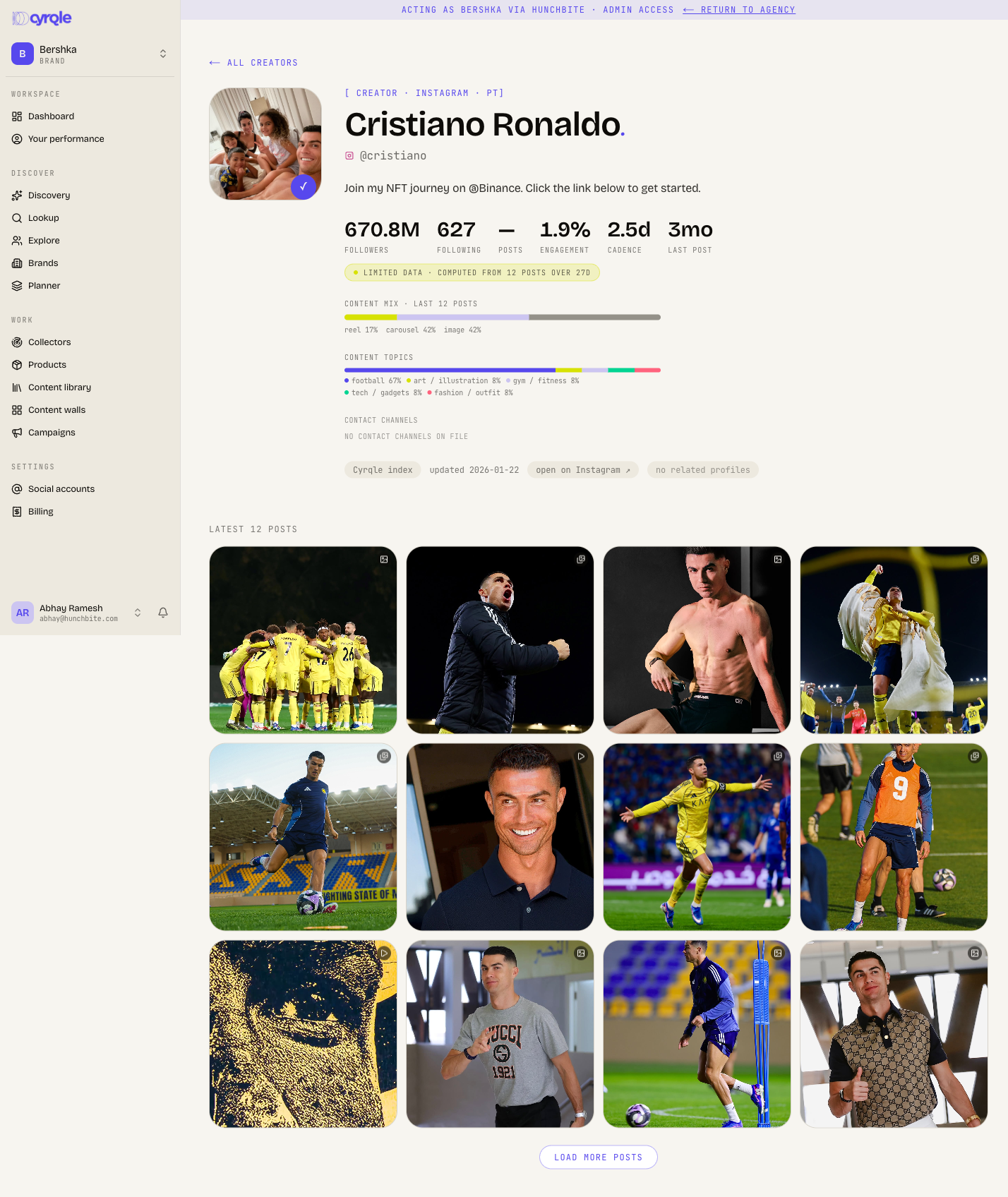
Clicking a creator anywhere opens the quick-look drawer — a fast "is this worth a closer look?" panel with their headline stats, engagement profile, freshness, content mix, latest posts, and look-alike creators. Use open full profile in the drawer footer for the complete page.
The full creator page brings together:
- Headline counts — followers, following, posts, engagement, posting cadence, and last post.
- Content mix and content topics — the split of reels, carousels, images, and what they post about, plus their top hashtags.
- Contact channels — emails and phone numbers on file (scraped public contacts are marked with a sparkle; the rest are added by your team via Outreach). This strip is read-only here.
- Brand collabs — posts Instagram flagged as paid partnerships, plus business accounts they tag that Cyrqle already knows.
- Collab graph and related profiles — who they tag and mention most, and similar accounts you can jump to.
Find similar creators
To turn one good creator into a whole list of candidates:
- On the full profile, use find similar (top of the page) to pull look-alikes from Cyrqle's index using the creator's related profiles.
- In the quick-look drawer, the look-alike section at the bottom lets you hop from one creator to the next without leaving the panel.
This is the same matching that powers a campaign cluster — creators Cyrqle matches to your brief by similarity — so it's a quick way to widen your net before you commit to a campaign.
Tips
- Start broad in Discovery to see what's out there, then switch to Explore when you want to dial in exact follower and engagement ranges.
- Turn on Deep search when a plain query returns too few results — it widens the net.
- The match badges (text / image / text + image) tell you why a creator surfaced; lean on image matches when the look of the content matters more than the captions.
- Audience demographics and per-creator deal notes are richest once a creator is in a campaign — use the profile here to decide who's worth that step.
- If a handle isn't in the index, use fetch from Instagram / TikTok rather than giving up; the profile is usually ready within moments.