Billing and credits
Plans, seats, caps, credits, usage-based billing, invoices, and how agencies pay for managed brands.
Before you start
- Open Billing from the Settings group in the sidebar.
- An amber dot on Billing means something needs attention.
- A brand that signed up on its own has no plan and cannot launch a campaign.
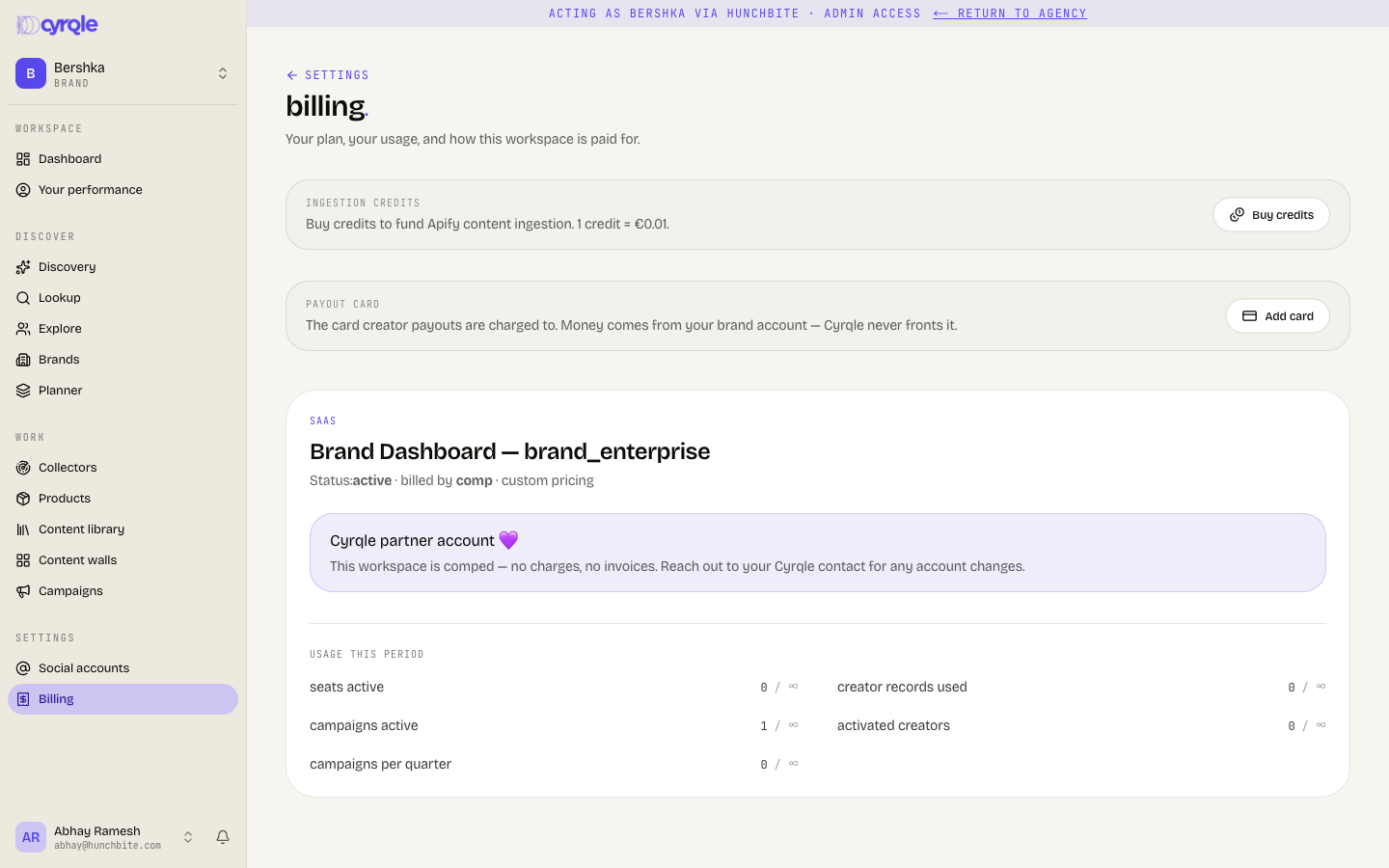
Caps and credits are different things
A cap stops an action, and a credit pays for one.
| Axis | What it is | What happens at the limit |
|---|---|---|
| Cap | A countable object: seats, active campaigns, creator records, content walls. | Cyrqle refuses the action. Upgrade to raise it. |
| Credit | A prepaid balance that funds metered work. One credit is 0.01 EUR. | Cyrqle records the overage against your balance. |
Your plan grants credits every month and they roll over. Credits are not a separate purchase you must make before you start.
Plans
| Plan | Price per month | Seats | Creator records | Active campaigns | Included credits |
|---|---|---|---|---|---|
| Starter | 800 EUR | 3 | 20 | 1 | 2,000 |
| Growth | 1,500 EUR | 8 | 50 | 3 | 10,000 |
| Pro | 2,500 EUR | 15 | 150 | 6 | 30,000 |
| Enterprise | Contact sales | Unlimited | Unlimited | Unlimited | Unmetered |
Brands also see a Marketplace plans section. Marketplace is the managed service, where Cyrqle operates creator commerce for you. Those plans are always contact sales.
Marketplace plan caps work today. The rest of the managed service is coming soon. Talk to your Cyrqle contact before you buy it.
Change your plan
Open the upgrade page
Click Upgrade on the billing page.
Pick the billing interval
Select Monthly or Annual. Annual saves 10 percent.
Choose a plan
Click Choose with the plan name on the card you want. Cyrqle sends you to Stripe Checkout.
Pay
Complete the Stripe checkout. Cyrqle returns you to the billing page.
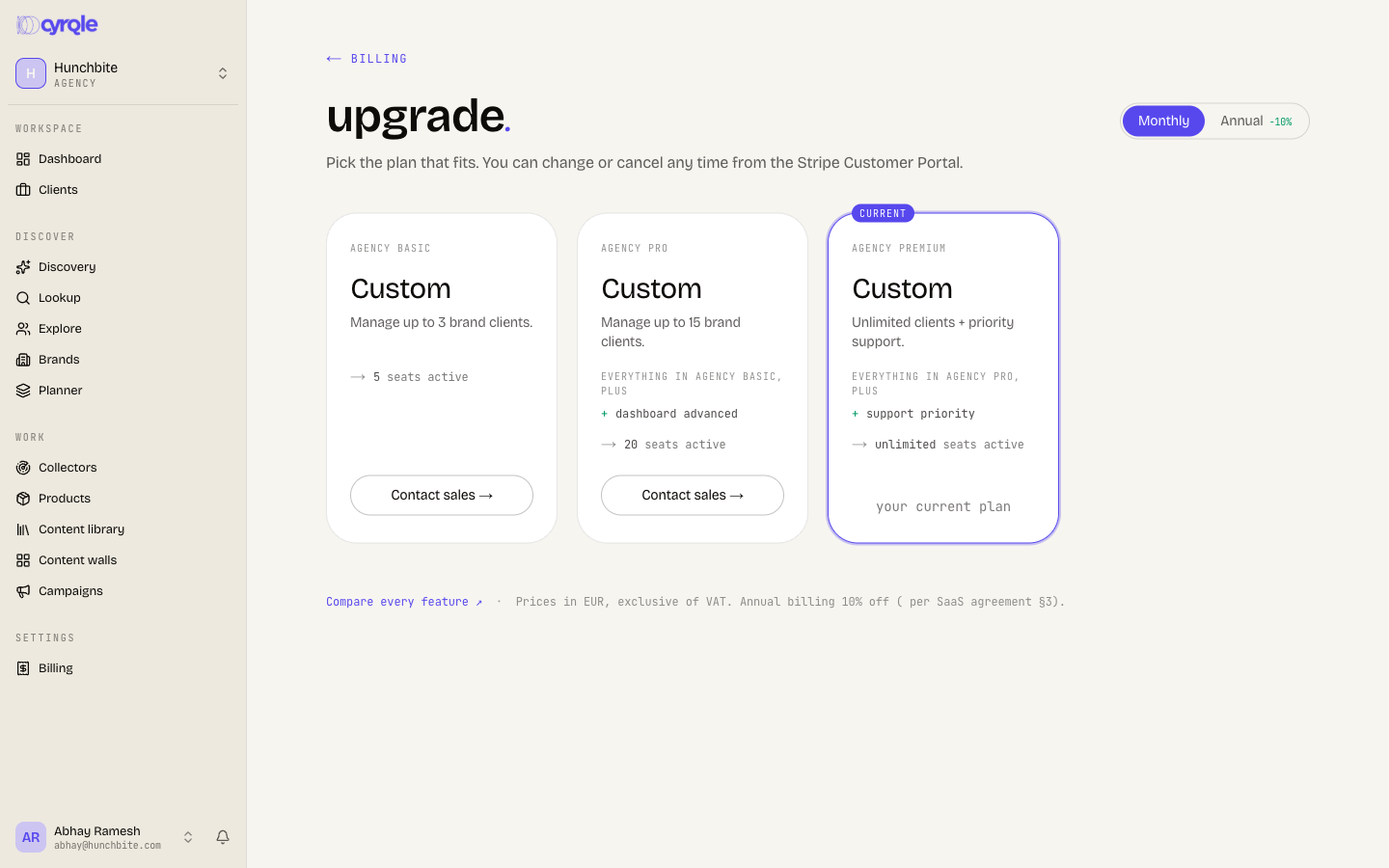
- Check the price on the Stripe checkout page before you pay an annual plan. Cyrqle calculates the annual figure on the card from the monthly price. The charge comes from Stripe and can differ.
- Some plan names and feature lines on this page read as raw labels, such as "brand pro" or "measurement pos imports". They name the same plans as the table above.
- Prices exclude VAT. Cyrqle does not add VAT at checkout. There is no coupon field.
Read your usage
The usage this period grid shows one bar per cap. Each row reads the count, then a slash, then the cap. A bar turns amber at 80 percent and red at the cap. The grid names each cap in plain words, such as "seats active" and "creator records used".
- Some counts never go down. Seats, stored assets, active content walls, connected social accounts, and monitored sources only fall when you delete the object. Content walls count every wall you ever created. There is no way to delete a wall, so a Starter brand can create only one wall in total.
- The usage grid can show a count from the previous period. Reload the page, and compare against the object list itself if a number looks wrong.
Credits
Credits fund work that costs money to run outside Cyrqle. One credit is 0.01 EUR.
What spends credits
| Action | Credits per unit |
|---|---|
| Activating a creator on a campaign | 5 |
| Generating a report, rendering a document, running a collector source | 2 |
| Adding a creator record, scraping a creator, tracking a brand, issuing a contract, refreshing post stats, granting a content licence, exporting a contact | 1 |
| Running a discovery search | 0.5 |
| Surfacing a post | 0.2 |
| Sending an outreach message, sending a rights request | 0.1 |
| Storing a UGC asset | 0.05 |
| Importing a product, mirroring a product image | 0.01 |
Seats, active campaigns, content walls, connected social accounts, and monitored sources are never charged as credits. Cyrqle refuses those actions at the cap instead.
Buy credits
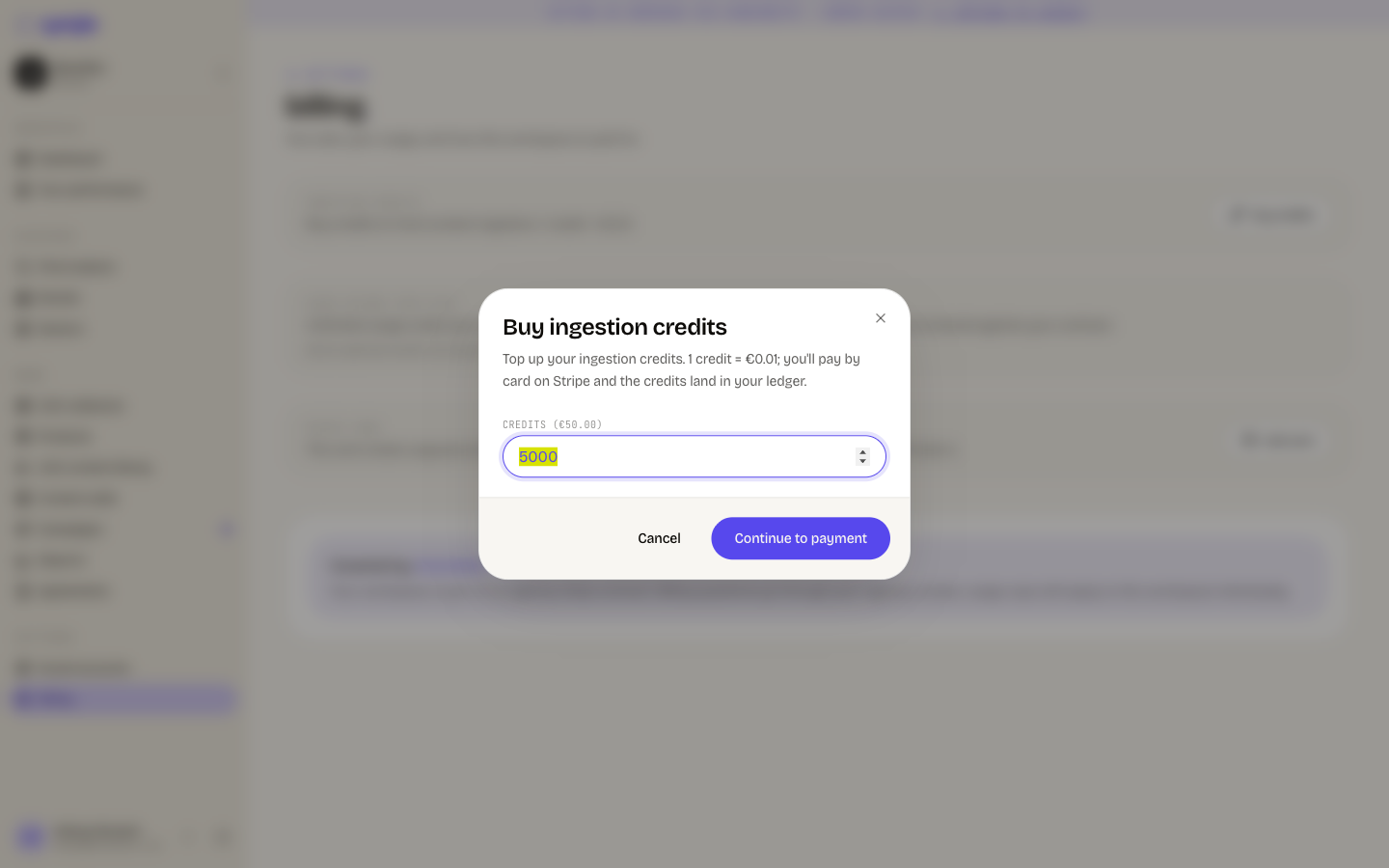
Open the dialog
Click Buy credits on the billing page.
Enter an amount
Type the number of credits. The minimum is 100 credits, which is 1.00 EUR.
Start the payment
Click Continue to payment.
Pay
Complete the Stripe checkout. The credits land in your balance.
A negative credit balance does not block anything today. Cyrqle records the spend and keeps working. Treat the balance as a cost signal, not as a stop.
Usage beyond your plan
The usage beyond your plan card shows how much of your included usage is left. Turn on Allow usage-based billing to keep going past it, and set a monthly cap or choose No cap.
On an enterprise or custom contract this card reads "Unlimited usage under your agreement with us" and cannot be changed. Cyrqle invoices that usage against your contract.
Invoices and payment
The plan card links to Manage in Stripe, which opens the Stripe customer portal. The billing page lists your 6 most recent invoices, each with a PDF link.
The payout card
Brands and agencies also add a payout card. This is the card creator payouts are charged to. It is not the card that pays your subscription.
The subscription card lives in the Stripe portal. The payout card lives on the billing page. Changing one does not change the other.
Billing variants
What you see depends on how your workspace is paid for.
| Variant | What the page shows |
|---|---|
| Card | Plan card, billing period, Manage in Stripe, and recent invoices. |
| Custom contract | "Billing handled by your account manager", the next invoice date, and your contact. |
| Partner | "Cyrqle partner account". No charges and no invoices. |
| Free | Plan card, usage, and Upgrade. |
| Covered by an agency | "Covered by" and the agency name. Billing questions go to the agency. |
| Agency rollup | A managed brands table with each brand's plan and status. |
- An agency pays for the brands it manages. Each managed brand keeps its own caps, and the bills roll up to the agency workspace.
- A brand covered by an agency sees no usage numbers at all, even though its caps still apply. Ask your agency for the numbers, or read them inside the brand's own object lists.
Late payment
| Days past due | What happens |
|---|---|
| 1, 3, and 7 | Cyrqle sends a reminder. |
| 14 | Cyrqle suspends the workspace. |
Suspension blocks creating campaigns, creating fan activations, exporting reports, sending rights requests, running collectors, and generating briefs. Suspension never blocks tracking or attribution, so you keep crediting sales while you sort the payment out.
Pitfalls
- A brand that signs up on its own has no plan. Cyrqle then treats every cap as zero. It blocks the first campaign with "Choose a plan to launch campaigns." Pick a plan before you plan a campaign.
- A managed brand an agency creates while the agency has no active plan gets no plan of its own. The workspace opens, and campaign launch is blocked with no explanation. Buy the agency plan first, then create managed brands.
- A staff-applied cap override or an extra-seats add-on does not change the usage bars. The bars read your plan. Ask support to confirm your real limits.