Your account
Your personal profile, notification preferences, the inbox bell, your language, and your data. These settings follow you across every workspace. Workspace settings do not.
Before you start
- Open the user menu at the bottom of the sidebar and select Account.
- The account pages are outside any workspace, so they have no sidebar.
- Everything here applies to all your workspaces at once.
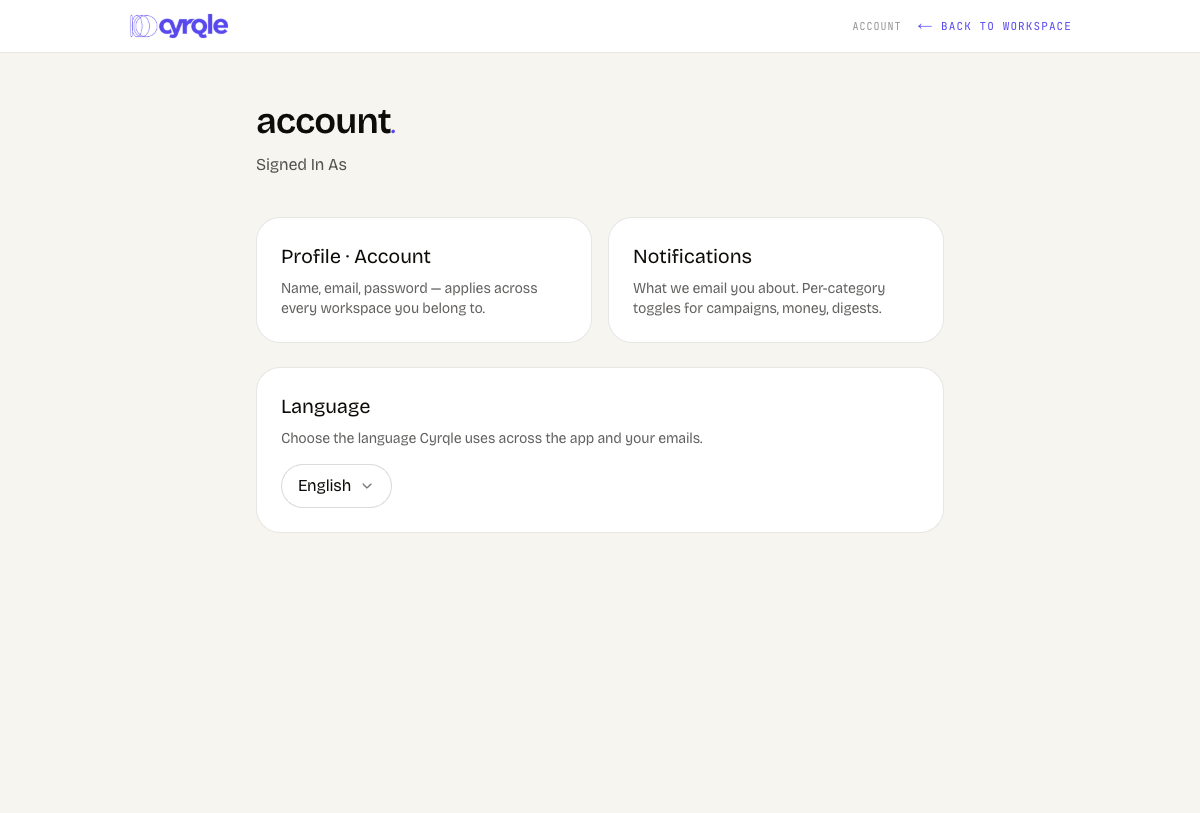
Edit your profile
Open your profile
Select the Profile · Account card on the account page.
Change your name
Type a new value under name. Other workspace members see this name.
Save
Click Save. The button stays disabled until you change something.
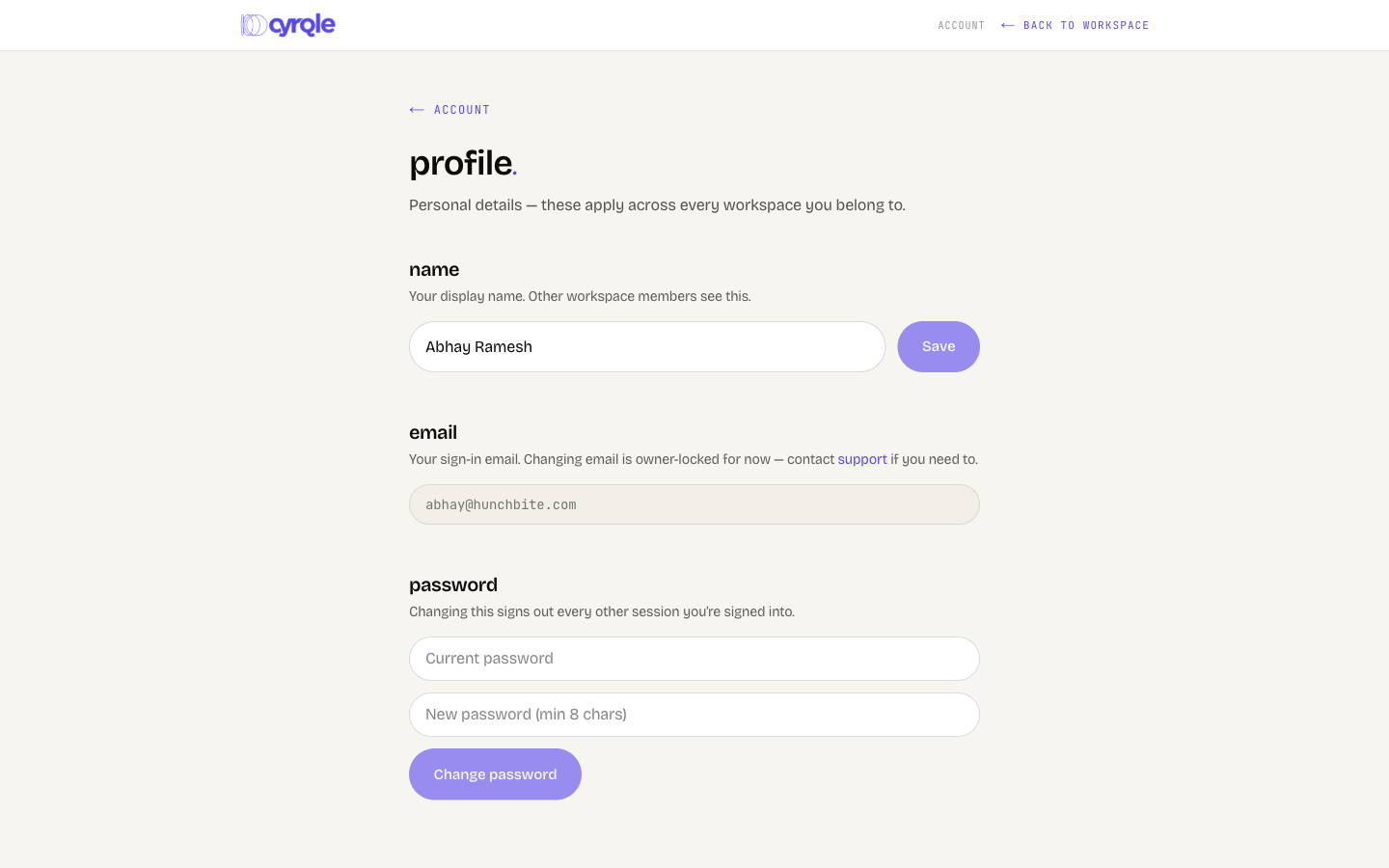
- The email field is read only. Cyrqle locks email changes. Contact support if you need a different address.
- Ignore the Change password section. Cyrqle signs you in with an emailed code, so you never had a password to enter as the current one.
Set your notification preferences
Each category has two switches: In-app and Email. Every category is on until you turn it off.
These switches are per person, not per workspace. Turning a category off stops it in every workspace you belong to.
Open notifications
Select the Notifications card on the account page.
Toggle a category
Switch In-app or Email off for the category you want to quiet.
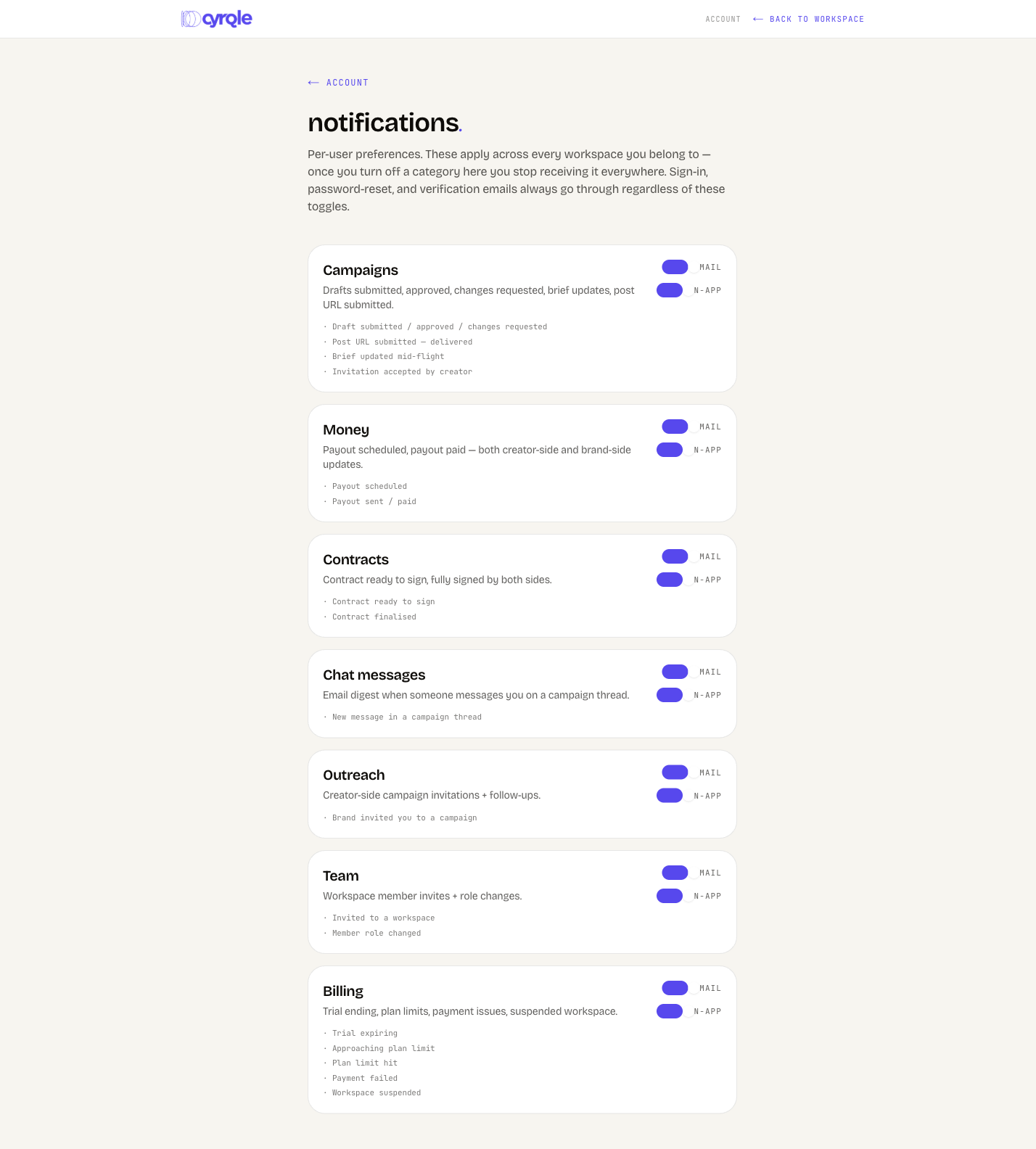
The categories
| Category | What it covers | Shown to |
|---|---|---|
| Campaigns | Drafts submitted, approved, or changed. Brief updates. Post URLs submitted. | Everyone |
| Money | Payout scheduled and payout paid. | Everyone |
| Contracts | Contract ready to sign, and contract signed by both sides. | Everyone |
| Chat messages | An email digest of campaign thread messages. | Everyone |
| Outreach | Campaign invitations and follow-ups. | Creators and UGC talent |
| Team | Workspace member invites and role changes. | Brands and agencies |
| Billing | Trial ending, plan limits, payment issues, suspended workspace. | Brands and agencies |
- The Team category controls nothing today. Cyrqle sends member invites as a plain email that ignores the switch, and sends nothing at all when a role changes.
- Sign-in, verification, and password-reset emails always arrive. No switch stops them.
- A creator-only account never sees the Team and Billing cards. A brand-only account never sees Outreach. The cards are not missing, they do not apply.
The inbox bell
The bell in the sidebar lists your in-app notifications. Click an item to open what it refers to. Cyrqle marks it read. Click Mark all read to clear the count.
- The bell shows the 20 most recent items across every workspace you belong to, mixed together. There is no page that lists older items, and no per-workspace filter.
- The bell checks for new items every 30 seconds. Nothing appears instantly.
Choose your language
Cyrqle runs in English and Spanish.
Open the language card
Find Language on the account page.
Pick a language
Choose English or Spanish in the dropdown. Cyrqle saves it and re-renders the page in that language.
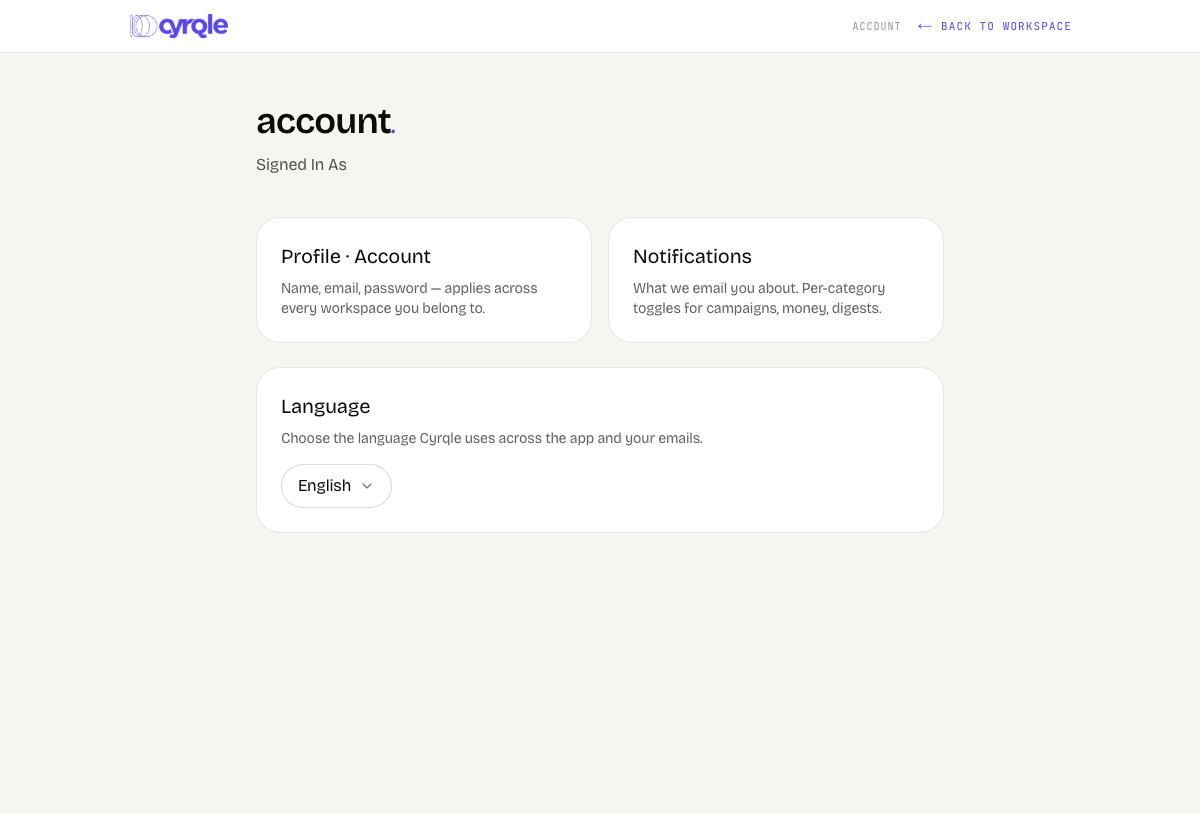
Until you pick, Cyrqle follows your browser language. Sign-in code emails stay in English whatever you pick. Contract and rights templates are per language and do not translate themselves.
Download or delete your data
Download my data
Click Download my data. Your browser downloads a JSON file named cyrqle-my-data plus today's date. Cyrqle emails you nothing.
Delete my account
Account deletion cannot be undone. Cyrqle deletes your profile, your sessions, your notification settings, and your workspace memberships, and signs you out.
Start the deletion
Click Delete my account.
Confirm your email
Type your account email into the confirm field exactly as shown.
Delete
Click Delete permanently.
- Cyrqle refuses while you are the only owner of a workspace. The message names how many. Promote another owner, or delete the workspace first. See Danger zone.
- Records that name you on a signed contract or a payment stay, with your name removed. Cyrqle is required to keep those.
Pitfalls
- Notification switches have no per-workspace override. If one workspace is noisy, you cannot quiet it alone.
- If your session expires, the bell goes quiet instead of showing an error. Reload the page and sign in again.