Danger zone
Leave a workspace, or delete it. Both actions take effect at once, and this page lists what Cyrqle does and does not undo.
Before you start
- Open Danger zone from the workspace settings index.
- Only the owner can delete a workspace.
- Settle every creator payout first. Cyrqle refuses to delete a workspace that owes money.
Leave a workspace
Leaving removes you as a member. The workspace, its data, and its other members stay.
Open the danger zone
Select Danger zone from the settings index.
Leave
Click Leave with your workspace name, then confirm the browser prompt.
- Cyrqle refuses if you are the only owner. Promote someone else first, on the Team page.
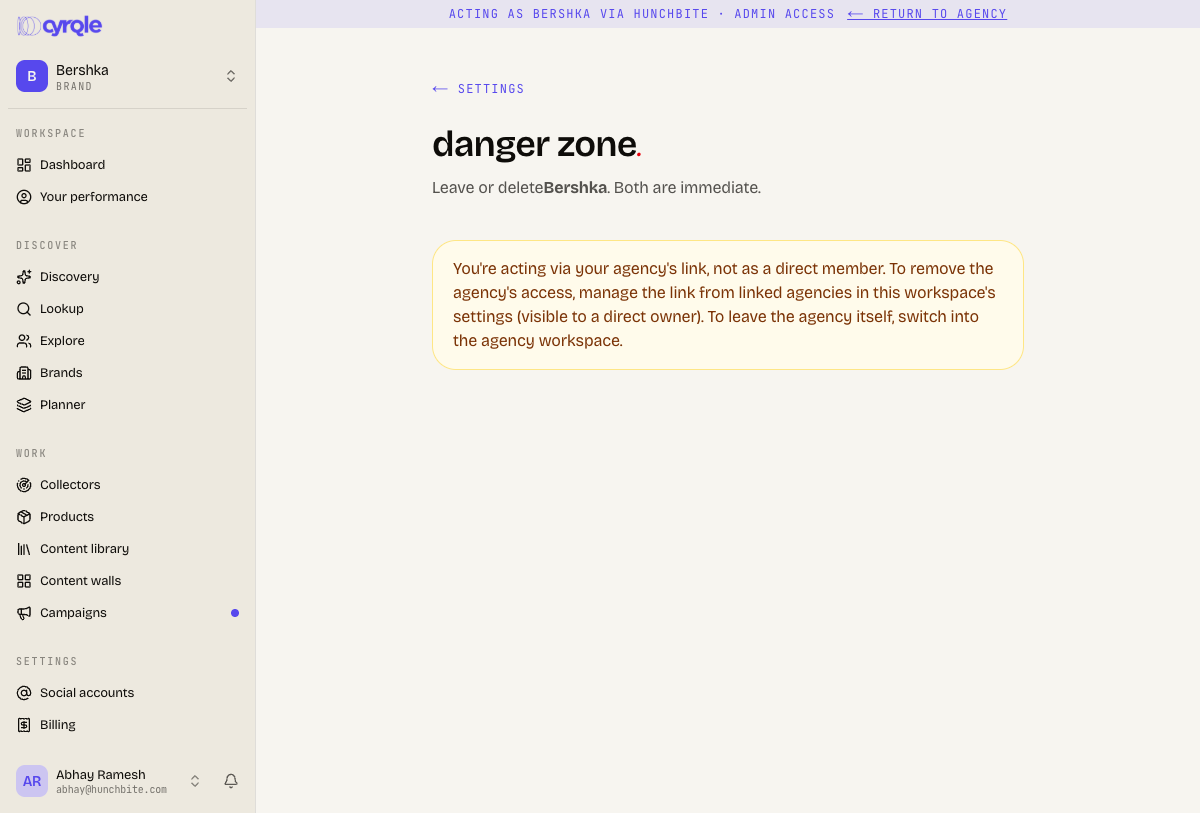
- If you reach the workspace through an agency link, there is nothing to leave. The message reads "You're acting via an agency link." Remove the link from the agency side instead.
Delete a workspace
Deleting removes access for every member immediately, along with every campaign, draft, and agency link. Contact support the same day if you delete a workspace by mistake. Cyrqle archives it for a short window before it is erased, and support may be able to bring it back.
Settle your payouts
Pay or cancel every pending and scheduled creator payout. See Money.
Open the danger zone
Select Danger zone from the settings index.
Start the delete
Click Delete this workspace. The confirm field appears below it.
Type the workspace name
Type the workspace name into the confirm field. It must match exactly, including capitals and spaces.
Confirm the delete
Click Delete forever.
Check your Stripe subscription
Open the Stripe customer portal and confirm the subscription is set to cancel.
What Cyrqle refuses
| Situation | Message |
|---|---|
| Unpaid creator payouts | "This workspace has N unpaid creator payout(s). Pay or cancel them before deleting it." |
| You are not the owner | "Only the workspace owner can delete it." |
| The name does not match | "Workspace name doesn't match." |
Pitfalls
- Your handle is not freed. The on-screen copy says the handle is released for re-use. It stays reserved until the archive window ends, so you cannot create something new on the same handle straight away.
- Cyrqle cancels your Stripe subscription at the end of the paid period, not immediately. If that call fails, Cyrqle still deletes the workspace and the charges continue. Open the Stripe portal and confirm the cancellation yourself.
- Deleting a workspace does not delete your personal account. Delete that from Your account.