Your plan and limits
The four creator plans, the quarterly cap that blocks Accept, your commission rate, and your payout speed.
Before you start
- Select Billing in the sidebar to see your current plan. A dot appears on the entry when something needs attention.
- Payment goes through Stripe. Have a card ready before you upgrade.
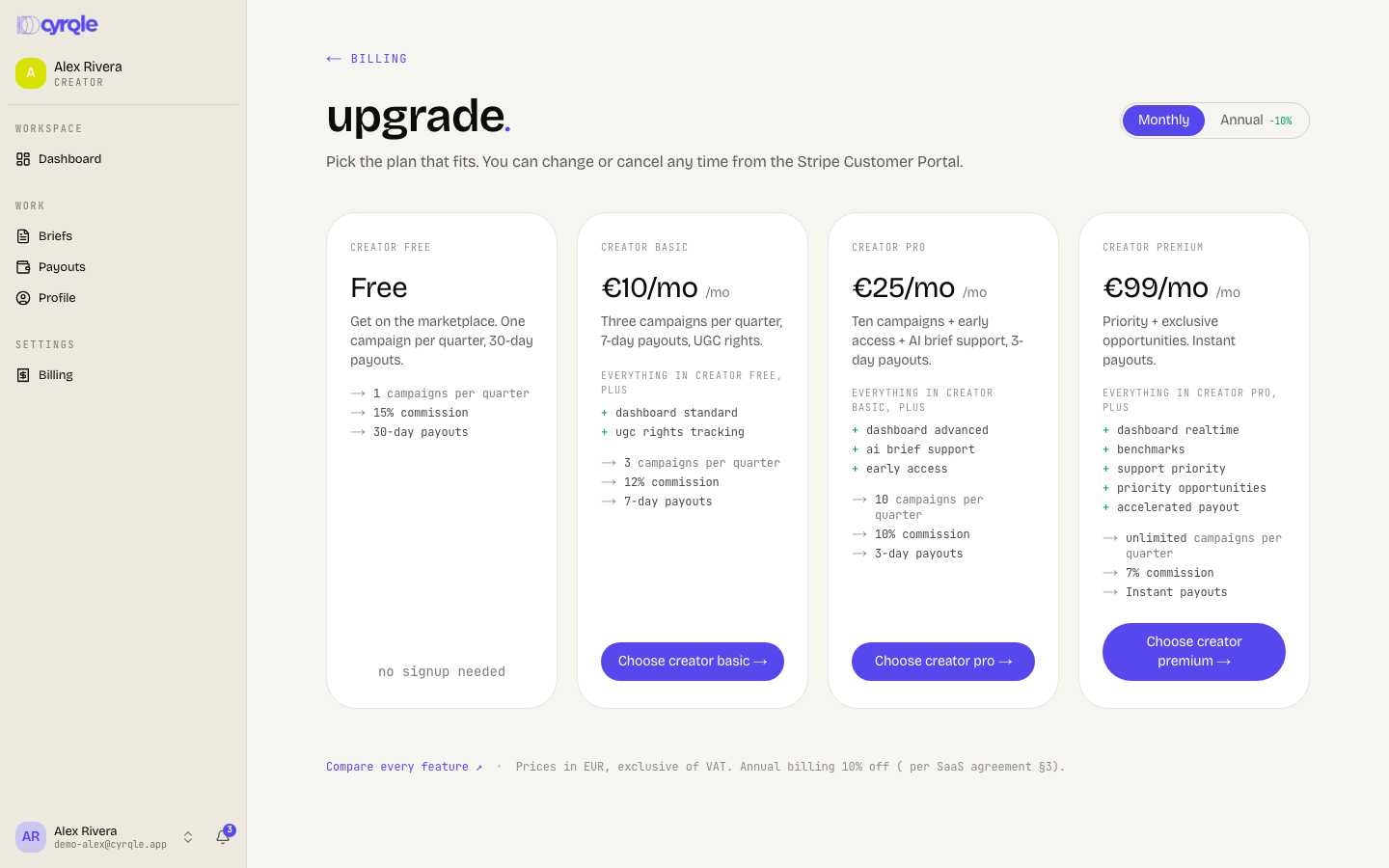
The four creator plans
| Plan | Campaigns per quarter | Cyrqle commission | Payout speed |
|---|---|---|---|
| Free | 1 | 15 percent | Up to 30 days |
| Basic | 3 | 12 percent | 7 days |
| Pro | 10 | 10 percent | 3 days |
| Premium | Unlimited | 7 percent | Instant |
Pro adds early access and brief support. Premium adds priority placement.
The cap that blocks Accept
Your plan caps the number of campaigns you can accept, not the number of invites you can receive. On the free plan you can accept 1 campaign per quarter. Cyrqle refuses the second accept with "You've used [n]/[limit] campaigns this quarter on your current plan. Upgrade to accept more."
The cap applies when you click Accept on a brief, and when you accept a brand's counter-offer. It does not stop you from countering, declining, messaging a brand, or finishing work you already accepted.
Cyrqle also blocks Accept when your billing needs attention: "Your billing status is [status]. Open Settings, then Billing to resolve before accepting more campaigns." Fix the payment method first.
Upgrade your plan
Open your billing
Select Billing in the sidebar.
Open the plan picker
Click Upgrade.
Compare the plans
Read the campaign cap, the commission and the payout speed for each plan.
Choose monthly or annual
Select Monthly or Annual. Annual takes 10 percent off the monthly price.
Pick a plan
Select the plan that covers the number of campaigns you expect this quarter.
Pay
Complete the payment. Cyrqle raises your cap straight away.
How commission reaches your payout
Your payout amount is the gross rate, minus Cyrqle's commission for your plan, minus any agency fee, minus any tax withheld. The payout row shows the gross and the commission under the amount. See Getting paid.
Pitfalls
- The cap counts campaigns you accepted in the current calendar quarter. It does not reset when a campaign finishes. Accepting a campaign that you later step away from still uses one slot.
- Payout speed is a target, not a guarantee. Stripe still has to verify your account and move the money. See Getting paid.
- The premium plan description still mentions exclusive opportunities. Cyrqle has no opportunities feed for creators. Read the premium benefit as priority placement in brand searches and instant payouts.
- Your notification settings show campaign, money, contract, chat and outreach categories only. Team and billing categories are not available to creators, even though the sidebar has a Billing entry.