Briefs and invites
Read an invite, accept it, counter the terms, or decline. Briefs is the only place in Cyrqle where brand work reaches you.
Before you start
- Connect Instagram or TikTok. Cyrqle refuses every invite action until you do. See Connect your accounts.
- Check your plan. Your plan caps how many campaigns you can accept per quarter. See Your plan and limits.
- Any member of your creator workspace can accept, counter or decline. Signing the agreement needs the admin level.
Cyrqle has no feed of open campaigns for creators. A brief appears here when a brand invites you, or when you apply from a campaign link a brand shared with you.
Read the Briefs list
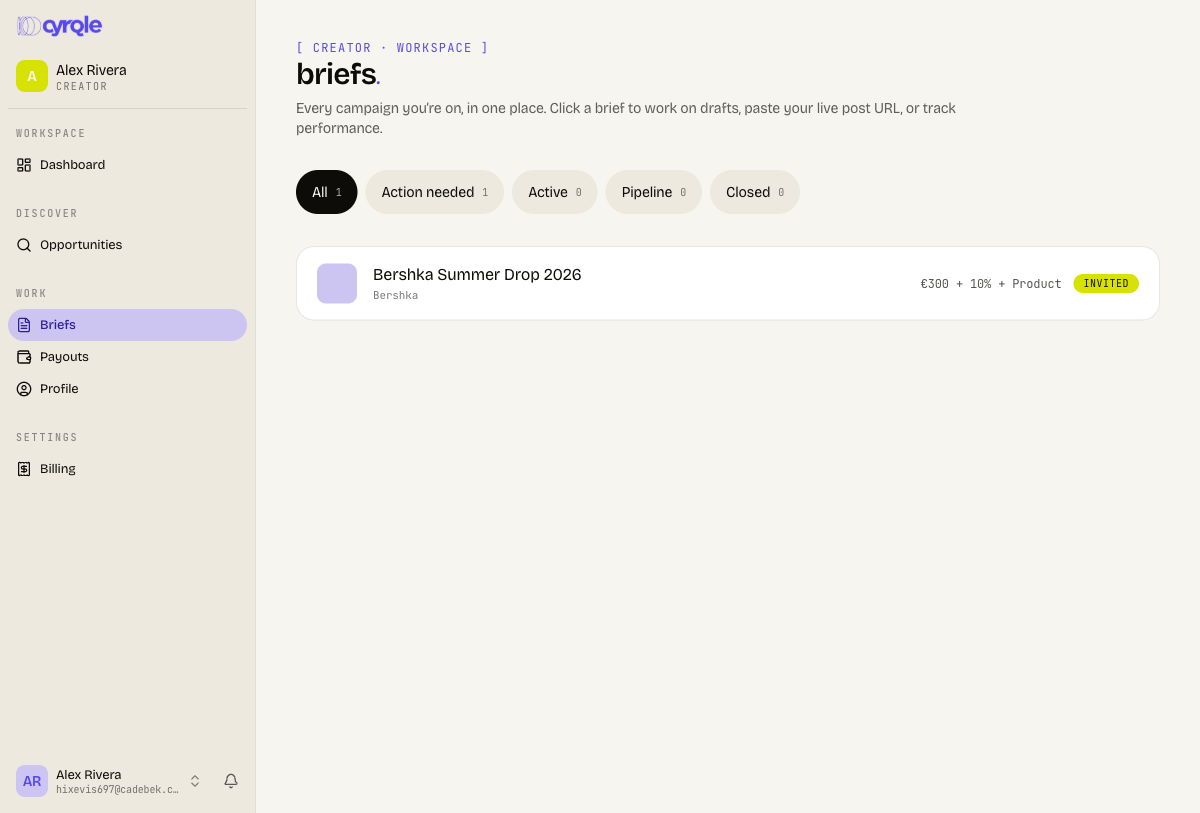
Select Briefs in the sidebar. Five filter chips split the list, each with a count.
| Filter | What it holds |
|---|---|
| All | Every brief. |
| Action needed | Invites waiting on your answer, live negotiations, and agreements waiting for your signature. |
| Active | Campaigns you accepted, through to a live post. |
| Pipeline | Campaigns where you applied and the brand has not decided. |
| Closed | Finished, declined, withdrawn or expired campaigns. |
"Sign to continue" is in Action needed, not Active. When you accepted an offer and nothing seems to happen, open Action needed first. Your agreement is probably waiting for your signature.
Open a brief
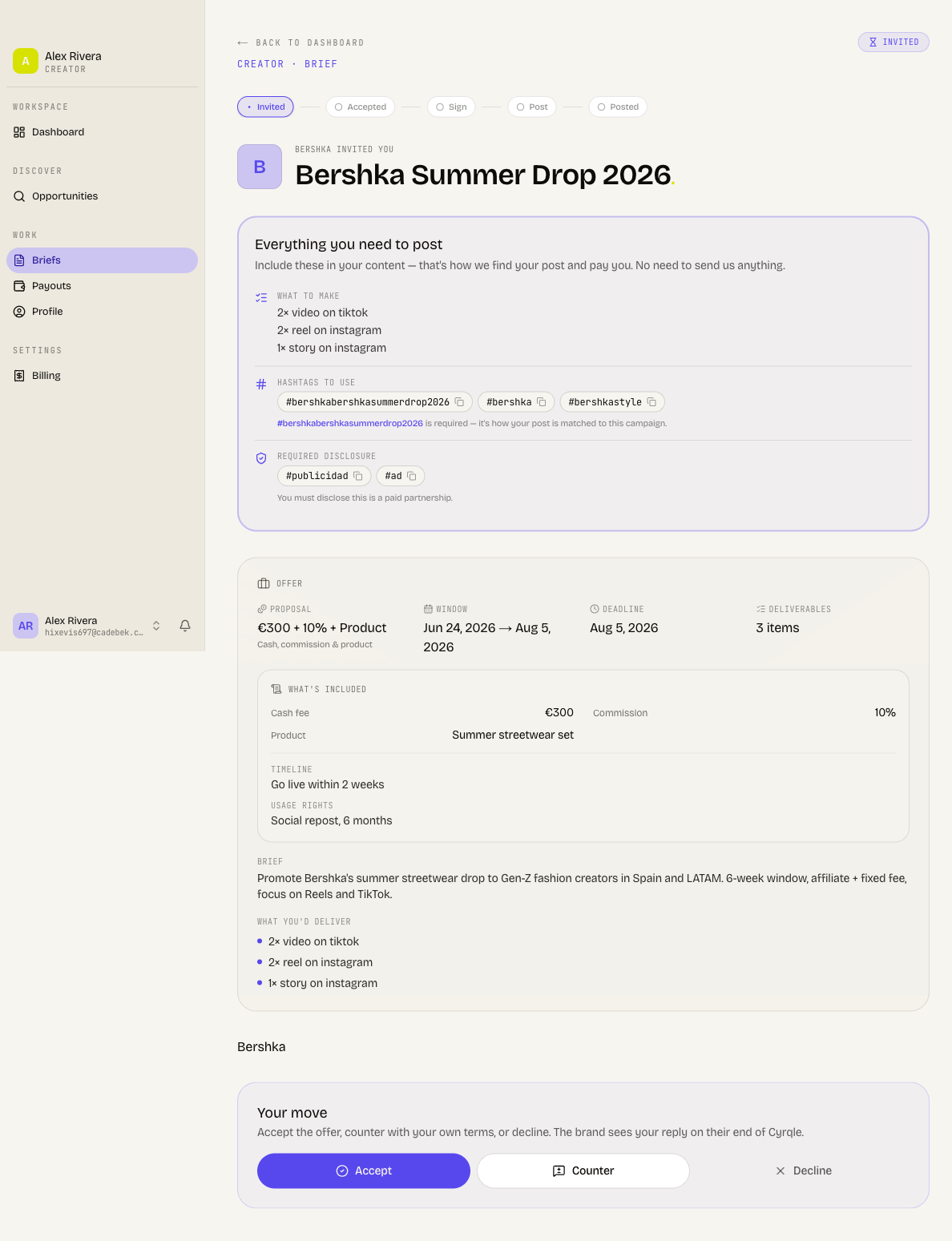
Click a row. The brief page shows, from the top:
- A status pill and a progress strip with five steps: Invited, Accepted, Sign, Post, Posted.
- The offer: your rate, the window, the deadline and the deliverables.
- The brief text, the content ideas, and any assets the brand attached.
- A chat panel for messaging the brand.
Answer an invite
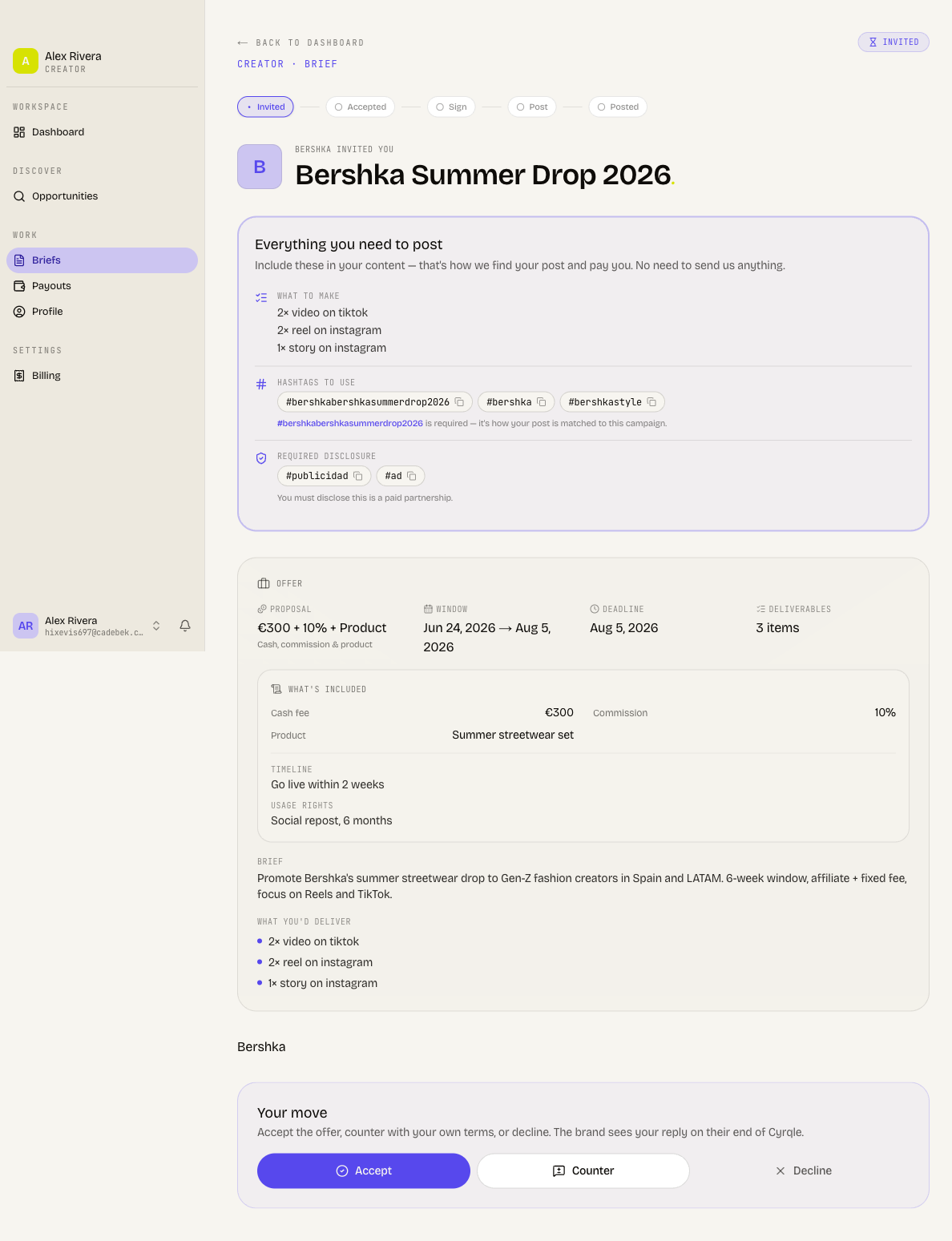
The action panel reads Your move when it is your turn. When the brand sent a counter-offer, it reads "[brand] countered, your move". When you are waiting on the brand, the pill reads Awaiting brand reply.
Read these two limits before you click Accept:
- Your own plan caps how many campaigns you accept per quarter: free 1, basic 3, pro 10, premium unlimited. Cyrqle refuses the accept with "You've used [n]/[limit] campaigns this quarter on your current plan. Upgrade to accept more."
- When the brand has a counter-offer open, Accept takes the brand's numbers, not yours.
Read the offer
Check the rate, the deliverables, the window and the deadline.
Accept the terms
Click Accept. Cyrqle records the agreed terms and starts your agreement.
Counter the offer
Two rules govern a counter:
- You can counter only before you accept. Cyrqle refuses a counter afterwards, and there is no re-negotiation.
- A counter must change something. Cyrqle answers "Change the rate, affiliate %, product, or deliverables to counter."
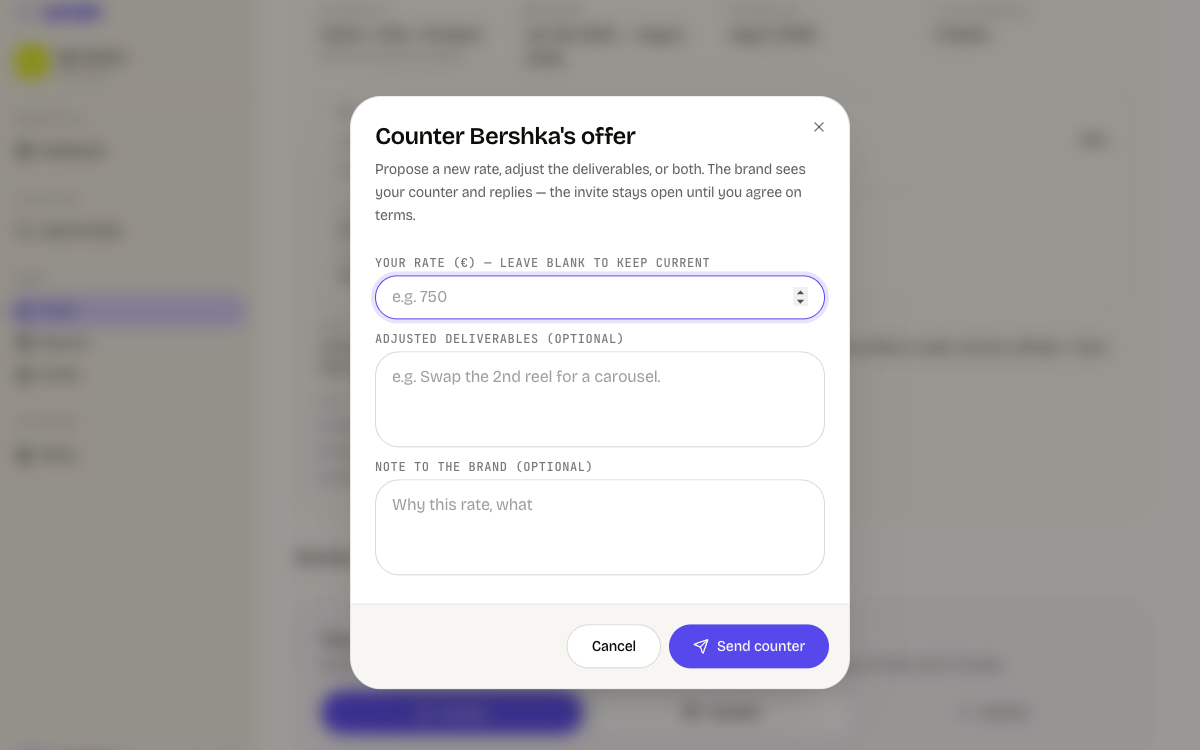
Open the counter form
Click Counter.
Set your rate
Enter your rate in euros. Leave the field blank to keep the brand's rate.
Set the affiliate share and product
Enter an affiliate percentage between 0 and 100, or describe the free product you want.
Change the deliverables
Click Propose different deliverables to edit them. Click Keep current to leave them as they are.
Add a note
Write a note to the brand of up to 500 characters. The note is optional.
Send it
Click Send counter. The brief moves to Awaiting brand reply.
Decline
Start the decline
Click Decline. A reason box opens.
Give a reason
Write up to 500 characters. The reason is optional.
Send it
Click Send decline. Click Cancel to keep the invite open.
Leave a campaign you accepted
Step away is final. Cyrqle removes you from the campaign and tells the brand. You cannot undo it, and the brand may charge a cancellation fee under the terms you agreed. Ask the brand to re-invite you if you change your mind.
Open the brief
Select the campaign in Briefs.
Start the exit
Click Step away from this campaign.
Give a reason
Write up to 500 characters. The reason is optional.
Confirm
Click Step away. Click Stay on campaign to cancel.
Step away from this campaign is available only between your acceptance and your delivery. It disappears once you deliver or the campaign completes.
Message the brand
Every brief has a chat panel below the offer. Use it at any stage, including during a negotiation and after the campaign goes live. The brand sees your messages on their side of Cyrqle. Cyrqle emails you when the brand replies.
Repeat collaborations
A brand can renew a collaboration with you. The brief then shows a run chip, and an Earlier runs section with the previous rounds. When the brand closes the collaboration, the brief reads "This collaboration is finished".
Pitfalls
- Not every brief sits under a filter chip. A brief you stepped away from, or one the brand withdrew, appears under All only. Select All when a brief you expect is missing.
- A brief with an open offer, where the brand set no fixed rate, shows no compensation headline. Use the chat panel to ask for the rate before you accept.
- Your dashboard and the Active filter count different states. The Briefs list is the accurate one.