For creators
Set up your Cyrqle profile, get matched to brand campaigns, agree terms, deliver content, and get paid.
Cyrqle connects you with brands looking for creators like you. You build a profile once, connect your social accounts, and Cyrqle matches you to campaign briefs you're a genuine fit for. From there you review the offer, agree the terms, post your content, and get paid — all in one place. This page walks the whole journey, from first sign-up to your first payout.
Before you start
You'll need a creator workspace (you choose this when you sign up — pick "Creator", or "UGC Talent" if you produce content for brands without needing your own audience). To rank higher and keep your stats fresh, connect at least one social account. To receive money, set up Stripe Connect Express on the Payouts page. None of these block you from browsing — but campaigns flow faster once they're done.
Set up your creator profile
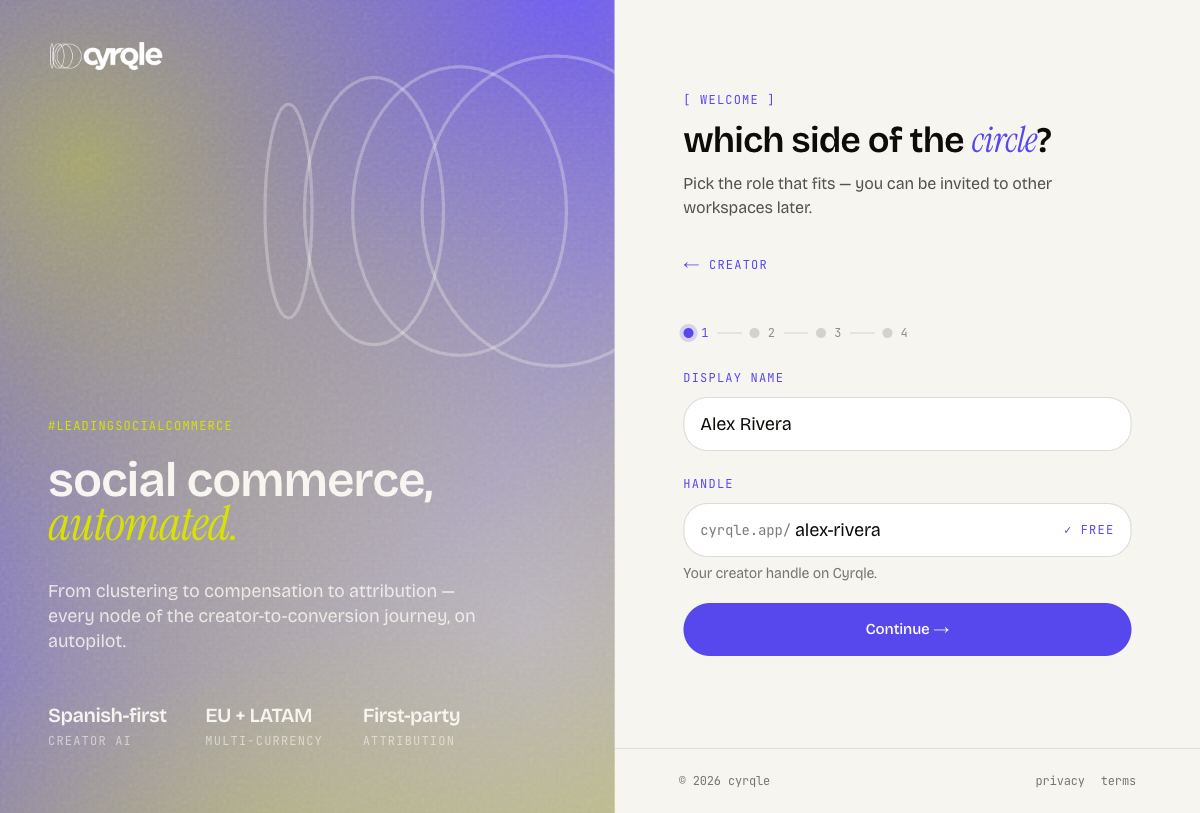
When you first sign up as a creator, Cyrqle walks you through a short four-step wizard:
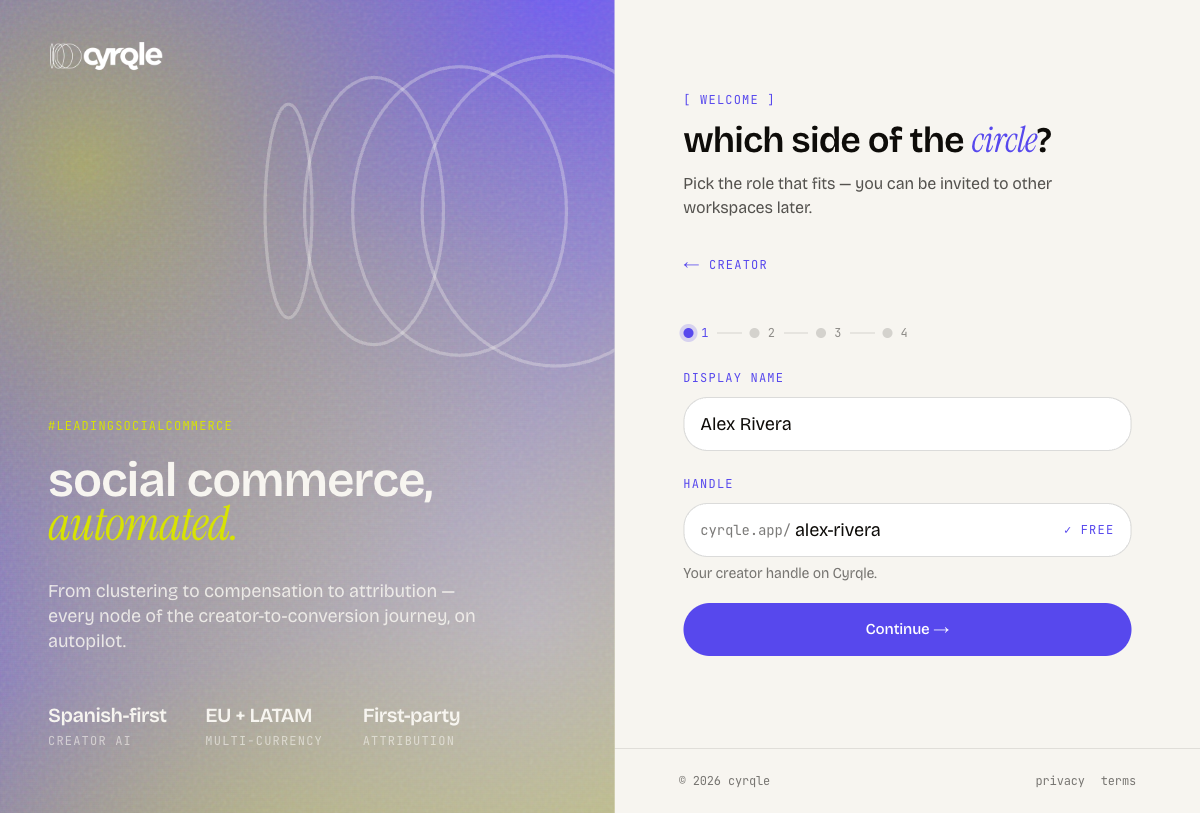
Identity — enter your display name and pick your Cyrqle handle (your workspace address). Cyrqle suggests a handle from your name and checks it's free as you type.
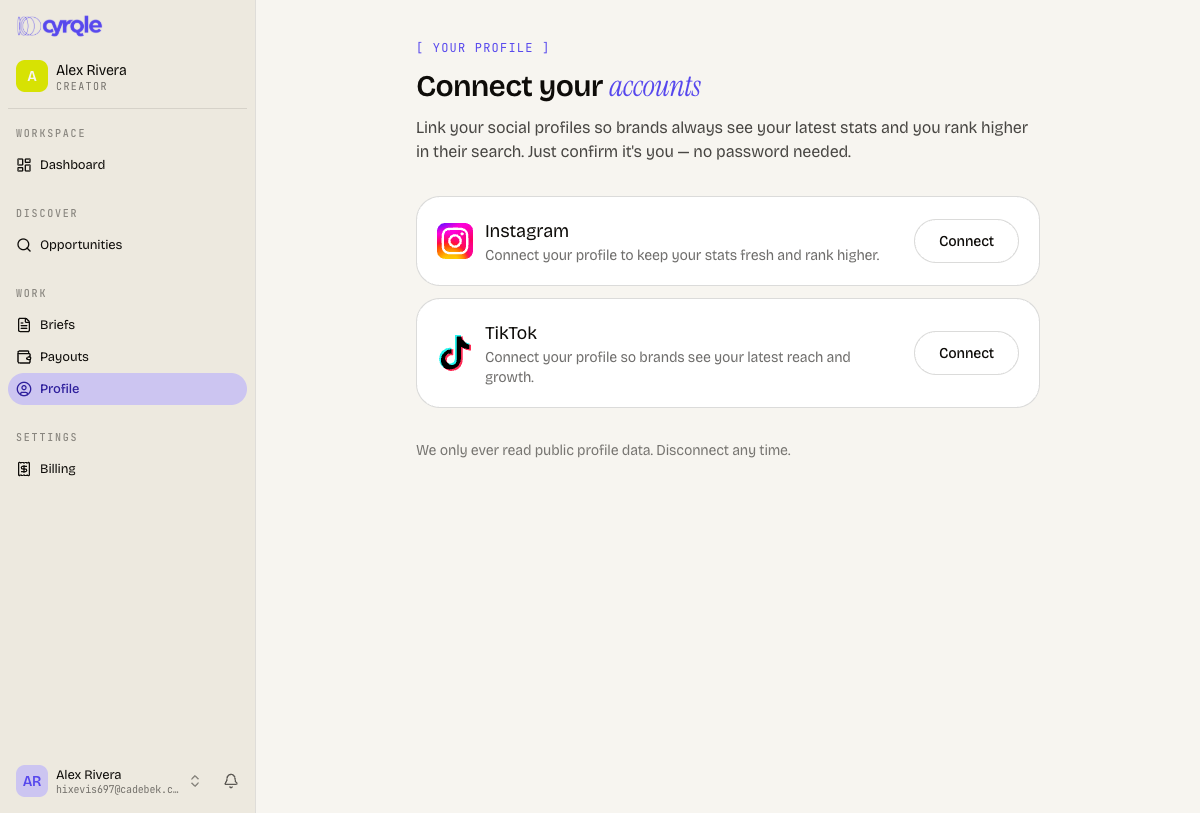
Connect — link Instagram, TikTok, YouTube, or LinkedIn. Connecting pulls in your verified handle and latest stats automatically. Some platforms may show "Coming soon" — you can skip and add them later.
About — add a short bio, your niches (for example Fashion, Beauty, Travel — up to 8), and your city and country. If you skipped connecting an account, you can type your social handle here so your profile can be verified.
Confirm — review the summary and create your workspace.
You can edit any of this later from your profile.
To change details after onboarding, go to your profile and select Edit profile. Your profile page shows your bio, location, handle, and niches, plus your Success Hub card (your points and loyalty). There's also an audience step where you can self-report your audience demographics so brands matching gets sharper.
Connect your accounts
Open Connect your accounts from your profile to link social profiles by handle. Cyrqle pulls up the public profile, you confirm it's you, and it's linked — no password needed. Connected accounts keep your reach and growth current and rank you higher when brands search.
Why connect matters
You must have at least one linked social account to apply to campaigns. If you try to apply without one, Cyrqle will prompt you to connect first.
Get discovered and find campaigns
As a platform creator, you're in the pool brands can find and pre-approve. There are two ways campaigns reach you:
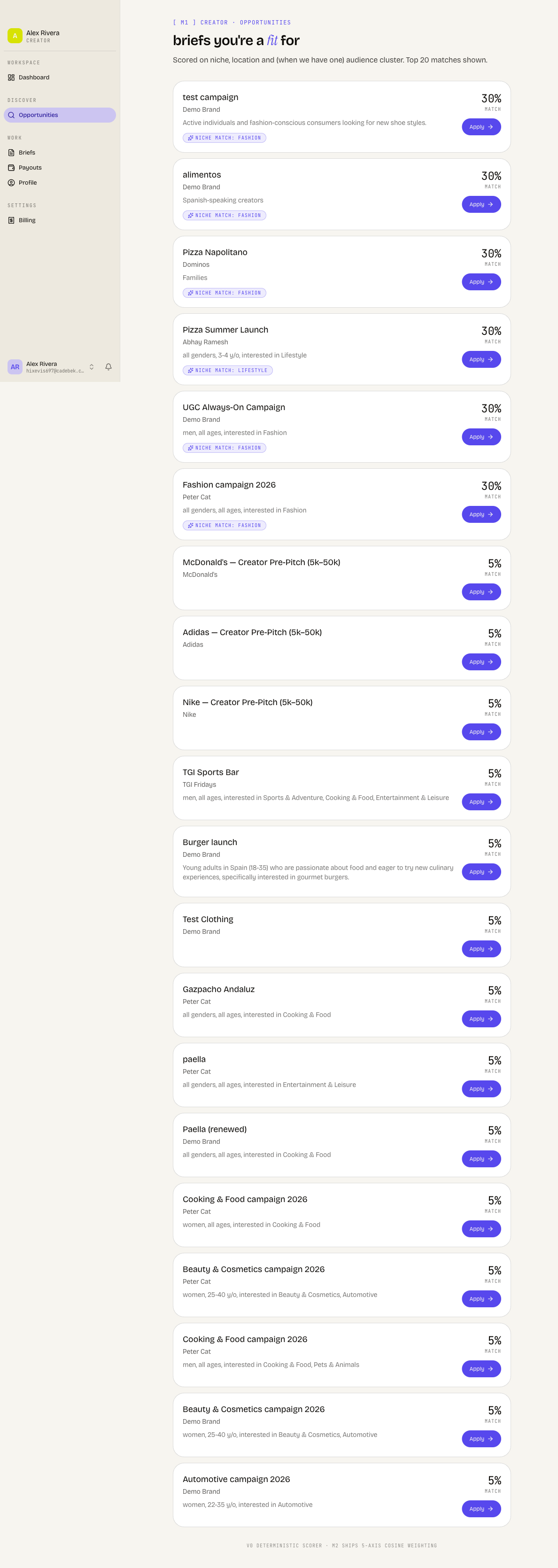
- Opportunities — open this page to see briefs you're a fit for, matched on your niches, location, audience, and reach. Each card shows the brand and the offer.
- Briefs — brands can also invite you directly. Every campaign you're on lives here, grouped into Action needed, Active, Pipeline, and Closed so you always know what's waiting on you.
To put yourself forward for a matched brief, select Apply on its Opportunities card. Cyrqle sends your application and takes you straight to the brief.
Agree terms and deliver
Open any brief to see the full offer: the proposed compensation, the go-live date, the deadline, and exactly what you deliver. Compensation comes in four modes — Fixed (a flat fee), Affiliate (a percentage of sales you drive), Seeding (free product, no cash), or Hybrid (a mix).
While the offer is still open, you'll see three buttons:
- Accept — take the offer as proposed.
- Counter — propose a different rate or terms back to the brand.
- Decline — pass on the campaign.
If the brand counters back, the same Accept / Counter / Decline choice reappears so you can respond.
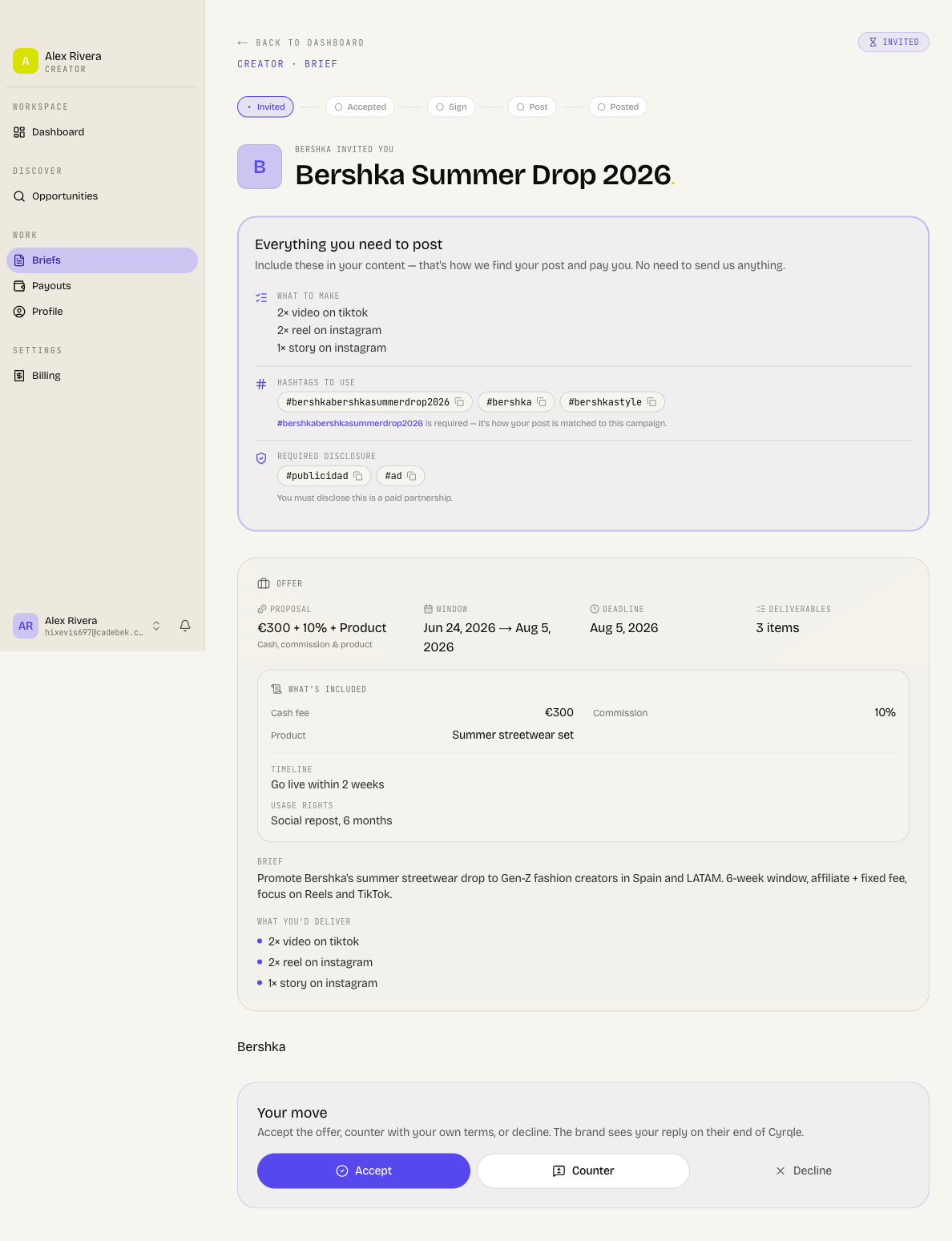
Once you accept, Cyrqle prepares an agreement for you to review and sign right on the brief — this unlocks the campaign. After signing, the brief tells you exactly what to do next, depending on how the brand runs the campaign:
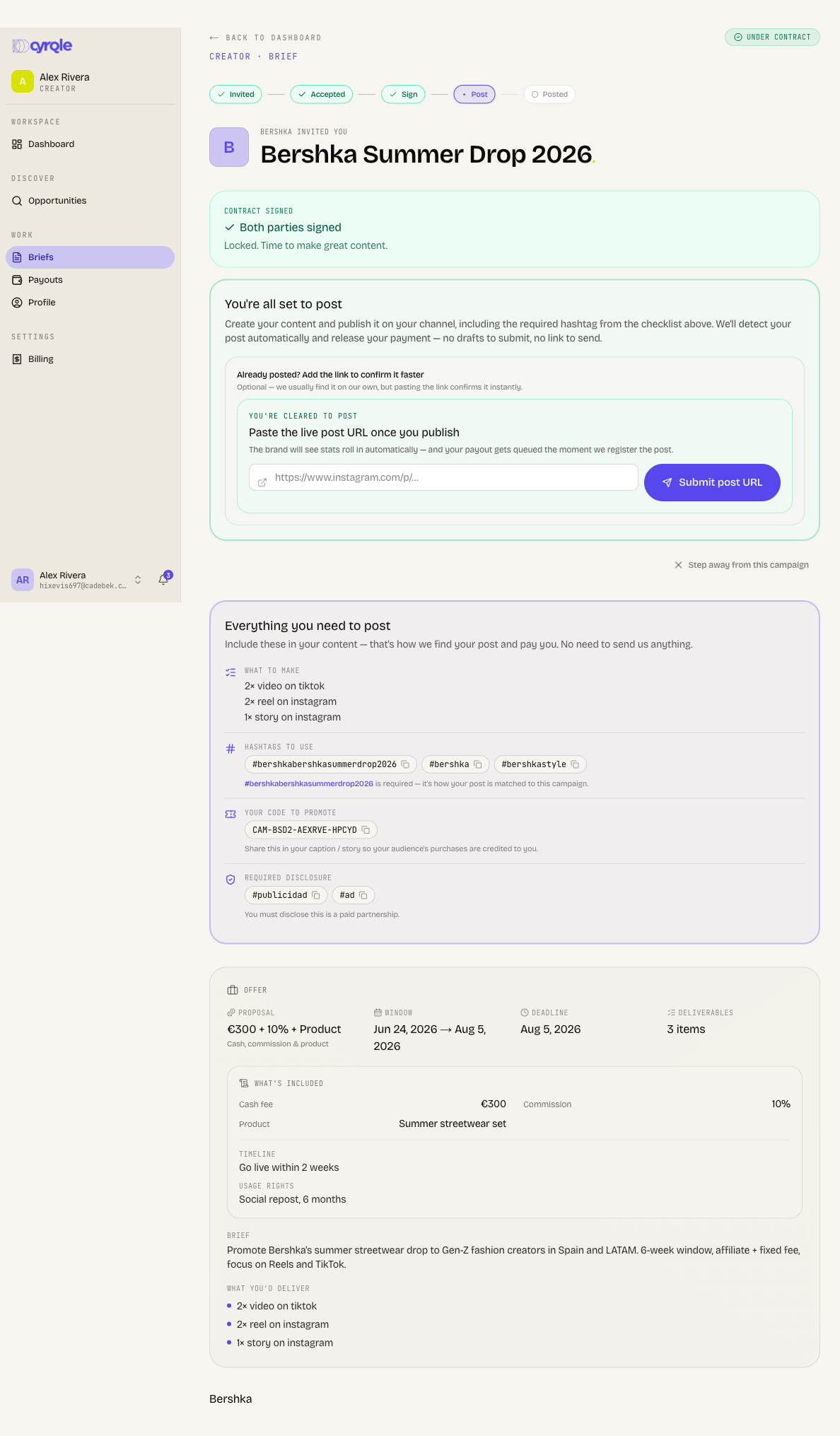
- Auto-discovery campaigns — just publish your content with the required hashtag from the checklist. Cyrqle detects your post automatically and releases your payment. Pasting your post link is optional and only confirms it faster.
- Approval campaigns — submit a draft for the brand to approve before you post.
Everything you need to produce — required hashtag, brand mention, your personal promo code, the disclosure tags for your country, deliverables, and the brand's dos and don'ts — sits in one content checklist on the brief, so you never have to chase the brand.
Get paid
Open Payouts to set up how you get paid and to track your earnings. Cyrqle uses Stripe Connect Express — select Connect with Stripe and complete the short onboarding (identity check, bank or card, country-aware — usually under five minutes). Until that's done, you'll see a reminder banner.
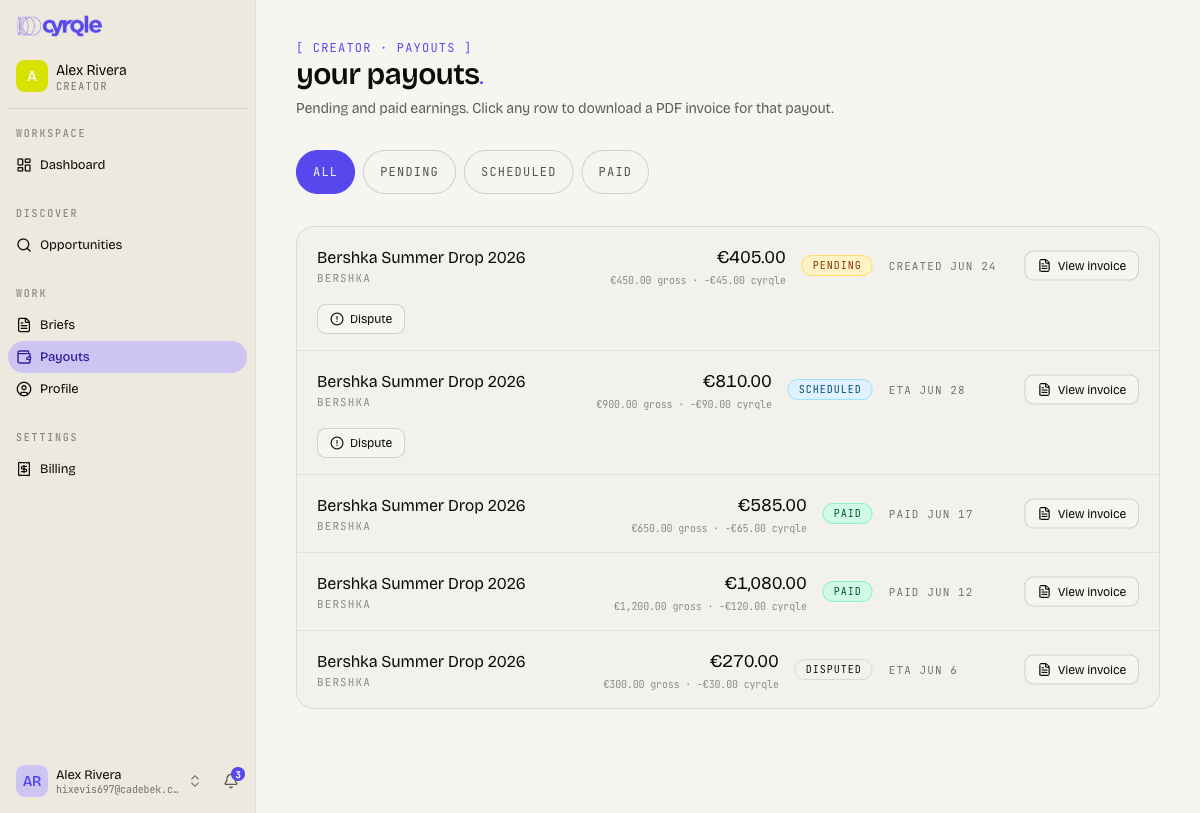
Once you're paid out, every payout appears here with its campaign and brand. Filter by Pending, Scheduled, or Paid, and click any row to download a PDF invoice. If something looks wrong with a payout, you can raise a dispute from its row.
Tips
- Connect a social account early — it's required to apply, and it makes your matches and brand search ranking far better.
- Fill in your niches, location, and audience details; the more complete your profile, the more relevant your Opportunities.
- Set up Stripe before you accept your first campaign so payment isn't held up at the finish line.
- On auto-discovery campaigns, you don't need to submit anything — just post with the required hashtag and Cyrqle finds it. Pasting the link only speeds up confirmation.
- Always include the disclosure tags shown on the brief's checklist — they're set for your country.
- Manage which updates you receive under your account notification settings.