Connect your accounts
Link Instagram or TikTok so brands can verify your numbers and you can answer invites.
Before you start
- Sign in to your creator workspace.
- Select Profile in the sidebar. This opens the Connect your accounts page.
- Have the account handle ready. You do not need the password unless you use the login path.
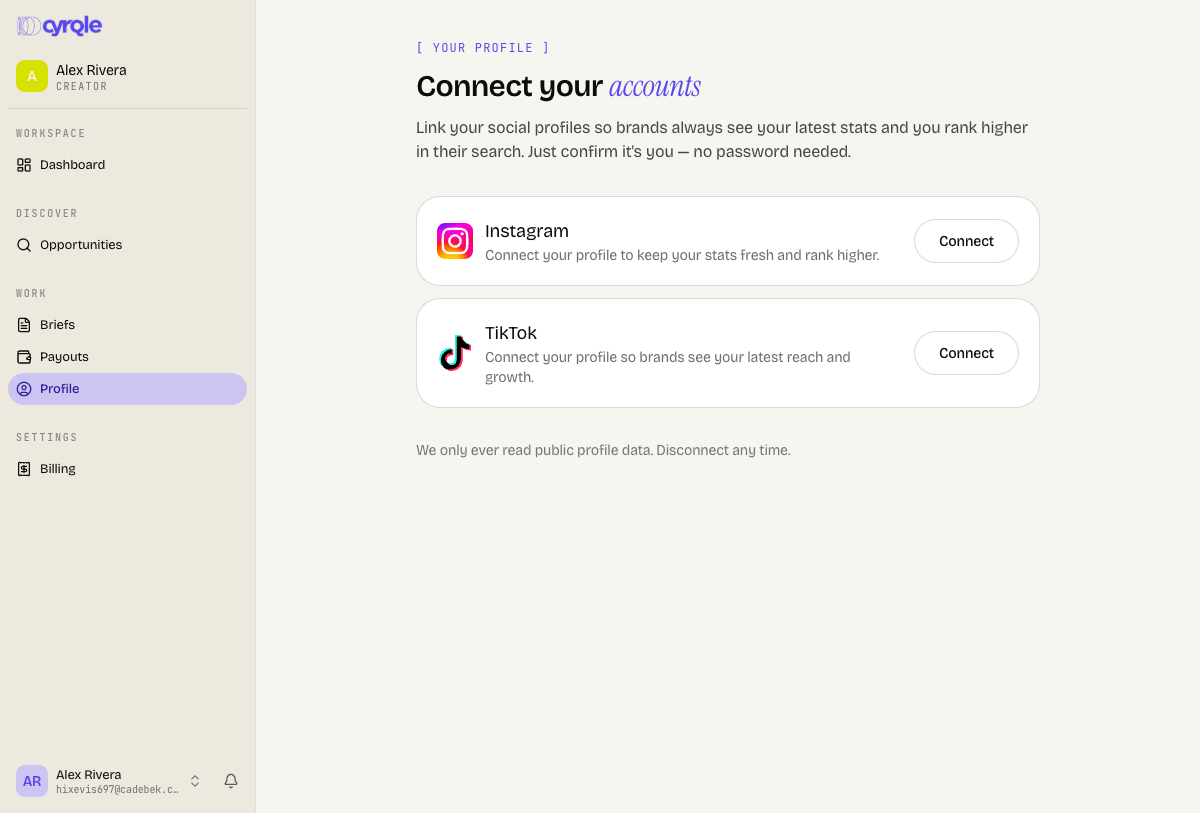
You cannot accept, counter or decline an invite until one platform is connected. Cyrqle shows the message "Connect a platform on /profile/connect before responding to invites."
Two ways to connect
| Path | What you get |
|---|---|
| Log in with TikTok (or Instagram, when Cyrqle offers it) | A verified handle and live stats. No confirmation step. |
| By handle | A preview of the public profile, which you confirm. Public numbers only. |
Connect with a platform login
Open the connect page
Select Profile in the sidebar.
Start the login
Click Log in with TikTok.
Approve the request
Approve Cyrqle on the TikTok consent screen. Cyrqle returns you to the connect page with your verified handle.
Connect by handle
Instagram usually offers the handle path only. The Instagram login button appears for a small group of test accounts while Cyrqle waits for Instagram app review. This is expected, not an error.
Start the handle path
Click Use @handle instead, or click Connect on a platform that has no login button.
Enter your handle
Type your handle without the @ sign.
Look up the profile
Click Find profile. Cyrqle loads the public profile.
Check the preview
Read the handle, the follower count and the recent post covers. Confirm they are yours.
Confirm
Click Yes, connect this. Click Not this one to search again.
Disconnect a platform
Disconnecting stops every invite and campaign that depends on that handle. Cyrqle cannot match your posts until you connect the account again. There is no undo.
Open the connected account
Find the platform row on the connect page.
Start the disconnect
Click Disconnect.
Confirm
Read the warning in the dialog. Click Disconnect.
Pitfalls
- Looking up a handle runs a live lookup against the platform. It can fail. Cyrqle shows "We hit a problem looking up that profile." Wait a minute, then try again.
- Cyrqle refuses a handle that is already linked to another Cyrqle account: "That profile is already connected to another account. If it's yours, contact support." You cannot unlink it yourself. Contact support.
- When you connected a platform with the platform login, Disconnect cannot unlink it from Cyrqle. Cyrqle tells you to revoke Cyrqle's access in your platform account settings instead.
- The disconnect warning still names an "Opportunities" feed. That feed no longer exists. Read the warning as "invites will stop until you reconnect."
Reference
Your dashboard
Read your creator home page: what needs you, your numbers, and your profile health. Use it as a starting point, not as a record of your money.
Links you receive
The pages a brand sends you by email or DM: the claim link, the join link, a public campaign link, a rights request, and your signing link.