Workspaces
Inspect any workspace, read its members and agency links, and run the suspend and archive procedures that have no button yet.
A workspace is one customer account: a brand, a creator or an agency.
Before you start
- Any staff role can read every workspace.
- Only a superadmin can suspend or archive one, and only with a fresh sign-in.
- Staff cannot create a workspace or attach a managed brand. Those are customer actions.
Find a workspace
Filter
Choose all, brand, creator, agency or deleted.
Search
Type part of the name or the address slug.
Open it
Click the row.
What the detail page shows
- Name, slug, identifier, created date, archived date.
- Members, with their role, their join date, and a "removed" chip on anyone taken off the workspace.
- Agency links: which agency manages this brand, at which permission level, whether the invitation is accepted, and when it was linked or unlinked.
- The last 20 recorded actions scoped to this workspace.
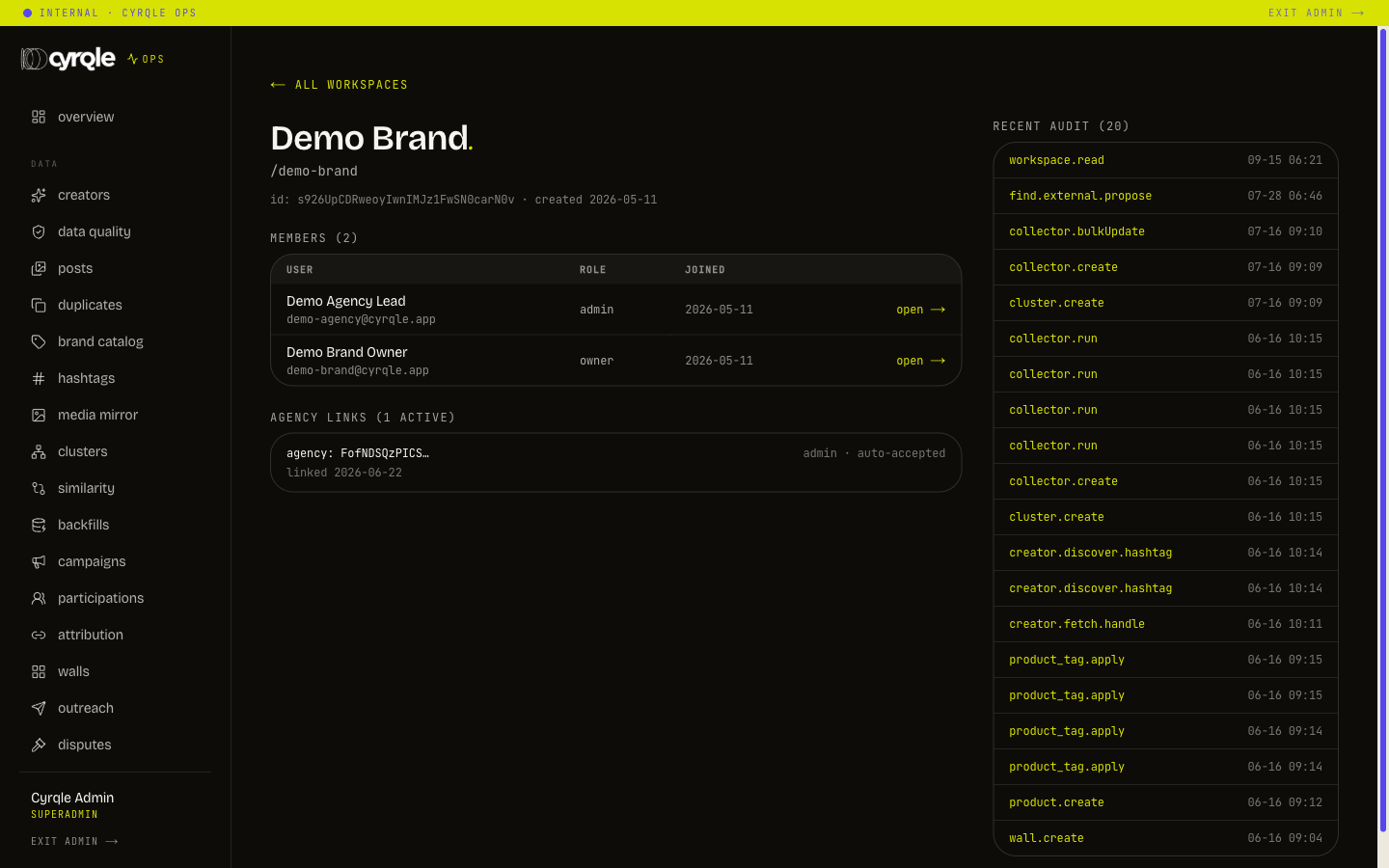
This page is read-only. There is no button on it that changes anything.
Suspending a workspace
Suspension is not available in the console today. It is an operations procedure run by engineering on request.
What it does: it sets the workspace licence to suspended. The customer keeps reading and signing in. Write paths stop, including creating a campaign and sending outreach. Reinstating sets the licence back to active.
- Reinstating always lands on active, never back on trialing. The previous status is not stored anywhere. If you suspend a workspace that was in trial, note the trial end date first.
- A workspace with no licence row cannot be suspended. The refusal reads "This workspace has no licence row, so there is nothing to suspend." Mint a licence first, or handle it another way.
For most cases you do not need this procedure. Suspending the licence from the licence actions tab has the same effect and is a button.
Archiving a workspace
Archiving is also not available in the console today.
Archiving hides the workspace everywhere and hands it to a purge 30 days later. After the purge the data is gone. Confirm in writing with the customer before you request it.
What it does and what it refuses:
| Condition | Result |
|---|---|
| Unsettled payouts still reference the workspace | Refused: "N unsettled payout(s) still reference this workspace. Settle or cancel them first." |
| The workspace is already archived | Refused: "Already archived." |
| Reason shorter than 3 characters | Refused |
| Otherwise | Archived, hidden everywhere, purged after 30 days |
A pending, scheduled or disputed payout blocks archiving. Clear the money first at /admin/money/payouts, then ask again.
What staff cannot do
- Create a workspace. The customer signs up.
- Link an agency to a brand. The agency sends the invitation, the brand accepts.
- Attach a managed brand. That is done inside the agency workspace.
- Rename a workspace or change its address slug.
Staff can only mint a licence against a workspace that already exists. See Licences.
Pitfalls
- An archived workspace keeps its address slug for the whole 30-day window. The slug is free only after the purge.
- A member shown with a "removed" chip was taken off the workspace but their history is kept. They are not a current member. Do not count them against the seat cap.